FL Studio Producer Edition: The DAW Built to Take an Idea From Zero to a Finished Track
FL Studio is a complete music production environment built by Image-Line, covering everything from the first beat idea to a fully mixed and mastered song. Producer Edition sits in the middle of Image-Line’s lineup, adding audio recording and a deeper plugin set on top of the core beat-making and arranging tools.
Software Information
Title: FL Studio Producer Edition
Developer: Image-Line, based in Belgium
Platform: Windows
Official Website: Image-Line
Image-line FL Studio Producer Edition Overview

FL Studio is built around a simple idea: keep the path from an idea to a finished track as short as possible. The Channel Rack is where most projects start, letting you build a beat or pattern in a few clicks. From there, the Piano Roll handles melodies and chords, ranging from a quick sketch to a fully arranged composition. The Playlist is where everything comes together, letting you drop in clips, patterns, and loops to build the structure of a song. A full mixer, supporting up to 500 tracks with routing and effects, handles the balance and polish stage.
Producer Edition builds on the core toolset by adding audio recording, so vocals, instruments, or any other audio source can be captured directly into a project. It also includes plugins like Edison, Kepler, and Slicex, along with full Automation Clips for shaping sound changes over time.
FL Studio projects move freely between Windows and macOS, including full support for Apple Silicon, so collaborating across different machines doesn’t cause compatibility issues. Instruments and effects can be loaded in VST, AU, or CLAP formats alongside FL Studio’s own built-in plugins.
Also Check Out: GibbsCAM
Image-line FL Studio Producer Edition Key Benefits
- Fast idea capture: The Channel Rack and Piano Roll are built to get a beat or melody down quickly, without getting in the way of a creative idea.
- A complete signal path: Recording, arranging, mixing, and mastering all happen inside the same application, without needing to bounce between separate programs.
- Cross-platform project sharing: Projects open the same way on Windows and macOS, including Apple Silicon machines, with full plugin compatibility.
- A growing instrument and effects collection: FL Studio ships with a combined 100+ instruments and effects, covering samplers, synths, drum machines, and processing tools.
- AI-assisted workflow: Gopher answers production questions directly inside the software and can now perform hands-on tasks like organizing tracks or generating scripts.
- Deep customization: Toolbars, layouts, and themes can all be rearranged and saved, with support for detaching windows across multiple monitors.
- Open plugin support: Instruments and effects in VST, AU, or CLAP format load alongside FL Studio’s native plugin set.
Image-line FL Studio Producer Edition Key Features
Core Workflow
- Channel Rack: The starting point for most projects, used to build beats and patterns step by step.
- Piano Roll: Built for sketching quick melodic ideas as well as arranging complex chords and patterns in detail.
- Playlist: The arrangement canvas where clips, patterns, and loops are placed to build a full song structure.
- Mixer: A full-featured mixer supporting up to 500 tracks, with flexible routing and a complete effects chain per track.
- Patcher: Chains instruments and effects together to build custom sounds and workflows that can be saved and reused.
- Advanced Audio Editing: Covers vocal fixing, sample chopping, and general audio manipulation with tools like Edison built in.
Instruments
- Wide Instrument Range: Includes samplers, drum machines, synths, and sound generators for building any style of track.
- Harmless: A synth that goes beyond standard subtractive synthesis, letting you shape filters, phasing, and partials into new tones.
- Sakura: A string-focused instrument that can recreate realistic string instruments or be used to design original ones.
- Drumaxx: Builds drum sounds from the ground up using 16 modeled pads rather than relying on sample playback.
- PoiZone: A subtractive synth designed for speed, with simple controls and punchy oscillators.
- Sytrus: A deeper synthesis tool with six operators and extensive modulation options for moving past preset sounds.
- 3xOSC: A raw, three-oscillator subtractive synth known for its simplicity and old-school character.
- FLEX: A fast, lightweight plugin included with FL Studio, loaded with presets designed to sound ready to use immediately, and rebuilt in the 2026 update with a lighter engine and a new browsing experience.
- Kepler Exo: Inspired by classic analog synths like the JUNO-6 and Jupiter-8, combining expanded modulation, FM synthesis, and onboard effects. Included in All Plugins Edition.
Effects
- Gross Beat: Adds instant stutters, scratches, and gating effects using time and volume manipulation.
- Fruity Reverb 2: A general-purpose reverb covering everything from small rooms to large halls.
- Emphasis: A single-band mastering limiter designed to add punch and clarity without crushing the mix.
- Fruity Delay 3: Covers clean repeats, warm tape-style echoes, and modulated feedback delay from a single plugin.
- Fruity Chorus: Adds width and shimmer to instruments and vocals.
- Fruity Parametric EQ 2: A visual, flexible EQ for precise tonal shaping.
- Fruity Love Philter: Eight filter units that can be automated, modulated, and combined for evolving rhythmic effects.
- Fruity WaveShaper: Lets you draw custom waveshaping curves for distortion ranging from subtle to extreme.
- Transmitter: Splits a signal into Transient and Sustain components, letting each be routed and shaped separately. Included in All Plugins Edition.
Workflow Tools
- Chord Progression Tool: Instantly generates chord progressions matched to a chosen scale and mood, with the ability to lock preferred chords and shuffle the rest.
- Chord Stamp Tool: Adds top-down and bottom-up voice-leading modes for quick chord inspiration directly in the Piano Roll.
- Instant Chord Detection: A Chord Panel in the Piano Roll detects notes and chords as they’re played, helping you stay in key and explore new progressions.
- Loop Starter: Generates instant, genre-based loop stacks so a project never has to start from a blank screen.
- Stem Separation: Uses AI to split any song into vocals, drums, bass, and instruments, useful for remixing, sampling, or building karaoke versions.
- Remix a Song Tool: Detects a track’s correct BPM and separates stems automatically to make remixing faster to start.
- Piano Roll Note Labeling: Notes in the Piano Roll can now be renamed, useful for marking melodic changes or other visual cues.
- Audio Clip Gain Controls: Brings a single clip or a full selection to a consistent volume level without extra manual steps.
- Audio Logger: Continuously keeps the last 60 seconds of the Master output available for recovery, useful for catching a good take that wasn’t being recorded.
Sound Library and Cloud Tools
- Sounds Library: A large, searchable library of samples covering drum kits, basslines, chords, vocal hooks, and textures, browsable directly inside FL Studio.
- FLEX Packs: Genre-based preset packs for FLEX, covering styles from hard-hitting drums to dreamy pads.
- FL Cloud Project Backup: Projects can be saved directly to FL Cloud from inside FL Studio, keeping work backed up if you switch computers or run into a problem. Backups are private, encrypted, and not used for AI training.
- Loop Starter Cloud Expansion: FL Cloud subscribers get access to a larger Loop Starter library, giving more loop and one-shot variety to work with.
Assistance and Customization
- Gopher: An AI assistant built into FL Studio that answers production questions and can now perform hands-on actions like adjusting mixer levels, organizing tracks, routing audio, and generating Piano Roll or VFX scripts on request, without collecting or training on your project data.
- Custom Layouts and Themes: Toolbars can be rearranged, layouts saved, and themes customized to match your workflow.
- Multi-Monitor Support: Windows can be detached and spread across multiple screens, including support for custom control surfaces in advanced setups.
What’s new in Image-line FL Studio Producer Edition 26.1.7.5?
The current version, 26.1.7.5, was released on October 12, 2026. According to the official changelog, this update includes:
Fixes
(common)
- Can’t unlock the Fire edition of FL Studio.
(macOS)
- Endless browser re-indexing after a plugin is opened causes high CPU usage. So this makes it a legit hotfix!
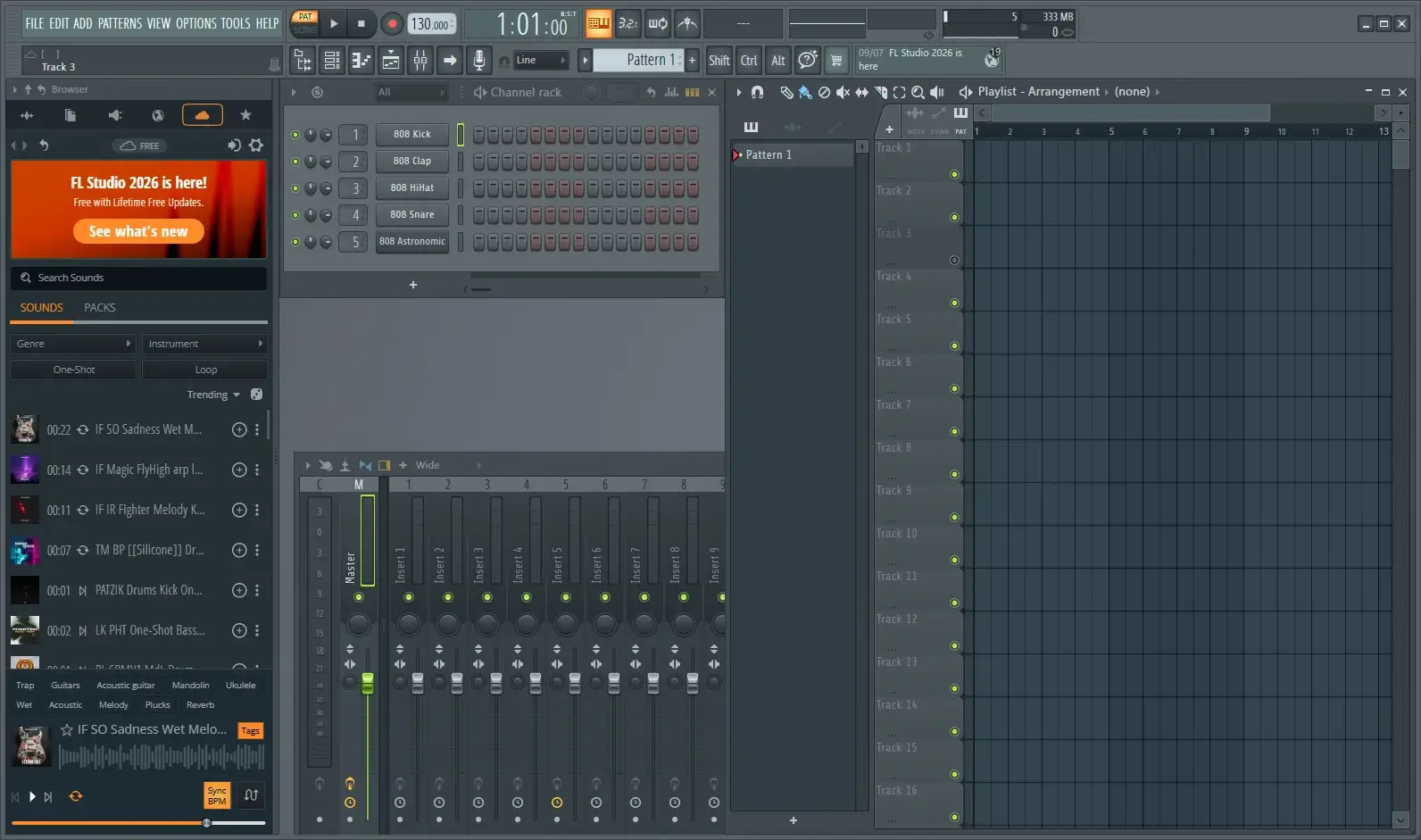
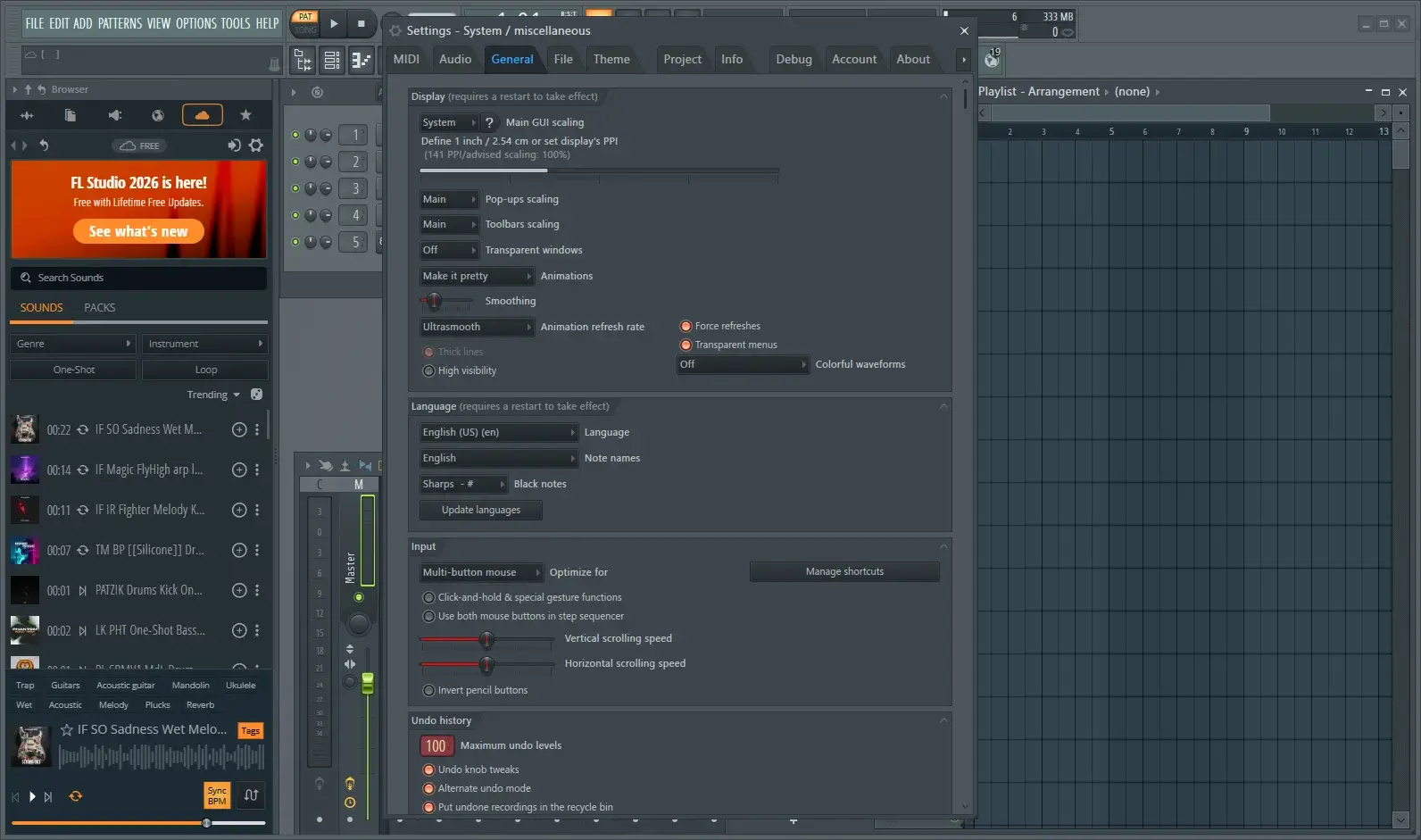
Image-line FL Studio Producer Edition Tested Screenshots
System Requirements
| Component | Minimum | Recommended |
|---|---|---|
| Operating System | Windows 10 or Windows 11 | Windows 10 or Windows 11 |
| Processor | 2 GHz processor with SSE2 support | Quad-core processor or better |
| RAM | 4 GB | 8 to 16 GB |
| Storage | 4 GB free disk space | SSD recommended |
| Architecture | Intel or AMD (ARM not supported) | Intel or AMD (ARM not supported) |
| Internet | Required for activation and updates | Stable broadband |