PowerISO: The Complete Disc Image and Burning Toolkit for Windows
PowerISO is a disc image processing utility that lets you open, create, edit, convert, compress, encrypt, split, and mount ISO and other disc image files. It brings together disc burning, virtual drive mounting, archive handling, and bootable USB creation into one application, so you are not switching between five different tools to manage disc images and optical media.
PowerISO Information
- Title: PowerISO
- Developer: Power Software Ltd.
- Platform: Windows (32-bit and 64-bit)
- Official Website: PowerISO
What Is PowerISO?

PowerISO is a disc image file processing tool that lets you manipulate image files in a wide range of ways, including opening, extracting, burning, creating, editing, compressing, encrypting, splitting, and converting image files, along with mounting them through an internal virtual drive. It supports all popular CD, DVD, and Blu-ray disc image formats.
Owning PowerISO effectively means owning an ISO creator, an ISO editor, an ISO extractor, an ISO converter, an ISO burner, a virtual drive, a CD burner, a DVD burner, a BD burner, an audio burner, an audio ripper, and a video burner, all rolled into a single application rather than separate downloads.
Also Check Out: GRAPHISOFT ArchiCAD
PowerISO Key Benefits
- One application instead of several: Disc burning, image creation, virtual drive mounting, archive handling, and bootable USB creation are all handled without needing separate specialized tools.
- Broad format compatibility: Nearly every disc image format in common use, along with a long list of archive and virtual disk formats, can be opened, converted, or edited directly.
- No physical drive required for daily use: Mounting image files as virtual drives lets you browse and use disc contents instantly without extracting or burning anything.
- Bootable media made simple: Bootable USB drives for Windows, Linux, FreeDOS, and MS-DOS can be created directly from an ISO or compressed archive.
- Built-in audio tools: Ripping audio CDs and converting between audio formats is handled natively without a separate audio converter.
- Long-term active development: Continuous updates since 2004 have kept the software current with modern file systems, disc formats, and Windows versions.
- Works across platforms: Beyond Windows, dedicated builds exist for Arm64 devices, Linux, and command-line use on Linux and OSX.
PowerISO Key Features
Create ISO File
- Create an ISO file or a BIN CUE file directly from hard disc files.
- Create an ISO file or BIN CUE file from a CD, DVD, or Blu-ray disc.
- Create a bootable ISO image file.
- Automatically detect various CD, DVD, and Blu-ray image file types.
- Support ISO9660, Joliet, and UDF file systems during creation.
- Support unicode file names within created images.
- Optimize file layout automatically to save disc space.
Edit ISO File
- Add files to an existing ISO file.
- Delete files from within an ISO file.
- Rename files inside an ISO file.
- Modify a file’s date and time metadata inside an ISO file.
- Add boot information to an ISO file to convert it into a bootable ISO image.
Extract ISO File
- Support extraction from ISO files and a wide range of other popular disc image formats, including BIN/CUE, DAA, UIF, DMG, MDF/MDS, ASHDISC, BWI/B5I, LCD, IMG, CDI, CIF, P01, PDI, NRG, NCD, PXI, GI, FCD, VCD, C2D, and BIF.
- Support multi-session disc image files during extraction.
- Extract individual files or complete contents from an ISO file.
- View and run files contained inside an ISO file without needing to extract everything first.
Burn ISO File
- Burn ISO files and other image formats to CD-R, CD-RW, DVD-R, DVD-RW, DVD+R, DVD+RW, DVD-RAM, DVD-R DL, DVD+R DL, BD-R, BD-R DL, and BD-RE DL discs.
- Burn Apple DMG files directly to CD, DVD, or Blu-ray discs.
- Burn files and folders directly to CD, DVD, or Blu-ray discs on the fly.
- Burn Audio CDs directly from MP3, WMA, APE, FLAC, WAV, or BIN files.
- Burn video image files to CD or DVD discs.
- Support two erasing modes for rewritable discs: Full Erasing and Quick Erasing.
- Burn to multiple optical drives simultaneously.
- Perform simulation burning to test a burn process before committing it to disc.
Mount ISO File and Virtual Drive
- Mount ISO files and other popular image formats as a virtual drive.
- Support up to 23 simultaneous virtual drives.
Make Audio Disc
- Create standard Audio CDs.
- Create mixed mode CDs.
- Support Audio CD-TEXT.
- Burn MP3, WMA, WAV, FLAC, and APE files directly to CD.
- Burn BIN/CUE, MP3/CUE, WMA/CUE, WAV/CUE, FLAC/CUE, and APE/CUE audio image files to CD.
- Edit existing Audio CD image files.
- Play audio tracks directly from within an Audio CD image file.
Audio CD Ripper
- Rip audio CDs to MP3, WMA, WAV, FLAC, and APE files.
- Rip audio CDs directly to BIN/CUE, MP3/CUE, WMA/CUE, WAV/CUE, FLAC/CUE, and APE/CUE audio image files.
ISO and BIN Converter
- Convert ISO files to BIN format.
- Convert BIN files to ISO format.
- Convert Apple DMG files to ISO format.
- Convert virtually any popular image file format to ISO.
- Convert virtually any popular image file format to BIN.
Open, Extract, and Edit Disk Image Files
- Support popular virtual disk image formats, including VMware Virtual Disc Images (VMDK), VirtualBox Virtual Disc Images (VDI), and Virtual PC Virtual Disc Images (VHD).
- Support all common floppy disk image formats, including BIF, FLP, DSK, BFI, BWI, BIN, and IMG.
- Support disc image files containing FAT12, FAT, FAT32, NTFS, ext2, and ext3 partitions.
Create Bootable USB Drive
- Create bootable USB drives for Windows, Linux, FreeDOS, and MS-DOS.
- Support USB-FDD, USB-ZIP, and USB-HDD formats.
- Create bootable USB drives directly from ZIP, RAR, and 7Z compressed files without extracting them first.
- Support customizing the Windows installation during bootable USB drive creation.
- Support customizing Windows ISO files directly.
- Support creating a GPT UEFI bootable USB drive.
- Create Windows To Go USB drives that can install and run Windows directly from the USB drive.
- Split large ESD and WIM files automatically when creating a bootable USB drive.
- Convert ZIP and RAR files directly to ISO format for use in the bootable USB creation process.
USB Drive Tools
- Install Windows directly to a USB drive.
- Copy a USB drive to an image file.
- Write an image file back to a USB drive.
- Back up an entire USB drive to an image file and restore it later.
GUI DISM Tool and Other Utilities
- Manage Windows images (WIM and ESD files) through a graphical interface instead of the command line.
- Mount, unmount, and clean up Windows image mount points.
- Capture, append, apply, export, split, and delete Windows images.
- Perform driver servicing, package servicing, feature servicing, application servicing, and Windows edition servicing on WIM images.
- Convert ESD files to WIM format and WIM files to ESD format.
- Add drivers directly to an ISO file or a WIM file.
- View raw disc sector data and edit it in hexadecimal mode.
- Convert musical file formats, including converting between MP3, WMA, WAV, FLAC, APE, OGG, OPUS, and AIF.
- Preview the contents of picture and text files directly inside PowerISO without opening a separate viewer.
- View detailed drive and disc information.
Archive Handling
- Create, open, and extract ZIP files.
- Create, open, and extract 7Z files.
- Open and extract RAR files.
- Convert RAR files to ZIP format.
- Convert 7Z files to ZIP format.
- Convert ISO files to ZIP format.
- Open ZPAQ files and extract their contents.
- Support GZ, BZ, XZ, LZMA, ZST, BR, and LZIP compressed formats when creating a bootable USB drive.
File System Access from Windows
- Access Linux Ext2, Ext3, and Ext4 partitions directly from Windows.
- Access XFS partitions from Windows.
- Access APFS partitions from Windows.
- Access HFS and HFS+ partitions from Windows.
- Access BTRFS partitions from Windows.
- Access UFS partitions from Windows.
- Access LVM partitions.
- Access JFS and F2FS file systems.
Supported CD/DVD Disc Image Types
ISO (generic CD images), BIN/CUE, BIN (CDRWin), IMA/IMG (generic disk images), CIF (Easy CD Creator), NRG (Nero Burning ROM), IMG/CCD (CloneCD), MDF/MDS (Alcohol 120%), VCD (Farstone Virtual Drive), VaporCD (Noum Vapor CDROM), P01/MD1/XA (Gear), VDI (Virtuo CD Manager), C2D (WinOnCD), BWI/BWT (BlinkWrite), CDI (DiscJuggler), TAO/DAO (Duplicator), PDI (Instant Copy), and DMG (Apple Disk Image).
Supported CD/DVD File Systems
Standard ISO-9660, the Joliet ISO extension used by CDs under Windows 95 and higher, the RockRidge ISO extension used by CDs under FreeBSD and Linux, the El Torito extension for bootable CDs, Universal Disk Format (UDF), XBOX DVD Format, Apple HFS, and Apple HFS+.
Additional Supported File and Image Formats (added across updates)
ISZ compressed ISO files, UIF, VHDX, Parallels, QCOW, and QCOW2 virtual disk images, M3U playlist files, PKG files, ZPAQ archives, WEBP and PCX image preview support, and OPUS and AIF audio files.
Interface and Platform Support
- Support drag and drop for adding files and images.
- Support system clipboard copy and paste.
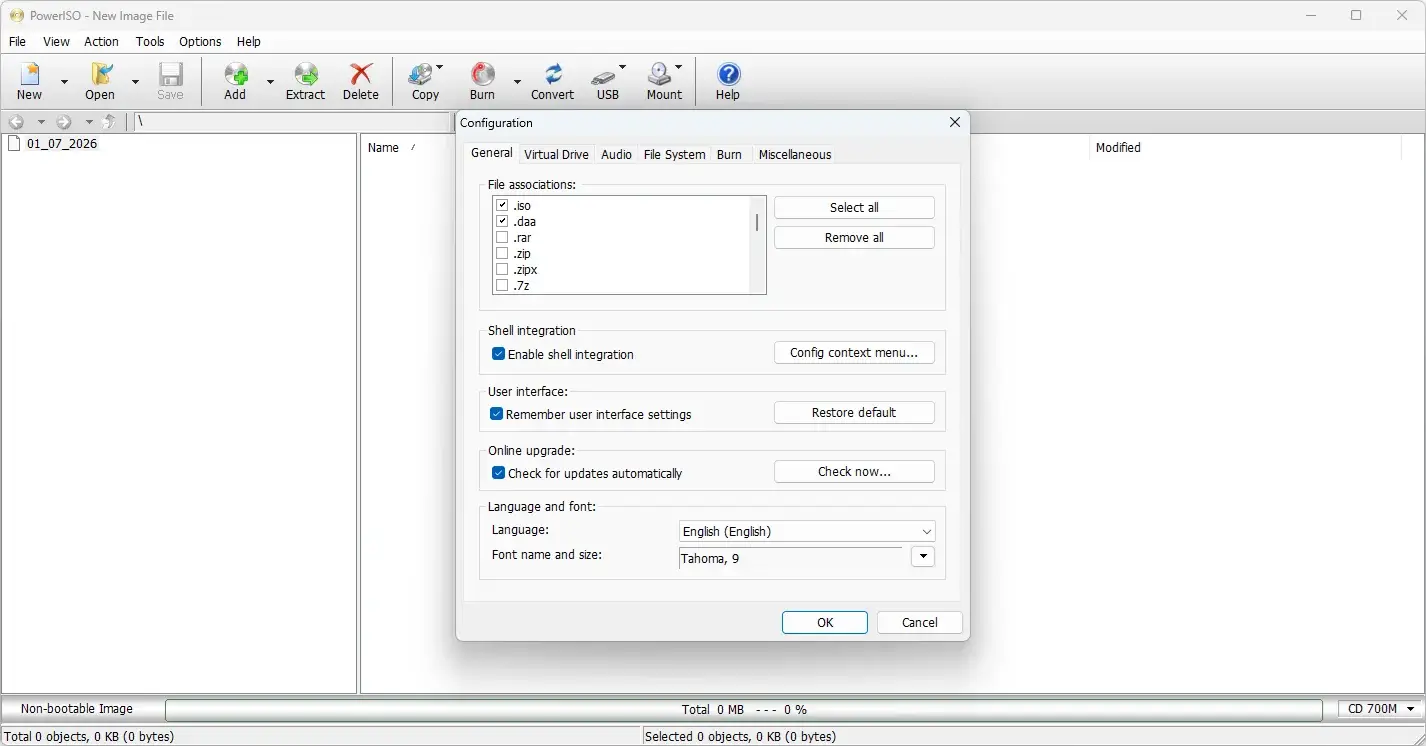
- Support multiple languages.
- Support dark mode.
- Support customizable UI font settings.
- Support customizable shell context menu and toolbar button configuration.
- Support Windows 98, Windows Me, Windows NT 4.0, Windows 2000, Windows XP, Windows 2003, Windows Vista, Windows 2008, Windows 7, Windows 8/8.1, Windows 10, and Windows 11.
- Support both 32-bit and 64-bit Windows.
What’s new in PowerISO 9.5?
The current version, 9.5, was released on September 20, 2026. According to the official changelog, this update includes:
- Some minor bug fixes and enhancements.
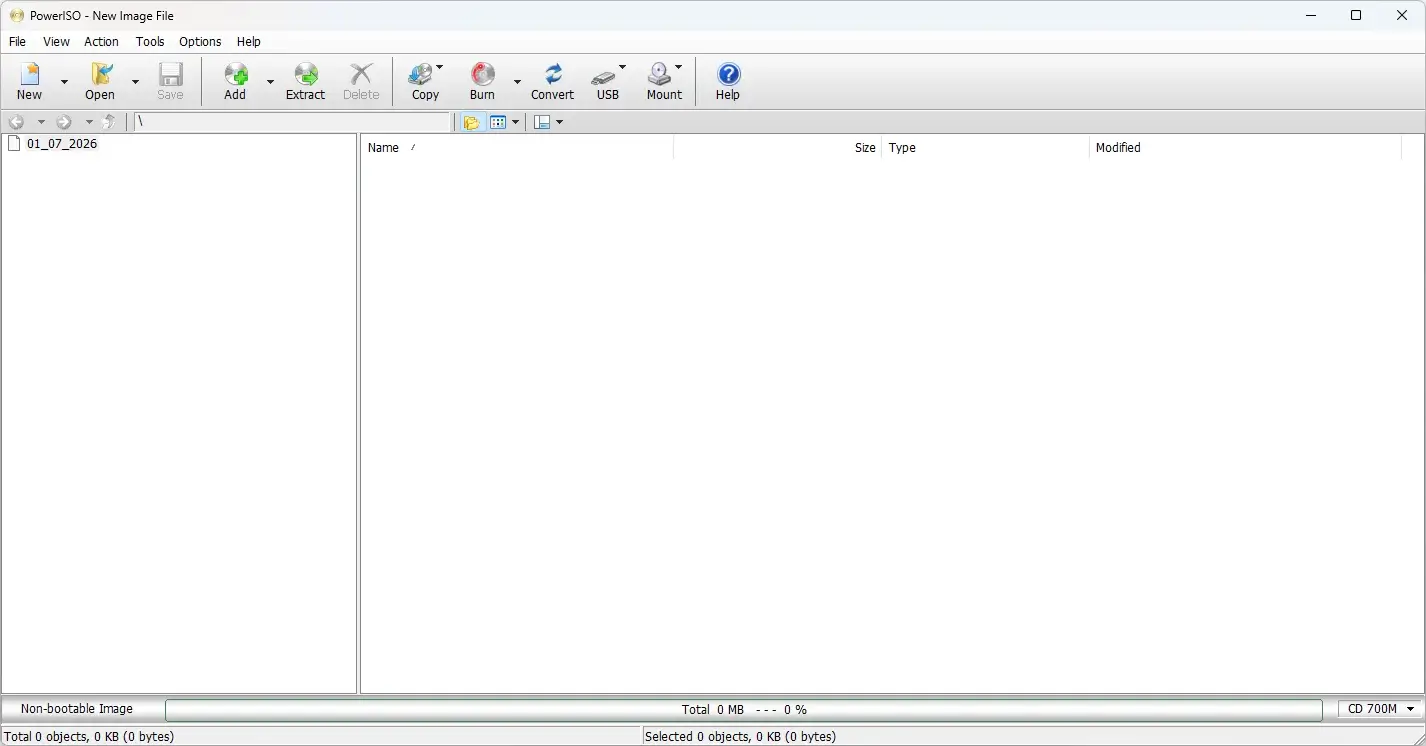
PowerISO Tested Screenshots
System Requirements (Windows)
| Component | Requirement |
|---|---|
| Operating System | Windows 98, Windows Me, Windows NT 4.0, Windows 2000, Windows XP, Windows 2003, Windows Vista, Windows 2008, Windows 7, Windows 8/8.1, Windows 10, or Windows 11, or above |
| Architecture | Compatible with both 32-bit and 64-bit Windows |
| Processor | Intel Pentium 166MHz or above |
| RAM | 64 MB |
| Storage | At least 128 MB of free hard disk space |