CorelDRAW Technical Suite: Complete Technical Illustration and Documentation Software
CorelDRAW Technical Suite is a collection of professional applications built for high-impact technical design and documentation. It’s aimed at technical illustrators, writers, and graphics professionals who need to turn 2D and 3D source files, photos, and data into polished technical communications, from schematics and floor plans to full maintenance manuals and spare parts pages.
CorelDRAW Technical Suite Information
- Title: CorelDRAW Technical Suite
- Developer: Corel Corporation
- Platform: Windows (64-bit)
- Official Website: CorelDraw
CorelDRAW Technical Suite Overview

CorelDRAW Technical Suite is built around three core ideas: precision, productivity, and comprehensiveness. It offers a range of exact illustration and design tools built specifically for detailed technical documentation, alongside a workflow that carries a project all the way from opening source files to producing, reviewing, and publishing the final output, all backed by a complete set of professional design applications for authoring, reviewing, and publishing detailed illustrations.
As a complete suite for visual technical communication, it covers everything from precise technical illustration in Corel DESIGNER to standout marketing collateral built in CorelDRAW, whether working on desktop or in the browser. Photos used in documentation can be edited directly in Corel PHOTO-PAINT, and screenshots can be captured and added without leaving the workflow.
The suite is built around graphically rich, dedicated illustration tools that ensure accuracy for isometric drawing, detailed callouts, and advanced dimensioning, giving technical illustrators, writers, and graphics users what they need to produce anything from detailed schematics and floor plans to complex maintenance manuals and spare parts pages.
Key 3D assets can be repurposed directly inside the suite. The integrated XVL Studio Corel Edition allows 3D models to be reused across projects, and CorelDRAW Technical Suite 3D CAD extends this with support for advanced 3D CAD assembly formats. 3D models, data tables, and .DES or .CDR illustrations can be inserted as linked or embedded objects directly into Corel DESIGNER for instant access, sharing, and reference.
Standards compliance is built into the suite’s publishing tools. It supports various standards-based systems for technical publication, including Translation Memory System (TMS) support, and can publish S1000D (including Issue 6.0) or ATA iSpec 2200 compliant Interactive Electronic Technical Publications (IETPs), along with 3D PDF and PDF/A support for technical communication projects.
File compatibility is broad by design. Technical graphics professionals can pull in data from a wide range of sources and export files in formats their audience can actually use, with support for CGM, WebCGM, 3D PDF, and interactive SVG, plus import and export support for EPS, DWG, TIFF, PNG, JPEG, WebP, and more.
Included Applications
- Corel DESIGNER: A dedicated technical design and illustration application built to achieve accurate results with powerful technical drawing tools.
- CorelDRAW: A complete graphic design application covering vector illustration, page layout, and general design work.
- XVL Studio Corel Edition: A 3D repurposing tool that adds context to technical projects by bringing 3D views and models directly into illustrations.
- XVL Studio 3D CAD Corel Edition: An advanced 3D repurposing tool that adds precision to technical projects with 3D CAD visualization, snapshots, animations, and native CAD format support, included with the CorelDRAW Technical Suite 3D CAD edition.
- Corel PHOTO-PAINT: A full photo-editing and digital painting application with an integrated workflow alongside Corel DESIGNER and CorelDRAW.
- CorelDRAW Web: A browser-based vector illustration and graphic design tool, exclusive to subscribers, that saves projects to the cloud for access from any browser.
- Corel Font Manager: A font exploration and management tool that organizes a font library and allows fonts to be used without installing them first.
Bundled Content
- Symbols: 4,000 industry-standard symbols covering architectural, electrical, general, mechanical, and tool categories.
- Clipart and Images: 7,000 clipart pieces, digital images, and vehicle wrap templates.
- Photos: 1,000 high-resolution digital photos.
- Fonts: Over 1,000 TrueType and OpenType fonts, plus integrated access to more than 1,700 Google Fonts families.
- Templates: Over 800 professionally designed templates, including more than 40 technical ANSI, DIN, and ISO standard templates.
- Fills: Over 600 fountain, vector, and bitmap fills.
- Brushes: More than 250 pixel-based brushes.
- AI Credits: Subscription and license-with-maintenance plans include 2,000 AI credits per month for generative AI features.
What’s New in the CorelDRAW Technical Suite 2026?
- S1000D and SVG Compliance Updates: Enhanced S1000D CGM export and new SVG profile support bring full compliance with S1000D Issue 6 standards.
- 3D CAD Workflow Enhancements: Updated 3D CAD import and improved vector fill accuracy in XVL Studio 3D CAD optimize 3D-to-2D workflows for greater precision.
- AI-Powered Background Remover: Removes backgrounds instantly with one-click AI precision around detailed contours and technical elements.
- AI Generate: Creates supporting visuals from a text prompt, reference image, or technical drawing, and refines existing images using simple text commands.
- Mask Images with AI: Delivers accurate, professional-quality masks in Corel PHOTO-PAINT using AI-powered subject selection and clip masking tools.
- Performance and Interface Improvements: App launch times are around three times faster or more, alongside significant stability improvements and a refreshed interface.
- CorelDRAW Web Enhancements: Improved performance and responsiveness, plus over 200 new design templates and 50 new brushes.
- S1000D-Compliant Illustration: S1000D certified colors can be applied directly from XVL Studio’s Color toolbar, and XVL Studio 3D CAD includes an S1000D-compliant illustration output preset.
- 3-Point Thread Creation Tool: References the center and edges of a threadless bolt so the thread snaps accurately to the bolt’s sides while dragging.
- Remove Border Tool: Removes the redundant outer lines of a projected shape with a single click, extending the thread and well creation workflow.
- Variable Outline Tool: Creates seamless curves in Corel DESIGNER by interactively adjusting outline width along a path.
- Scaling Tool: Offers three scaling methods for total flexibility and accuracy when scaling objects that reference part of an object or another object.
- CGM 4 Workflow Improvements: Multiple enhancements improve efficiency when working with object data and Computer Graphics Metafiles.
- Projection Bookmarks: Pins custom perspective settings on an illustration for later recall by clicking a bookmark indicator on the drawing.
- Projection Shortcut: Projects shapes in and out of parallel perspective instantly with a keyboard shortcut.
- Reconfigured Projected Axes Docker: Moves elements along a projected axis more intuitively without switching between dockers or other UI controls.
- Interactive SVG Support: Links drawing callouts to table rows so hovering highlights the corresponding information, adding clarity to parts information.
- Web-Ready SVG Export: Publishes fully interactive documentation online through an enhanced Export docker with interactive SVG export support.
- Dynamic Asset Management: Keeps symbols current across projects through a new asset management workflow that shares symbols and syncs updates automatically.
- Draw in Perspective: Adds creative touches in 1, 2, or 3-point perspective directly inside Corel DESIGNER and CorelDRAW.
- Multipage View: Views, manages, and edits every digital asset in a project within one flexible design space.
CorelDRAW Technical Suite Key Benefits
- Faster technical documentation: A seamless workflow carries projects from opening source files all the way to producing, reviewing, and publishing without switching applications.
- Consistent accuracy across projects: Object Styles, Color Styles, and preloaded S1000D-compliant Style Sets keep look, style, and layout consistent throughout a project.
- Direct access to 3D data: 3D models, data tables, and illustrations can be inserted as linked or embedded objects for instant reference without leaving Corel DESIGNER.
- Compliance built in, not bolted on: Native support for S1000D, ATA iSpec 2200, TMS, 3D PDF, and PDF/A means standards compliance is part of the core workflow rather than an afterthought.
- Works with the files you already have: Broad import and export support, including DWG, DXF, CGM, WebCGM, EPS, TIFF, PNG, JPEG, and WebP, keeps the suite compatible with existing engineering and design pipelines.
- AI assistance where it’s useful: Background removal, AI Generate, and AI-powered masking speed up repetitive image editing tasks around technical elements.
- One suite instead of several tools: Illustration, 3D repurposing, photo editing, page layout, font management, and publishing are handled inside a single connected suite.
CorelDRAW Technical Suite Key Features
Precise
- Axonometric Drawing Tools: Create isometric or other parallel projected technical illustrations for assembly and maintenance instructions by drawing dynamically on a projected plane, or project existing planar objects to a desired plane instead of calculating manually.
- Advanced Dimension Tools: Display precise measurement values in building plans and other technical drawings without drawing and projecting dimension objects in multiple steps, with added context from projected arrows and leader lines.
- Streamlined Callout Creation: Callouts update dynamically based on object metadata, stick to source objects as they’re modified, and support legless callouts for cases where a leader line isn’t needed.
- Drawing Scale Control: View the active drawing scale, switch to a preset, or set a custom scale, with Corel DESIGNER retaining scale when importing a vector illustration from a 3D model view.
Productive
- Print to PDF: Advanced Print to PDF capabilities in Corel DESIGNER, CorelDRAW, and Corel PHOTO-PAINT remove unnecessary steps for faster, more efficient output.
- Hotspot Capabilities: Add interactive functions to callout shapes in technical publications, with hotspots and object information applied automatically when callouts are drawn and attached to nested groups.
- Wrap Objects Around Cylinders: The Wrap tool precisely wraps an object around a cylinder or ellipse, useful for tasks like adding a label to a bottle.
- Object Styles and Presets: Object Styles, Color Styles, and Color Harmonies keep design projects consistent, with preloaded Style Sets that follow S1000D technical illustration standards and include quick keys for faster work.
- Equation Editor: Mathematical and scientific equations can be inserted, displayed, and modified directly as editable elements, including equations imported from older CorelDRAW documents.
- Straighten and Adjust Photos Interactively: Rotate crooked images by aligning a straightening bar to an element in the photo or specifying a rotation angle, and use the interactive Perspective Correction tool to adjust the perspective of buildings, landmarks, or objects.
Innovative
- Thick and Thin Line Drawing: Adds depth to isometric illustrations by automatically applying two line weights at once, with the option to reverse them in a click.
- Scale Halos with Outlines: Locks the ratio between outline width and halo width for seamless scaling when adding halos to lines.
- Add Perspective Effect: Creates the illusion of distance and depth by applying perspective to bitmaps, vector objects, or both, directly in the drawing window.
- Apply Envelopes to Bitmaps: Shapes a bitmap interactively by placing it in an envelope and dragging its nodes, using envelope presets or a custom envelope built from scratch.
- GPU Accelerated Vector Previews: Uses the graphics processing unit to accelerate the display, editing, and manipulation of complex vector shapes in Corel DESIGNER, CorelDRAW, and Corel PHOTO-PAINT on supported machines.
- Symmetry Drawing Mode: Creates symmetrical designs, from simple objects to complex effects, in real time, automating a workflow that is normally time-consuming.
Compatible
- 3D PDF Publishing: Publishes interactive 3D content combined with visual and text elements to 3D PDF, viewable with free PDF reader applications, for cross-media publishing directly from Corel DESIGNER.
- Advanced Automation Capabilities: Macros and add-ins can be built with integrated Microsoft Visual Studio Tools for Applications (VSTA), Visual Basic for Applications (VBA), and JavaScript support, letting developers interact with the drawing page and extend in-product applications.
- Translation Memory System (TMS) Workflow: Illustrations containing descriptive text can be output directly to a Translation Memory System and processed in Corel DESIGNER for use in multilingual technical publications.
Additional Feature Highlights
- Technical Illustration Tools: Focus Mode, thread and well shapes without visible borders, technical illustration line style sets, an Objects docker for managing elements, pixel-perfect workflow support, projected dimensions and arrowheads, live guides and alignment tools, boundary tools, a parallel line drawing tool, hatch fills, connector line tools, a geometric information dialog box, the LiveSketch drawing tool, node alignment and distribution, tables, and a QR code generator.
- Image Editing Tools: An Image Adjustments docker, Replace Colors, Smart Selection Mask, AI-powered upsampling, JPEG artifact removal, non-destructive bitmap effects in Corel PHOTO-PAINT, high-quality renderings generated from 3D projects, the Smart Carver tool, tone curve adjustments, and an Image Adjustment Lab.
- Style and Consistency Tools: A font list box, Variable Fonts support, numbered and bulleted lists, advanced OpenType support, and Master Layers for consistent formatting across large documents.
- Asset and File Access Tools: A Find and Replace docker, RAW camera support, vectorization of scanned blueprints using AI-powered PowerTRACE, and support for legacy Micrografx Designer files (DSF, DRW, DS4).
- Publishing Tools: A Project Dashboard, multi-asset export, a Comments docker for review workflows, publishing directly to WordPress, and CGM V4 support covering WebCGM, ATA Grexchange, and ActiveCGM.
- User Interface: A dedicated Technical Illustration workspace, a Diagramming workspace, support for UltraHD displays, a fully scalable and customizable UI, and a touch-friendly interface for tablets and multi-touch screens.
3D CAD File Format Support
The base suite, through XVL Studio Corel Edition, supports importing 3D Studio (.3ds), DXF, and DWG files as polygon models, along with IGES, U3D, VRML2 (.wrl), OBJ, and STL files.
CorelDRAW Technical Suite 3D CAD, through XVL Studio 3D CAD Corel Edition, adds native CAD format support on top of the base formats, including:
- 3D XML (versions V5-6R2023 through V5-6R2025)
- Autodesk Inventor, .ipt and .iam files (versions 2025 and 2026)
- CATIA Graphical Representation, .cgr files (versions V5-6R2023 through V5-6R2025)
- CATIA V4, .model/.session/.dlv/.exp files (version 4.2.5)
- CATIA V5, .CATProduct and .CATPart files (versions V5-6R2023 through V5-6R2025)
- Creo Parametric files (versions 11.0 and 12.4)
- Industry Foundation Classes, .ifc files (IFC2x Editions 2, 3, and 4)
- JT files (versions 6.4 through 10.9)
- NX I-deas files (NX I-deas 6)
- NX, Siemens PLM Solutions files (versions NX2412 and NX2506)
- Parasolid files (up to version 38)
- PRC files (all versions)
- Solid Edge files (versions 2024 and 2025)
- SOLIDWORKS files (versions 2024 and 2025)
- STEP files (AP 203 E1/E2, AP 214, and AP242)
- AutoCAD DWG files, with enhanced support up to AutoCAD 2026 for polygon models
- IGES files (versions 5.1, 5.2, and 5.3)
- Universal 3D files, ECMA-363 (1st, 2nd, and 3rd editions)
Frequently Asked Questions
What is CorelDRAW Technical Suite used for?
It functions as a hub for professional visual communication, bundling dedicated tools for 3D repurposing, technical and creative illustration, page layout, image editing, font management, and collaborative review and approval into one connected suite.
What is the difference between CorelDRAW Graphics Suite and Technical Suite?
Graphics Suite is a complete professional graphic design package with vector illustration, page layout, and photo editing tools. Technical Suite includes everything in Graphics Suite plus two additional dedicated applications, Corel DESIGNER for precise technical illustration and XVL Studio Corel Edition for adding 3D context to technical projects.
Does CorelDRAW have generative AI capabilities?
Yes. AI Generate can produce images from text prompts, reference files, or sketches, and can refine existing graphics by removing elements, changing colors, replacing objects, or generating alternative versions. The suite also includes AI-powered background removal, object selection, and clip masking tools for isolating machinery and components in technical visuals.
What are AI credits in CorelDRAW Technical Suite?
AI credits are the units consumed when generating or making prompt-driven adjustments to images using the suite’s generative AI features. They’re tied to a Corel Account and can be used across any Corel product with generative AI capabilities. Subscription and maintenance plans receive a monthly credit allocation, while perpetual licenses come with a fixed, non-expiring balance.
What is the difference between CorelDRAW Technical Suite and CorelDRAW Technical Suite 3D CAD?
The standard edition includes Corel DESIGNER, CorelDRAW, PHOTO-PAINT, and basic 3D support through XVL Studio Corel Edition for importing and visualizing standard 3D formats. The 3D CAD edition includes everything in the standard suite plus advanced 3D CAD authoring through XVL Studio 3D CAD Corel Edition, with native CAD format support, detailed visualization, measurement and animation tools, and interactive 3D PDF creation for complex engineering workflows.
Can CorelDRAW open CAD files?
Yes. CorelDRAW Technical Suite can open DWG files along with many other supported formats, in addition to native CAD formats supported through the 3D CAD edition.
Do architects use CorelDRAW?
Yes. Architects use it to create precise blueprints and technical drawings that meet exact specifications using the suite’s professional technical design and drafting tools.
What’s the difference between AutoCAD and CorelDRAW Technical Suite?
AutoCAD is CAD software built specifically for architects, engineers, and construction professionals to create precise 2D and 3D models with a complex drafting, modeling, and documentation toolset. CorelDRAW Technical Suite is a broader collection of applications covering the full technical communication workflow, from opening 2D and 3D source files to producing, collaborating on, and publishing the final output, and is used across discrete manufacturing, automotive, aerospace, high tech, telecommunications, architecture, and apparel industries for parts illustrations, maps, schematics, blueprints, and technical documentation. It supports DWG and DXF for CAD collaboration while offering the additional photo editing, layout, and creative design tools that CAD-specific software typically lacks.
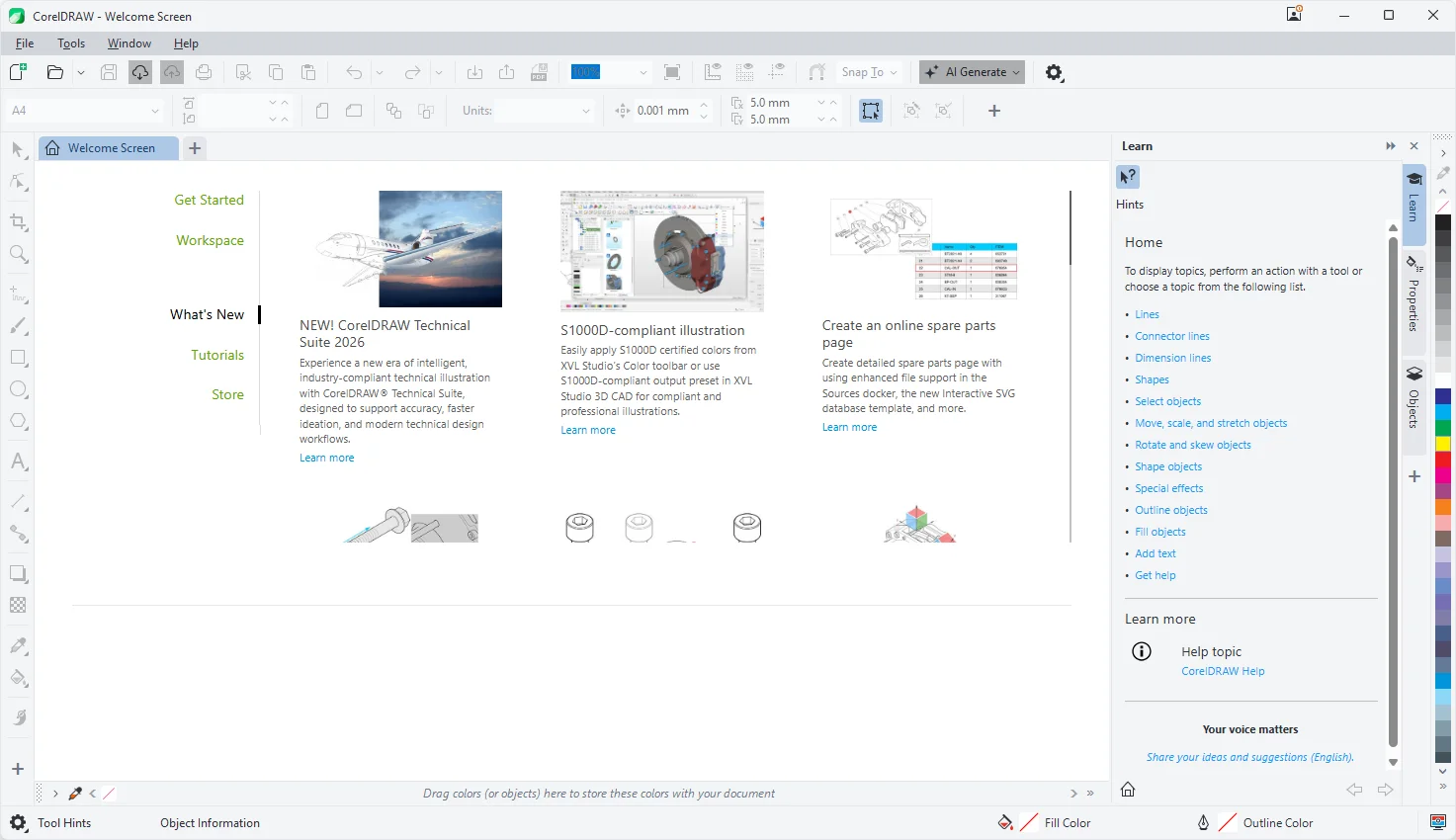
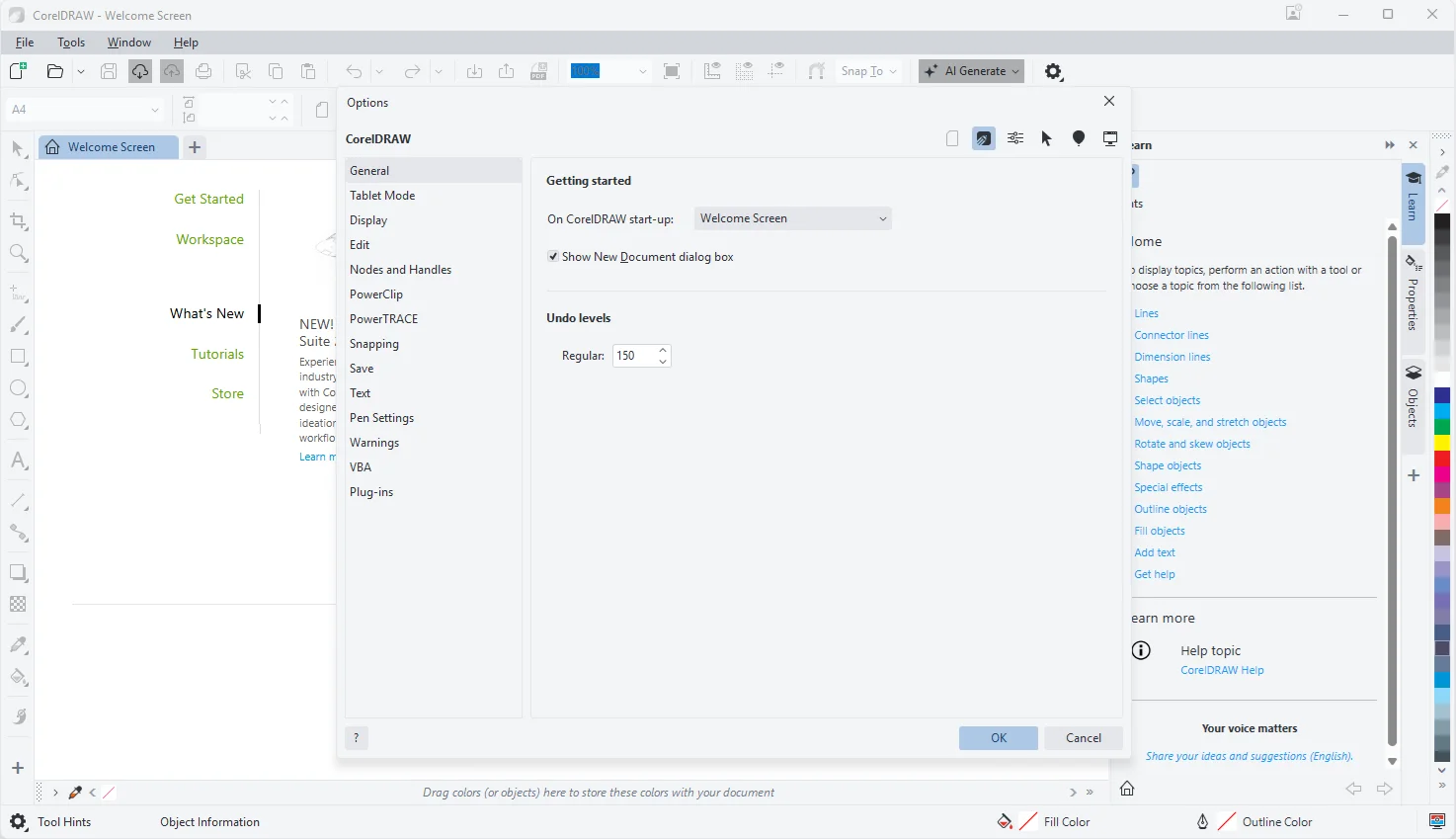
CorelDRAW Technical Suite Tested Screenshots
System Requirements (Windows)
| Component | Requirement |
|---|---|
| Operating System | Windows 11 or Windows 10, 64-bit, with the latest updates |
| Processor | Intel Core i3, i5, i7, or i9, or AMD Ryzen 3, 5, 7, 9, Threadripper, or EPYC |
| Graphics Card | OpenCL 1.2-enabled video card with 3 GB or more of VRAM |
| RAM | 8 GB |
| Storage | 9 GB of hard disk space for application and installation files |
| Input and Display | Mouse, tablet, or multi-touch screen; 1280 x 720 screen resolution at 100% (96 dpi) |
| Internet Connection | Required to install, authenticate, and access certain included software components, online features, and content |