
CorelDRAW Graphics Suite: A Complete Professional Design Toolkit
CorelDRAW Graphics Suite is a professional graphic design software bundle built for vector illustration, page layout, typography, and photo editing. Rather than being a single app, it’s a full toolkit of connected applications designed to take a project from a blank page to a finished, print-ready or web-ready file without switching software.
CorelDRAW Graphics Suite Information
- Title: CorelDRAW Graphics Suite
- Developer: Corel Corporation
- Platform: Windows
- Official Website: CorelDraw
CorelDRAW Graphics Suite Overview

CorelDRAW Graphics Suite is not a single application but a bundle of connected tools built around one workflow. CorelDRAW itself handles vector illustration and page layout, giving you the core tools for turning shapes and lines into finished artwork or multi-page documents. Corel PHOTO-PAINT works alongside it as an AI-powered image editing and pixel-based design application, sharing an integrated workflow with CorelDRAW so switching between vector and raster work stays seamless. Corel Font Manager rounds out the suite as a font exploration and organization tool that lets you browse and use fonts without needing to install each one individually, and CorelDRAW Web extends the same design experience into the browser for working on the go.
The 2026 release is built around what Corel describes as Artist Intelligence, a set of AI features designed to accelerate ideation rather than replace the designer’s judgment. That shows up most clearly in AI Generate, a prompt-based image creation tool built directly into CorelDRAW and Corel PHOTO-PAINT, alongside one-click AI background removal and more precise AI-assisted masking tools in PHOTO-PAINT. Beyond AI, this release also focuses heavily on interface and performance, with a refreshed visual design and app launch times reported to be roughly three times faster than before.
What’s New in CorelDRAW Graphics Suite?
- AI Generate: A new prompt-based image creation docker in both CorelDRAW and Corel PHOTO-PAINT lets you generate and modify images from simple text prompts. You can start from scratch, from a reference image, or from existing artwork already in your document, choosing between Flux, Stable Diffusion, and Nano Banana AI models, setting your aspect ratio and image count, and applying optional styles or color palettes.
- Remix Image: Using the same AI Generate docker, Remix Image lets you modify an existing image without rebuilding it from scratch, useful for adapting a seasonal campaign within an existing brand identity, transforming a setting, refining a rough sketch into polished artwork, or reinterpreting an older image.
- AI Background Removal: A one-click tool automatically detects the subject in a photo and removes the background cleanly, including tricky details like hair and fabric edges, producing a cutout ready to drop into layouts, social graphics, or composite designs.
- AI Masking in Corel PHOTO-PAINT: The new Mask from Subject command uses AI to automatically detect and isolate the main subject in an image, built specifically to handle difficult selections like fine hair, intricate edges, and detailed foreground elements, which can then be refined manually for full control.
- Refreshed Interface: The suite’s interface has been visually updated with refined icons and controls, renewed colors that highlight active tools, more intuitive navigation, and greater visual consistency between the desktop apps and CorelDRAW Web.
- Faster Performance and Stability: This release focuses heavily on speed, with app launch times reported at roughly three times faster or better, along with smoother font handling, smarter page and export settings, improved zoom controls for text editing, and general workflow stability improvements.
- New Subscriber Content: Subscribers gain access to more than 200 new cloud-based templates and 50 new brushes, aimed at removing blank-page hesitation and speeding up the start of branding, signage, illustration, and social content projects.
- CorelDRAW Web Improvements: The browser-based app continues to evolve with a redesigned home screen, smoother navigation and performance, better file handling, an improved first-launch experience, a refreshed interface, and greater overall stability.
CorelDRAW Graphics Suite Key Benefits
- All-in-one creative workflow: Vector illustration, page layout, photo editing, and font management are all handled inside one connected suite instead of separate disconnected apps.
- Faster ideation with AI: AI Generate, Remix Image, and one-click background removal cut down the time spent on repetitive early-stage design tasks.
- Non-destructive creative freedom: Bitmap and vector edits, block shadows, symmetrical illustration, and perspective drawing can all be applied without permanently altering the original object or image.
- Consistent, accurate color output: Integrated Pantone Color Libraries help maintain accurate, predictable color across both print and digital output.
- Genuinely cross-platform: Native support for Windows 11 and Apple Silicon means the software runs natively rather than through emulation, and CorelDRAW Web extends that further into any browser.
- Deep customization: Workspaces and keyboard shortcuts can be tailored to match your own workflow, including importing setups created in earlier versions.
- Wide file compatibility: Broad support for graphics, publishing, and image file formats makes it easier to work with client-provided files from other software.
CorelDRAW Graphics Suite Key Features
Vector Illustration and Page Layout
- Vector Illustration Tools: Turn basic lines and shapes into complex artwork using a wide range of shaping and drawing tools, with creative effects like Contour, Envelope, Blend, and Mesh Fill.
- Page Layout Tools: Build layouts for brochures and multi-page documents, toggling freely between single-page and multipage editing.
- Typography Tools: Arrange type with a full set of typography controls, including block shadow and contour text effects, variable font support, and fit-to-path text.
Photo Editing and Tracing
- Corel PHOTO-PAINT Editing Tools: Adjust color and tone, remove imperfections, and correct perspective using layer-based photo editing, with AI tools available to improve image size and quality.
- PowerTRACE: Convert bitmap images into vector artwork using AI-assisted tracing, with advanced image-optimization options to improve quality during the trace.
Font and Content Management
- Corel Font Manager: Organize and browse a font library and use fonts directly without installing each one, with network storage support for working faster across a team.
- Google Fonts Integration: Direct access to over 1,700 Google Fonts families from inside the suite.
- In-Product Content Store: Browse and download additional fonts, fills, vectors, brushes, and creative templates directly inside CorelDRAW.
Design for Print and Web
- Color Management: Maintain color consistency across different media, with confidence in how colors will appear before printing.
- Pantone Color Libraries: Integrated access to Pantone color palettes in both CorelDRAW and Corel PHOTO-PAINT at no additional cost.
Non-Destructive Editing
- Reversible Adjustments: Edit bitmaps and vectors without harming the original image or object, including block shadows, symmetrical illustrations, and perspective drawings, all fully reversible.
Flexible Design Space
- Multipage View: View, manage, and edit every page and asset in a project from one screen, moving objects across pages and rearranging page order freely.
- Multi-Asset Export: Build a customized list of pages and objects to export in a single click, or export every page in one pass.
- Styles and Style Sets: Manage consistent formatting across multiple objects and entire documents through the Object Styles docker, useful for producing iterative versions quickly.
- Object Control and Focus Mode: Hide, rename, search for, and reorder objects through the Objects docker, and isolate individual objects for editing using Focus Mode without risking an accidental selection change.
- Workspace Customization: Import workspaces created in earlier versions of CorelDRAW or Corel PHOTO-PAINT, or use predefined, industry-specific workspace layouts.
- Workflow Customization: Assign custom keyboard shortcuts to your most frequently used tools and commands.
Color, Fills, and Transparency
- Color and Fill Tools: Apply color using swatches or generate palettes based on color harmonies, adjust object transparency, and fill objects with patterns, gradients, or mesh fills.
File Compatibility and Platform Support
- Extensive File Format Support: Import and export a wide range of graphics, publishing, and image file formats to work smoothly with client-provided files.
- Native Windows 11 Support: Full native support for the latest Windows technologies.
- CorelDRAW Web: A browser-based version of the design experience for working on the go, included as a subscriber feature.
Generative AI Tools
- AI Generate: Prompt-based image generation and modification inside CorelDRAW and Corel PHOTO-PAINT.
- AI Background Removal: One-click background removal that handles fine detail like hair and fabric.
- AI-Assisted Masking: Precise subject selection and clip masking tools inside Corel PHOTO-PAINT for detailed, accurate edits.
- AI Credits System: Generative AI features are powered by AI credits, with each credit covering tasks like generating an image from scratch, creating variations from a reference image, or modifying specific parts of an existing image.
- Privacy-Respecting AI: Corel states that user artwork created in CorelDRAW is never used to train its AI features or any third-party AI models.
Included Creative Content
- Clipart and Digital Images: Around 7,000 clipart images, digital images, and vehicle wrap templates.
- Photography: Roughly 1,000 high-resolution digital photos.
- Fonts: Over 1,000 TrueType and OpenType fonts, plus integrated access to Google Fonts.
- Templates: More than 200 professionally designed templates.
- Fills: Over 600 fountain, vector, and bitmap fills.
- Brushes: More than 100 Painterly brushes.
Who Uses CorelDRAW Graphics Suite?
- Branding and Marketing: Creative professionals in advertising and publishing, along with small businesses producing their own marketing materials, use the suite to build everything from brand identity assets to sales collateral.
- Signage and Large-Format Printing: Sign and print industry professionals rely on CorelDRAW’s color management engine and prepress tools to produce artwork across a variety of print outputs.
- Apparel and Textiles: Screen printing, embroidery, direct-to-garment printing, and general apparel design workflows are all supported for producing and outputting fashion industry designs.
- Retail and E-Commerce: Dedicated web and print tools support point-of-sale promotions and assets for online stores.
- Blueprints, Maps, and Schematics: Engineering, manufacturing, and construction professionals use CorelDRAW’s precision tools for product illustrations, diagrams, and schematics.
- Illustration and Fine Art: Illustrators and artists combine traditional art practices with CorelDRAW’s vector illustration tools to create finished, sophisticated artwork.
Frequently Asked Questions
What is CorelDRAW Graphics Suite?
CorelDRAW Graphics Suite is a professional graphic design software solution for Windows, Mac, and web, made up of several connected applications: CorelDRAW for vector illustration and page layout, CorelDRAW Web for browser-based design, Corel PHOTO-PAINT for image editing, Corel Font Manager for font organization, and CAPTURE for screen capture.
Does CorelDRAW have generative AI?
Yes. AI Generate is a prompt-based image generation tool in both CorelDRAW and Corel PHOTO-PAINT that turns text descriptions into custom visuals, starting from a reference image, a sketch, or nothing at all. Existing images can also be modified using text prompts for tasks like changing an element or removing an object, alongside one-click AI background removal and AI-powered image masking.
What are AI credits?
AI credits are the units that power CorelDRAW’s generative AI features. Each credit covers a prompt-based task, such as generating a new image, creating variations from a reference image, or modifying part of an existing image. Credit balances can be viewed inside a Corel Account.
Will CorelDRAW use my artwork to train AI?
No. Corel states that creative work made in CorelDRAW is never used to train its own AI features or any third-party AI models, and that user content remains the user’s own.
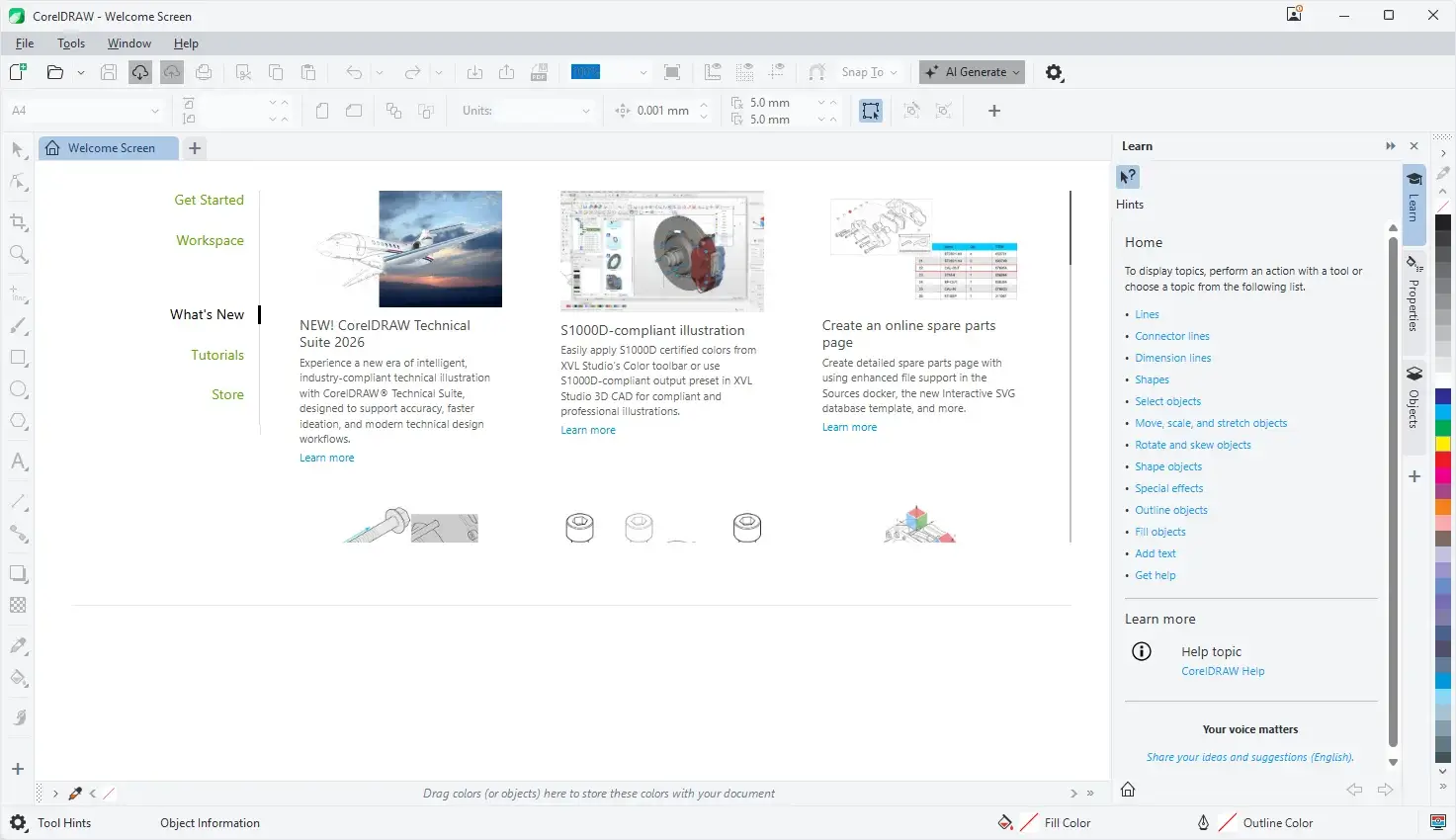
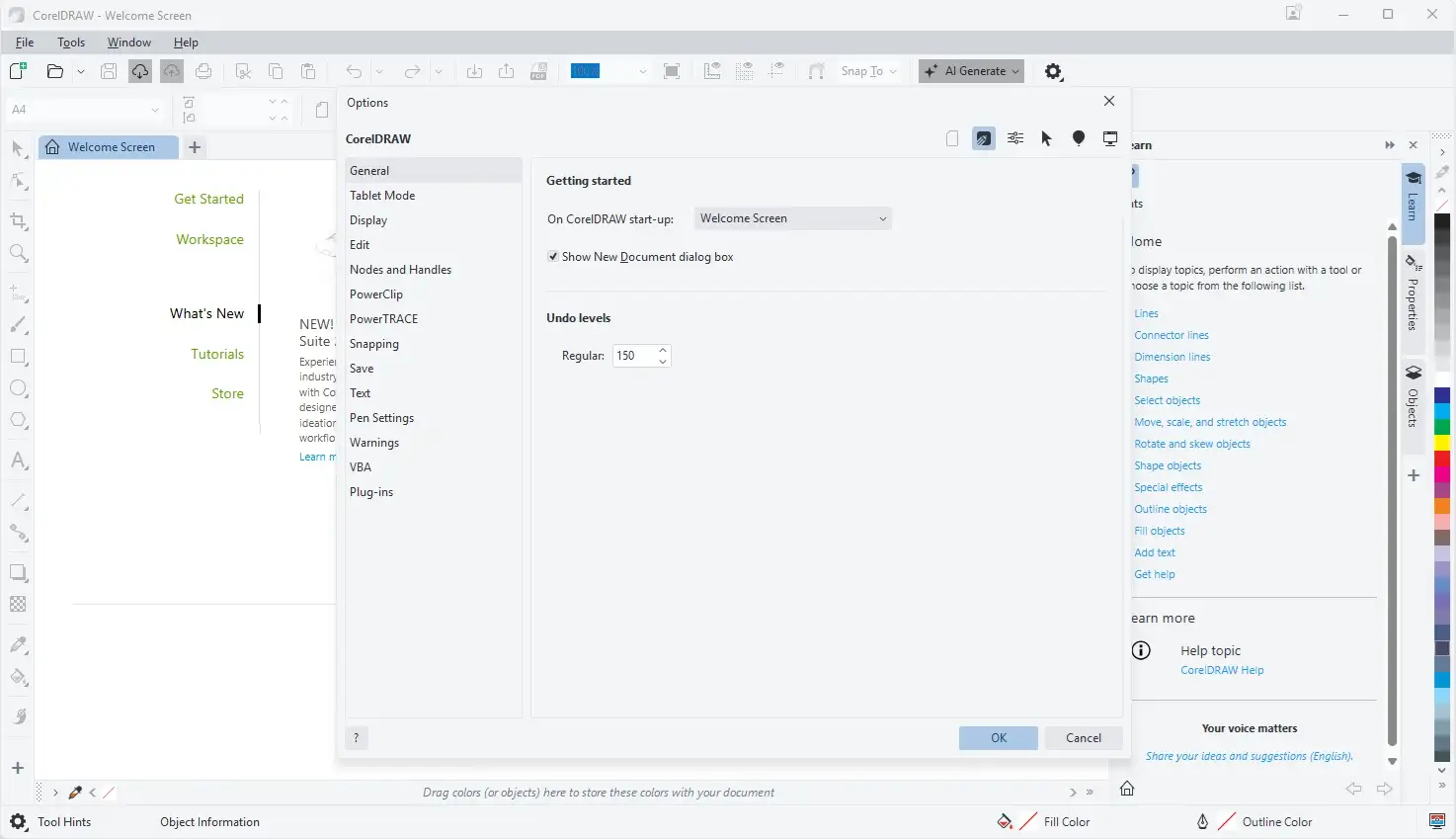
CorelDRAW Graphics Suite Tested Screenshots
System Requirements (Windows)
| Component | Requirement |
|---|---|
| Operating System | Windows 11 or Windows 10, 64-bit, with the latest updates |
| Processor | Intel Core i3, i5, i7, or i9 (7th generation or newer), or AMD Ryzen 3, 5, 7, 9, Threadripper, or EPYC |
| RAM | 8 GB minimum (16 GB or higher recommended) |
| Storage | 5.5 GB hard disk space for application and installation files |
| Graphics | OpenCL 1.2-compatible video card with 3 GB or more of VRAM |
| Display | 1280 x 720 at 100% scaling (96 dpi) minimum; 1920 x 1080 or higher recommended |
| Input | Mouse, tablet, or multi-touch screen |
| CorelDRAW Web Browser Support | Google Chrome 142 or higher, Microsoft Edge 142 or higher, or Firefox 145 or higher (Firefox support is limited, with some features such as clipboard not working as expected) |
| Internet Connection | Required to install and authenticate the software and to access certain included components, online features, and content |