Boris FX Silhouette 2026: The Industry Standard for Rotoscoping and Paint
Silhouette is a professional rotoscoping, paint, and compositing application built for visual effects work at the highest level. For over fifteen years it has been the tool top artists reach for on major film and television productions, and the 2026 release pushes it further with a deeper set of AI-powered tracking and matting tools built directly into the workflow.
Boris FX Silhouette Information
- Title: Boris FX Silhouette 2026
- Developer: Boris FX, Inc
- Platform: Windows
- Official Website: Boris FX
Boris FX Silhouette Overview
Silhouette is a GPU-accelerated compositing application built around advanced rotoscoping and a non-destructive, 32-bit HDR paint system. At its core it’s a node-based compositor with over 400 nodes, integrated planar tracking, keying, matting, warping, and morphing tools, all wrapped into a single package with full stereo support. Its work has appeared in Deadpool & Wolverine, Rebel Moon, Barbie, Dune, and 3 Body Problem, and the software has received both Academy and Emmy technical achievement awards for its contribution to the film and television industries.
Silhouette combines machine learning with its established roto, paint, and compositing toolset to help artists work faster and with more precision. Its AI models are built with an ethical training approach and run entirely on-premise, meaning studios get the benefit of machine learning tools without giving up the privacy, security, and control that high-end production pipelines require. From matte creation and cleanup to beauty work and object removal, the ML-powered tools handle repetitive tasks automatically while keeping the artist fully in control of the final result.
The software delivers 400 or more VFX nodes, including Boris FX’s own Sapphire, Mocha Pro, and Particle Illusion built directly in. Silhouette can run as a standalone application on Windows, macOS, and Linux, or as a plugin inside industry-standard hosts like After Effects, Premiere Pro, Nuke, Fusion, Resolve, and Flame.
Also Check Out: Graitec Cadkon+
Why Silhouette?
- Industry-leading rotoscoping and paint tools.
- Auto paint for speed and reliability.
- Powerful tracking options.
- Node-based compositing and image processing.
- Easy keying for green screens.
- Includes Sapphire, Mocha, Particle Illusion, and Continuum effect tools.
- Warping and morphing tools.
- Works as a plugin in your favorite host or as a standalone application.
AI and Machine Learning Tools
Boris FX Silhouette combines advanced machine learning with industry-leading roto, paint, and compositing tools to help artists work faster and more precisely.
Built with ethically trained AI models and fully on-premise workflows, Silhouette gives professional VFX studios the power of machine learning while maintaining the privacy, security, and control required for high-end production pipelines.
From matte creation and cleanup to beauty work and object removal, Silhouette’s ML-powered tools automate repetitive tasks while keeping artists fully in control of the creative process.
ML Roto and Masking
- Head Track ML: Automatically detects, tracks, and masks heads by analyzing facial structure and head movement, delivering reliable results on shots with changing angles, hair movement, and partial occlusions, and speeding up the path from footage to a clean 3D solve.
- AI Object Detection: Automatically detects and masks objects based on a simple text prompt, such as car, person, or tree, then segments, propagates, and renders the result.
- AI Face Segmentation: The Face ML node automatically detects and segments key facial regions, including eyes, lips, mouth, nose, neck, and surrounding skin, into individual mattes for targeted adjustments without manual rotoscoping.
- Matte Assist ML: Creates a fully animated matte from a single frame by piping Mask ML or Roto data into the node, ideal for fast preview comps that don’t need to be pixel-perfect.
- Mask ML: Produces animated alpha channel masks in one click, and can be combined with Matte Assist ML to generate precise animated mattes in seconds.
- Optical Flow ML: Creates a velocity map of a shot that drives individual roto splines and tracks every point on a spline simultaneously, useful with the Auto Keyframe tool or for generating realistic motion blur.
- Matte Refine ML: Produces a natural, semi-transparent edge from a hard matte, ideal for hair, feathers, fur, or other irregular edges, and pairs well with Matte Assist ML for a full automated workflow.
ML Image Restoration
- Frame Fixer ML: Replaces damaged frames with newly generated ones, useful for fixing issues like photo flash artifacts, and can morph between painted keyframes when Paint is connected to both the main and Data input ports.
- Denoise ML: A one-click solution that removes noise caused by low-quality sensors, low light, or lossy compression, analyzing footage instantly without sacrificing detail.
- UpRes ML: Resizes footage of any format with high-quality results, matching different archival sizes while sharpening and preserving detail, with the ability to selectively zoom into specific areas.
ML Effects
- Depth Map ML: Analyzes an image to determine the distance of each part of the scene, usable in Depth, Depth of Field, and Color Correct nodes, or for generating mattes based on a specific depth level.
- Motion Blur ML: Uses advanced optical flow technology to generate realistic, high-quality motion blur with smoother, more natural movement.
- Retime ML: Produces high-quality time warps without the artifacts and choppiness common in traditional time-based effects, making it easier to slow down or speed up footage smoothly.
Boris FX Silhouette Key Features
Professional Roto Tools
- Specialized shape editing: Magnetic splines, point groups, weighted keyframes, brush-based reshape, split shapes, collapse, and distribute points.
- Integrated tracking: Point, planar, and Mocha planar tracking built directly into the roto workflow.
- Inverse Kinematics: Animate limbs and jointed creatures with IK-based controls.
- Motion blur rendering: Render mattes with realistic motion blur.
- Industry-standard export: Export shapes to standard formats including Cryptomatte.
- Stereoscopic 3D workflow: Full support for stereo shape and paint work.
- Team collaboration: Built-in review and approval notes for team-based pipelines.
Fast and Reliable AutoPaint
- 32-bit float raster paint: A non-destructive, color-managed paint and tracking system built for high-resolution VFX pipelines.
- Paint tools: Pressure-sensitive, customizable brushes and presets, including Clone, Grain, Repair, Drag, and more.
- Channel and detail separation: Paint on individual RGBA channels or work on separated detail and color views.
- Sophisticated cloning: Advanced offset and warping, onion skin, and display views for aligning, patching, and removing unwanted pixels.
- Tracking options: Native point and planar tracking, plus Mocha integration.
- Warped surface paint: Paint directly onto warped surfaces using the Mocha Pro and PowerMeshWarp nodes.
Node-Based Compositing
- 400+ specialty nodes: Organized into Color, Composite, Diffusion, Filter, Film Lab, Image, Key, Light, Particle Illusion, Sapphire, Special Effects, Time, Tints, Transform, Warp, and OFX groups.
- Tracking and spline data ports: Direct node actions tied to tracking and spline data.
- OCIO v2 workflow: Full color-managed compositing pipeline.
- Dual monitor support: Customizable workspaces built for multi-monitor setups.
- Precision color grading: Four-way color wheels and grading presets.
- Proprietary matte generation: Built-in tools for generating and refining mattes.
- Edge tools: Color correct or blur the edge of a composite directly.
- Matte manipulation: Shrink, grow, blur, and wrap functions for fine control.
Multi-Host Plugin
The full Silhouette interface can be launched as a plugin from standard VFX applications including After Effects, Premiere Pro, Nuke, Fusion, Resolve, and Flame. The multi-host plugin is included with standalone application licenses or can be added as a separate option.
Warping and Morphing
- Shape and pin options: Create invisible touch-ups, subtle facial exaggerations, or dramatic transitions.
- Shape-to-shape morphing: Timed transitions per layer with interactive previews, used in some of the world’s most well-known music videos.
- Pin Warp for beauty work: Adjust user-defined image areas while leaving the rest untouched, from a subtle touch-up to repositioning an entire limb.
Keying and Matte Generation
- Primatte: The keying industry standard, using a GPU-accelerated algorithm based on three multi-faceted polyhedrons, visualized through a 3D Preview display.
- zMatte keying: Multiple matte creation, light wrapping, edge correction, spill suppression, and matte manipulation.
- Power Matte: An interactive workflow using foreground and background shape selectors to generate realistic results on normally non-keyable, semi-transparent shots.
Powerful Tracking Tools
- Multiple tracker options: Point tracking, native planar tracking, or the award-winning Mocha Pro node.
- Mocha and Silhouette integration: A seamless workflow between the two through the surface tool, data ports, and node actions.
- Pre-processing filters: Blur, Sharpen, Contrast, Gamma, De-Noise, and Remove Flicker to improve tracking accuracy on problematic footage.
- Post-processing filters: Average, Smooth, and Merge functions applied to tracking data.
Sapphire, Particle Illusion, and Continuum
- Sapphire: Best-in-class effects including UltraGlow, UltraZap, Lens Flare, Shake, and more.
- Particle Illusion: 2D and 3D animated simulations like snow, smoke, and fire, powered by fluid dynamics.
- Continuum: Select nodes including Atmospheric Glow, Magic Sharp, Beauty Studio, Light Leaks, Video Glitch, Film Glow, and various blur filters.
Mocha Pro Node
- GPU-accelerated object removal.
- 3D tracking powered by SynthEyes.
- PowerMesh warped surface tracking.
- Insert compositing with AdjustTrack.
- Award-winning stereo 360/VR tools.
New Features in Boris FX Silhouette 2026
Better AI-Assisted Matting
Updates to five ML tools deliver more automatic, scalable results with multi-object support:
- Face ML: Updated model with new Nose and Neck matte options, a full-face matte option, and improved integration with ML matte and compositing tools.
- Depth Map ML: An updated model delivering greater detail and improved temporal consistency.
- Mask ML: A new multi-object workflow with object list management, foreground and background refinement tools, and object-based Cryptomatte data output.
- Matte Assist ML: Seamless playback with intermediate frame caching, improved propagation across long shots, and multi-object Cryptomatte output.
- Matte Refine ML: A new Video Matting model with improved temporal consistency along edges compared to earlier versions, while preserving Cryptomatte data.
New AI-Powered Tracking
- Head Track ML: Builds and tracks a full 3D head mesh with facial motion and expressions.
- Object Tracker: Automatically detects objects in a scene and generates tracked layers for multiple objects at once.
- Point Track ML: A robust tracker that follows points through occlusions and even when objects move off-screen.
Expanded 3D Scene Node
- Enhanced Camera Solves: The new Refine Solve tool lets you iterate faster without redoing a full solve, and new post-solve cleanup tools reduce drift.
- Unwrap/Rewrap Nodes: A native 3D-to-2D workflow for paint, roto, and beauty work.
- Render Depth Node: Generates depth maps directly from Head Track ML meshes.
Polished Cleanups and Beauty Work
- Healing Brush: Seamless cleanup and retouching with expanded color sampling from any input.
- Improved Brush Controls: Support for blend modes and pressure-sensitive brush size and opacity.
- Enhanced Clone Workflow: Adds continuous mode and auto-grade reuse.
- New Blur and Drag Modes: Choose between area and sample-based blurs.
- Resize Paint: A resolution-independent workflow that lets you create strokes in a lower-resolution session and accurately rebuild them on higher-resolution media.
Stronger VFX Pipeline Integration
- Cryptomatte Data Port: Passes filtered Cryptomatte data as alpha through all nodes via the Obey Matte input, letting objects and layers be used directly as matte sources.
- Cryptomatte Mixer Node: Combines multiple Cryptomatte streams into a single output for more streamlined selection and matting.
- ML and AI Tools: Support multi-object outputs alongside improved viewer-based selection tools for faster, more resource-efficient scene isolation.
Faster Playback and Performance
- ML Node Caching: Mask ML, Matte Assist ML, Face ML, and Matte Refine ML benefit from intelligent caching for smoother interactive work.
- Predictive Playback: Significantly improved playback across Sources and Sessions through predictive pre-fetching and batched render jobs.
- Playback Controls: Adjustable job queue size, preload frames, and threading settings for finer optimization.
Streamlined Daily Workflows
- Advanced Node Search: Supports category, intent, and datatype filtering.
- Heads-Up Display: A new context-sensitive HUD for faster interaction.
- Favorites Node and Naming System: New tools to stay organized in complex projects.
- Safe Mode: A more reliable troubleshooting workflow for diagnosing issues in demanding production environments.
New Automation and AI Integration
- JSON-RPC Server: Drive Silhouette remotely through a new built-in server, letting external processes execute Python code, run script files, and control the application via JSON-RPC.
- MCP Server: Allows direct calls from AI assistants, which can inspect projects, build node trees, edit shapes and keyframes, and render frames.
- Python Package Manager: Manage third-party Python packages inside a directory isolated from the system Python.
Sapphire, Mocha Pro, and Particle Illusion Nodes
- Sapphire 2026: Adds S_FilmBurn for authentic analog film looks, Builder parameter linking, new lens flares, and new presets.
- Mocha Pro 2026: Adds Matte Refine ML, Refine Solve, and a new Curve Editor.
- Particle Illusion: Adds parameter linking, color mapping, and an updated emitter library.
What’s new in Boris FX Silhouette 2026.0.4?
The current version, 2026.0.4, was released on August 24, 2026. According to the official changelog, this update includes:
Stability and crash fixes
- Improved stability when deleting media while Sapphire Mocha is open.
- Prevented crashes and hangs when changing Mocha export track options.
- Fixed crashes when trimming or extending event edges on the timeline.
- Prevented crashes from unsupported multi-event Color Grading Panel actions.
- Improved stability when saving transition plug-in packages.
- Fixed crashes when switching back from the Color Correction layout.
- Prevented crashes when closing projects containing mislabelled audio files.
- Improved startup stability while scanning OFX plug-ins.
Timeline, envelopes, and keyframes
- Fixed vertical timeline zoom when OFX envelopes are enabled.
- Corrected keyframe editing after jumping to an existing keyframe.
- Made pasted OFX envelope keyframes selectable and editable again.
- Improved drag selection reliability with OFX envelopes enabled.
- Fixed intermittent redraw issues for OFX envelope curves.
- Made Mocha tracking data visible as timeline envelope points and lines.
Media import, rendering, and playback
- Corrected aspect ratio handling for anamorphic MXF media.
- Fixed Intel UHD decoding for BRAW media.
- Restored QuickTime RLE animation import behavior.
- Corrected audio volume for ProRes 422 files with 32-bit audio.
- Fixed color display for 16-bit PSD imports.
- Fixed distorted float32 LPCM audio in MP4 files.
- Improved import speed for selected MXF files.
- Fixed Panasonic 32-bit float audio import, waveform, and playback.
- Fixed MP4 rendering issues across multiple templates.
Plug-in workflows
- Ensured removed transitions stay removed after confirming in the Plug-In Chooser.
User interface and localization
- Made Color Grading preview updates appear while adjusting settings.
- Fixed Ctrl multi-select behavior in the Explorer window.
- Corrected localized numeric formatting in preview and project/render settings.
- Removed obsolete German Hub Explorer references.
- Improved French localization for plug-in names and parameters.
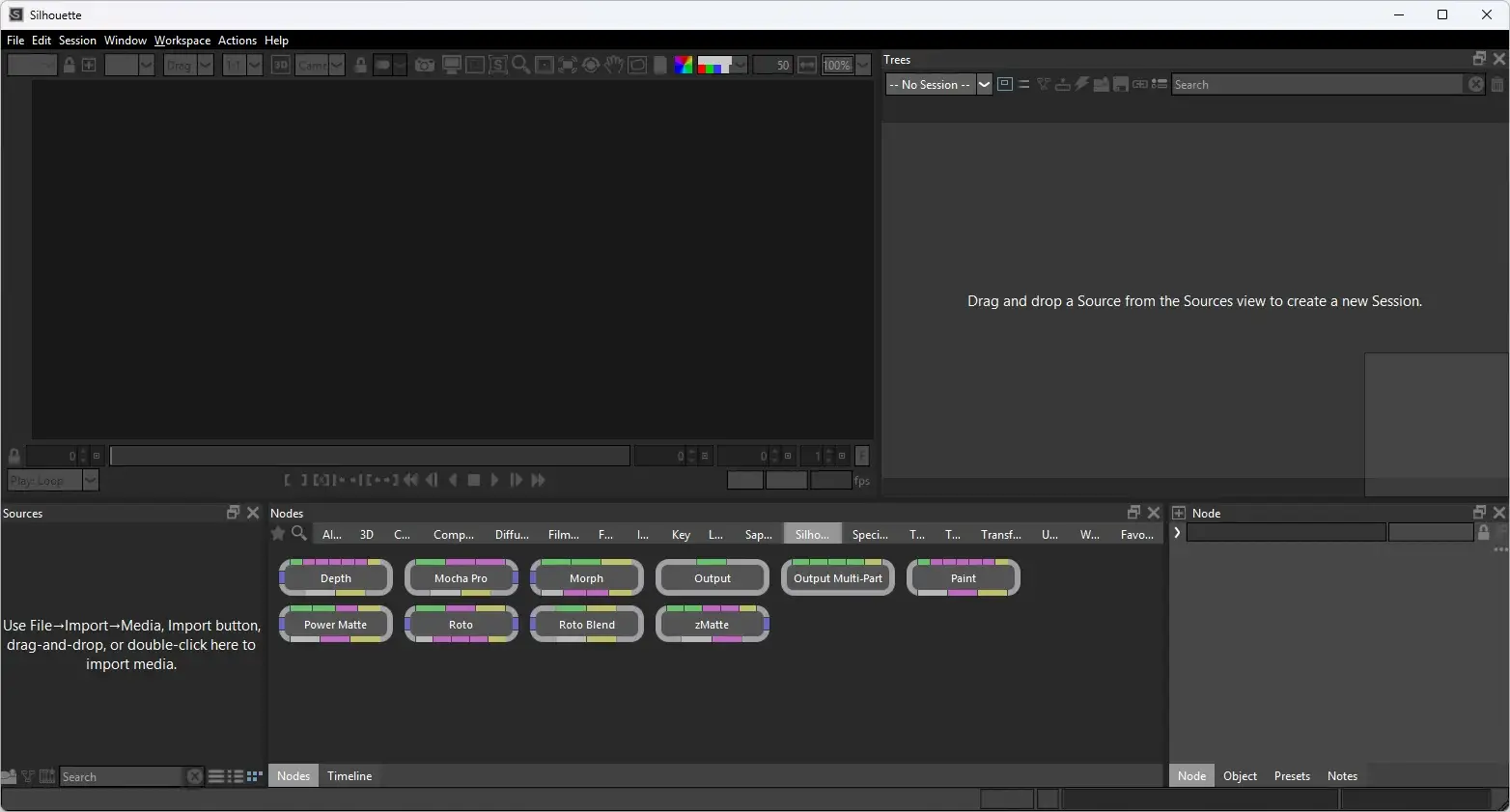
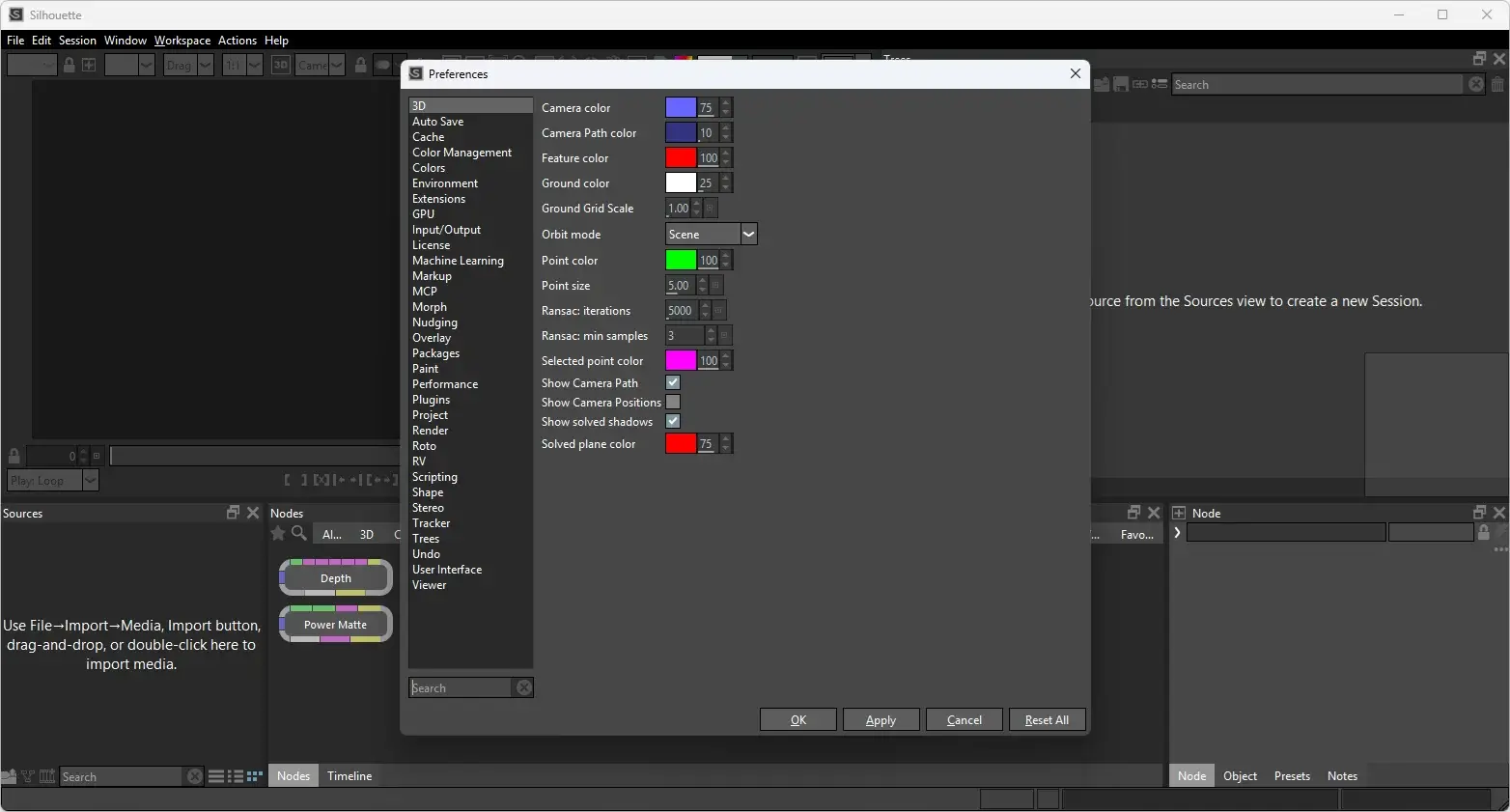
Boris FX Silhouette Tested Screenshots
System Requirements
| Component | Requirement |
|---|---|
| Operating System | Windows 10 and Windows 11 |
| Processor | Intel x64 (Sandy Bridge or newer) |
| System Memory | 8 GB minimum, 16 GB or more preferred |
| Disk | High-speed disk array or NVMe SSD |
| Graphics Processor | Most modern NVIDIA and AMD graphics cards are supported; for best performance, a workstation-class NVIDIA RTX 6000 Ada Generation or AMD Radeon PRO Series card is recommended |
| ML Plugin Requirement | Requires an NVIDIA GPU with compute capability 6.0 or above (Pascal or newer), or an AMD Radeon PRO Series GPU. Without a compatible GPU, ML plugins fall back to the CPU with significantly reduced performance |
| Monitor | 1920×1080 or higher |
| Network | An enabled network adapter (Wi-Fi or Ethernet) is required |