Password Depot: A Password Manager Built Around Your Own Storage Choices
Password Depot is a password manager built on one core idea: your data should stay wherever you decide to put it, not locked inside a vendor’s cloud. It stores, autofills, and syncs passwords across Windows, macOS, iOS, Android, and common browsers, while giving you full control over where the encrypted data actually lives.
Password Depot Information
- Title: Password Depot
- Developer: AceBIT GmbH
- Platform: Windows (32-bit and 64-bit)
- Official Website: Password Depot
Password Depot Overview

Password Depot is developed in Darmstadt, Germany, and built around the principle that you should never be forced into a vendor’s cloud to use it. You can store your database locally on your device, on a USB stick, or in a storage location of your own choosing. Data is encrypted with AES-256, and newer databases use the authenticated AES-GCM mode, which makes any tampering with the encrypted data detectable. The software also supports Passkeys through FIDO2 and WebAuthn for passwordless logins.
Password Depot runs as one connected product family across devices. The Windows edition is the full desktop client with the complete feature set. The macOS client is a native app using the same vaults with a familiar interface. Linux is supported through a .deb package for Debian and Ubuntu-based distributions. The iOS app unlocks with Face ID or Touch ID, and the Android app offers the same biometric protection. A web interface is also available for browser access without installing anything. For teams that outgrow individual use, an Enterprise Server extends the same product family with on-premises, centrally administered management rather than a forced cloud model.
Also Check Out: Password Depot
Password Depot Key Benefits
- Strong security foundation: AES-256 encryption, protection against keylogging, minimal exposure of sensitive data in working memory, clipboard protection, lock mode, and secure deletion of temporary data work together to protect your vault.
- Passkeys and FIDO2 support: Passkey entries using WebAuthn and FIDO2 are usable in the internal browser and browser add-ons for passwordless logins.
- Reliable autofill: Automatic filling and auto-detection work across Chrome, Firefox, Edge, Opera, and the software’s own internal browser.
- Full data sovereignty: Storage location is freely selectable, whether local, USB, a server or NAS through HTTPS, FTP-based protocols, or WebDAV, or cloud services like Google Drive, OneDrive, Dropbox, and HiDrive.
- Available on every device: Native apps exist for Windows, macOS, iOS, and Android, with one consistent data set across all of them.
- More than a password store: Cards, identities, software licenses, RDP, PuTTY, and TeamViewer connections, documents, and file attachments are all supported with their own templates.
- Built-in password hygiene: A generator, configurable policies, and a quality check flag weak, dictionary-based, or soon-to-expire passwords.
- Secure document handling: External files can be encrypted, turned into self-extracting containers, and securely deleted when no longer needed.
- Everyday productivity features: An Explorer-style interface, a top bar, hotkeys, drag and drop, direct URL access, Unicode support, and a recycle bin keep daily use fast.
- A modern technical foundation: A multi-tab interface, improved synchronization, TLS 1.3 with OpenSSL 3.2.x, custom storage locations, and quick access to favorites and recently used items round out the experience.
Password Depot Key Features
Vault Security
- Strong Encryption: Data is encrypted with AES-256, and new databases use authenticated AES-GCM mode so tampering with encrypted data can be detected.
- Additional Protection When Unlocking: Databases open with a master password and can optionally be secured further with a key file.
- Brute-Force Protection: Automatic delays and additional mechanisms make repeated unlock attempts significantly harder.
- Backup Copies: Automatic database backups can be stored locally, on external media, or on servers, adjustable to your preferred backup interval.
- Keylogging Protection: Password fields include mechanisms that make keystroke capture more difficult.
- Minimized Memory Exposure: Sensitive data is processed in memory as sparingly as possible and removed immediately afterward.
- Clipboard Protection: Copied content is transferred selectively and then cleared, making access by other programs harder.
- Virtual Keyboard: An additional input method makes classic keystroke logging more difficult.
- Virtual Mouse Pointers: Multiple visible pointers make movement pattern tracking harder.
Verified Passwords
- Strong, Random Passwords: The built-in generator creates complex, hard-to-guess character strings instead of simple, easily attacked passwords.
- Verified Password Quality: A quality check evaluates stored passwords and flags weak or easily guessed ones.
- Password Policies: Rules can be defined for minimum length and required character types for new or changed passwords.
- Security Warnings: The software flags risky configurations, such as use of the insecure FTP protocol, and suggests safer alternatives like SFTP.
- Warning About Easily Guessed Passwords: Passwords found in common wordlists are flagged for replacement.
- Expiration Warnings: Reminders can be set ahead of expiration dates for passwords, cards, or licenses.
Versatile Data Management
- Beyond Passwords: Credit and debit cards, software licenses, identities, RDP, PuTTY, and TeamViewer connections, documents, and encrypted files are all supported with matching templates.
- File Attachments: Attachments can be added to entries, opened directly inside the software, or saved out separately.
- Transfer Passwords: Built-in wizards support importing entries from other password managers and exporting data out of Password Depot.
- Clean Up Databases: Long-unused or expired passwords can be found and removed directly to keep the database current.
- Search Password Data: Entered strings can be searched across passwords, descriptions, and URLs, with logical operators and relations available for more precise results.
- Encrypt External Files: External files can be encrypted and stored as separate entries for an extra layer of protection.
- Self-Extracting Files: Encrypted data can be packaged into self-extracting files to share with people who don’t have Password Depot installed.
- Delete External Files: External files can be securely deleted to make later recovery significantly harder.
Convenient Operation
- User-Friendly Interface: An Explorer-style structure makes navigating databases and finding entries straightforward.
- Auto-Fill: Login credentials can be filled in automatically on websites in Chrome, Firefox, Opera, and Edge through the integrated feature and browser extensions.
- Automatic Detection: The software can detect which password entry belongs to an open website and preselect or auto-fill it.
- Top Bar: The application can shrink to a slim bar that can be freely positioned or docked to a screen edge.
- Open Websites Directly: URLs assigned to entries can be opened directly from inside the program.
- Use With a Mouse Click: Data can be copied to the clipboard or dragged directly to a target field with a single click.
- Hotkeys: Keyboard shortcuts are available for frequently used commands, including bringing the app to the foreground or switching to top bar mode.
- Unicode Support: International characters such as “ä” or “ç” are fully supported in password data.
- Recycle Bin: Deleted password data is stored and can be restored if removed by mistake.
Custom Settings
- Configurable Program Options: Detailed settings cover everything from layout to browser and network behavior.
- Custom Browsers: Any supported browser can be chosen for use with the program, not just the defaults.
- Customized User Modes: New users start in beginner mode, experienced users in expert mode, or a custom-defined mode can be set.
- Personal Favorites: Important entries can be marked as favorites for quicker access.
- Custom Fields: Additional fields can be added to individual entries or applied globally across the entire database.
- Password Icons: Icons can be assigned to entries for easier identification, and they travel with the password file across computers.
- Custom Warning Display: Which warnings appear, including expiration notices and how many days in advance, can be configured.
- Password Usage Statistics: Clear statistics show how often each password has been used, helping identify unused entries.
Store and Access Flexibly
- Enterprise Server: Available when databases need to be shared centrally by multiple people, though generally unnecessary for private use.
- Apps for All Devices: Native apps for Windows, macOS, iOS, and Android, plus a web interface, keep data available everywhere.
- USB Stick: Databases can be stored on a USB stick alongside the software itself for full portability.
- Cloud Storage Locations: Google Drive, OneDrive, Dropbox, and HiDrive are supported, along with additional services through WebDAV.
- Databases on the Internet: Encrypted databases can be stored online and accessed on the go using secure transfer methods like HTTPS, SFTP, and WebDAV, depending on the storage location.
What’s new in Password Depot 19.2.3?
The current version, 19.2.3, was released on August 27, 2026. According to the official changelog, this update includes:
New Features
- Offline copies of server databases protected by Windows, Entra ID (Azure AD), or OpenID Connect sign-in are now encrypted with a DPAPI key, with existing offline copies converted automatically the next time they’re opened.
- The local channel used by browser add-ons to communicate with Password Depot is now restricted to your own Windows account, refusing connections from other user sessions on the same machine or from the network.
- The Dashlane import has been reworked so folders, notes, web addresses, and two-factor (TOTP) secrets are now imported along with the rest of the data.
- Custom icons are now carried over when entries are copied or moved into another database.
- Databases that were locked when the program was closed are now restored together with the other open tabs in the next session.
- Support for SFTP in Internet storage connections has been discontinued. FTP, FTPS, FTPES, WebDAV, and WebDAVs remain available, existing SFTP connections need to be moved to one of these, and newly added custom servers now start out as FTPES.
- In the Internet connection profile, the button that reveals the password in plain text is now only available while a connection is being created, not while editing an existing one.
- A missing StoreSession key has been added to DefSettings.ini so administrators can preset the “Restore the tabs from the previous session” option.
- Standard entry icons have been enhanced.
- The word lists used by the passphrase generator are now built directly into the program, so separate word list files are no longer installed.
- The English word list has been replaced with the EFF long word list, a curated set of 7,776 memorable words, and the default passphrase length has been raised from five to six words so generated passphrases stay at least as strong as before. A passphrase length set manually by the user is preserved.
Bug Fixes
- Fixed high processor load that could occur when the communication channel couldn’t be opened, for example because another program was occupying it; the client now pauses between attempts instead of retrying without a break.
- Fixed OpenID Connect sign-in failing for up to 24 hours after an identity provider rotated its token signing keys.
- Fixed custom fields being scrambled when the list had been sorted by a column header, which could reassign names, values, and types across each other on saving.
- Fixed database names containing a dot being cut short when creating a database, for example “A1.1” becoming “A1,” which could report the database as already existing and overwrite an unrelated one.
- Fixed importing CSV files with Unix line endings, which previously dropped the last character of every line and could stop the import with a “List index out of bounds” message and a partially filled database.
- Fixed the field list in the CSV import wizard duplicating all field names with every keystroke in the delimiter box, which could leave columns assigned as “Unknown.”
- Fixed XML export failing with an “Invalid class typecast” error and writing nothing when an entry contained a TAN with a comment; TAN comments are now included in exports.
- Fixed re-importing a previously deleted custom icon not restoring it for all entries of that website, showing a white square instead.
- Fixed icons and proposed names for new entries being taken from an incomplete part of a web address, for example using “uk.com” instead of the full host name for addresses like “shop.example.uk.com.”
- Fixed Refresh (F5) not actually reloading a database stored in a cloud service, where changes made on another device only appeared after closing and reopening the database.
- Fixed the “Modified” column of cloud storages showing UTC time instead of local time.
- Fixed restoring an entry or folder from the recycle bin of a server database not placing it back into its original folder without a manual refresh.
- Fixed Advanced Search aborting with an “invalid mask” message when a search field contained “[“.
- Fixed “Open URL with” in the Entry menu not being reliably disabled for entries without a web address.
- Fixed entry names, usernames, and passwords containing “&” not displaying correctly on the top bar and in favourites, custom fields, global fields, and TAN menus.
- Fixed revealing a password with the eye button in the entry dialog not counting as using the entry, unlike in the main window.
- Fixed changing the master password to the password already in use completing as if it had actually changed, when it should be rejected.
- Fixed the master password policy setting “All the selected character types” being lost on the next program start.
- Fixed “Create Backup” in database properties reporting success without writing anything when no backup target had been configured.
- Fixed “Ignore this URL” not taking effect for local and cloud databases; the address is now stored with the database and appears under Database, Properties, Content, Edit websites.
- Removed a non-functional dropdown arrow from the “Ignore this URL” button in the “Create a password entry” dialog.
- Fixed the key file location proposed when creating a database with a key file, which previously suggested the program folder where a standard user cannot write, now proposing a location next to the database instead.
- Fixed the master password dialog not growing to fit longer translated texts, which could cause the key file line to overlap the buttons in every language except English.
- Fixed printing entries losing line breaks in comments and other multi-line fields; long values are now wrapped instead of being cut off at the column edge.
- Fixed creating or importing an entry type disabled by server policy showing an unrelated Windows error instead of stating which entry type is affected and where the policy is set.
- Fixed F1 opening a “page not found” error for many dialogs; every help key now points to an existing help topic.
- Completed passkey field labels and other texts in German, French, Spanish, and Dutch, and corrected the labels “Auto-complete selected,” “Diners Club,” and “woelkli.”
- Fixed ten entries in the mixed word list containing an unusable control character where an accented letter belonged, which could produce a passphrase with a character other programs might discard or use to cut the rest of the passphrase short; those entries have been removed.
- A number of other optimizations and fixes.
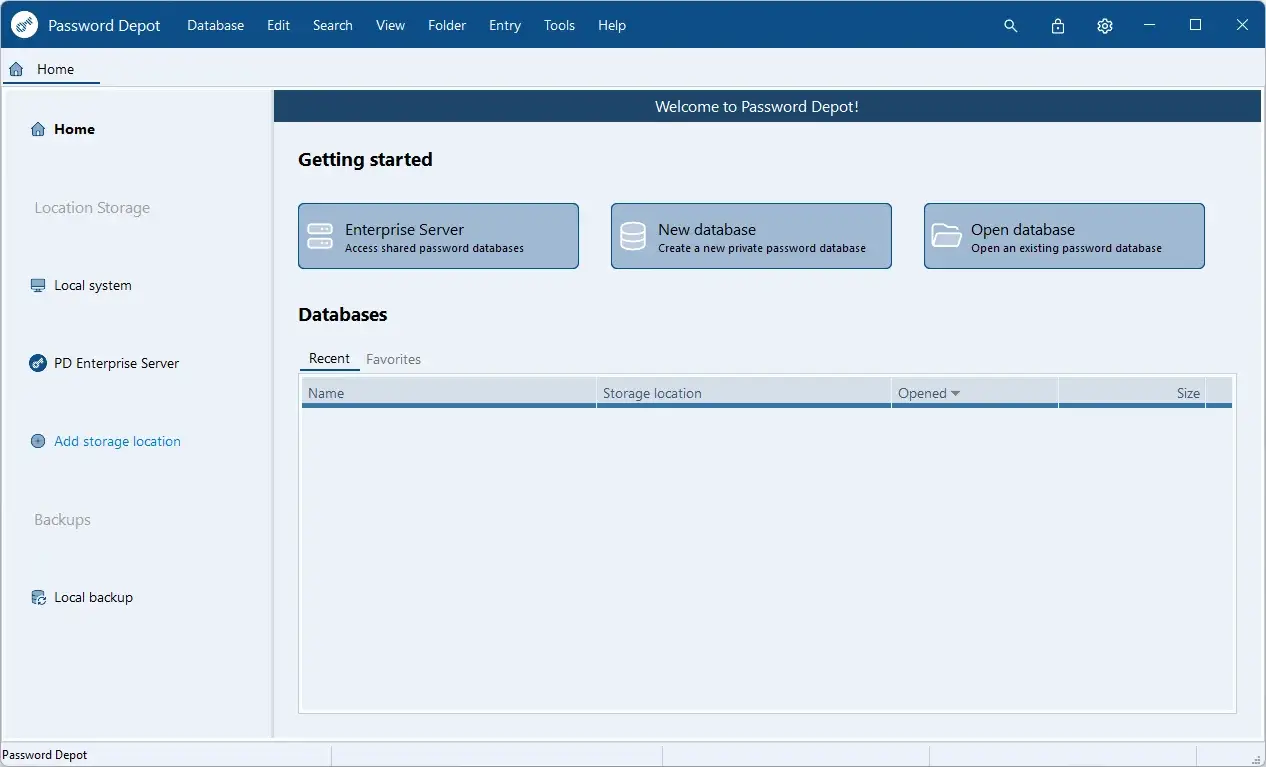
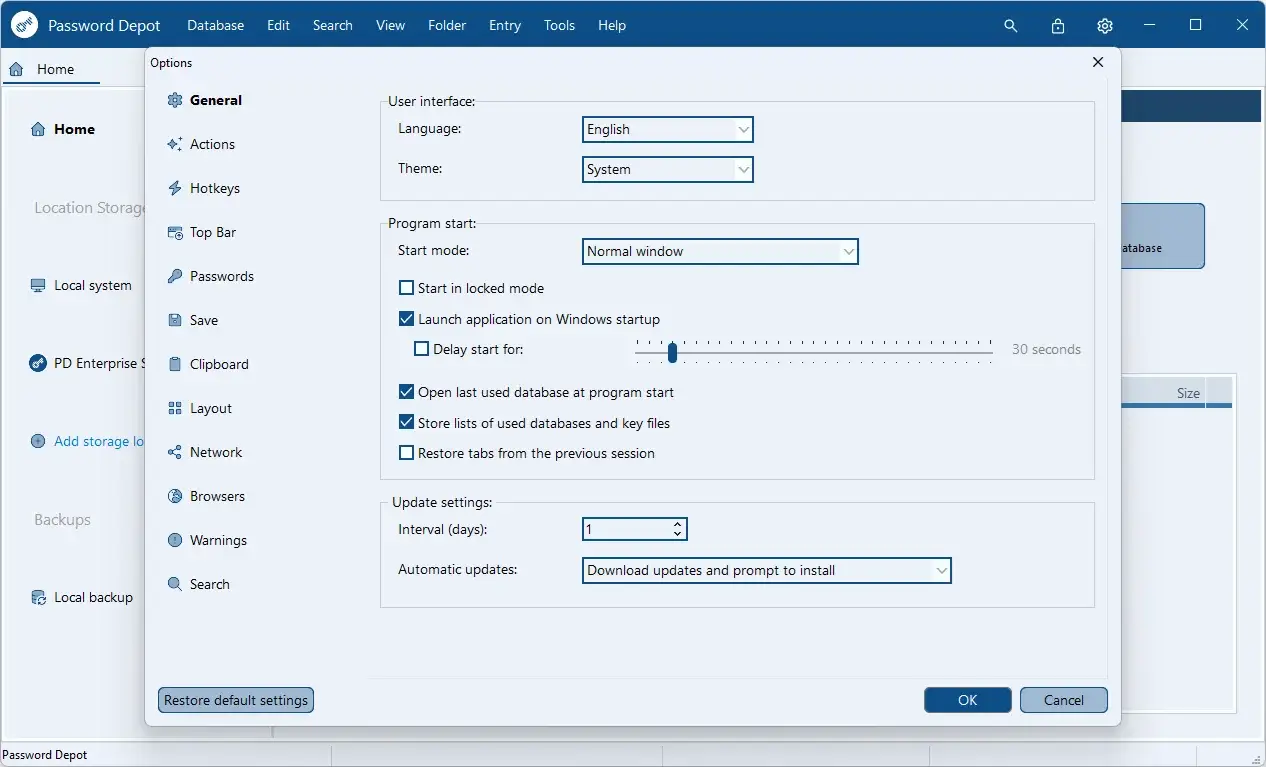
Password Depot Tested Screenshots
System Requirements (Windows)
| Component | Requirement |
|---|---|
| Operating System | Windows 10 (32-bit or 64-bit) or later |
| Processor | 1 GHz or higher |
| Memory | 512 MB RAM or more |
| Disk Space | 150 MB or more |
| Screen Resolution | 1024 x 768 pixels or higher |
| Browser Extension Support | Google Chrome, Mozilla Firefox, Microsoft Edge, Opera |
| Network | Internet connection required for automatic updates |