MEmu Android Emulator: Run Android Apps and Games on Windows
MEmu is an Android emulator built to run Android mobile apps and games directly on a Windows PC, controlled with a regular mouse and keyboard, not a touchscreen. The emulator is designed for gaming performance, allowing a full Android environment to run smoothly on hardware not typically used on phones.
MEmu Android Emulator Information
- Title: MEmu Android Emulator
- Developer: Microvirt
- Platform: Windows
- Official Website: MEMUPLAY
What Is MEmu?

MEmu is an Android emulator software built to simulate the Android operating system on a PC. Its goal is to provide a native Android experience, allowing you to install, use, and uninstall Android apps just like you would on a physical device, but controlled through a keyboard and mouse, with support for external controllers also available.
Behind the scenes, MEmu creates a virtual environment that replicates Android by relying on hardware virtualization technologies like Intel VT-x or AMD-V, which allow the emulator to simulate multiple CPU cores in a manner similar to a real Android device. From an Android system perspective, MEmu provides access to a complete set of virtual components, including the CPU, memory, display orientation, ROM, SD card storage, Wi-Fi, battery, camera, GPS, and sensors like the accelerometer. All of this appears real to installed applications, even though it’s entirely simulated by software.
From a Windows perspective, MEmu behaves like any other desktop application, comparable to a program like Notepad. All Android system data is stored as regular files within a specific Windows folder. For example, the emulator’s virtual SD card is typically represented as a single large image file on the host computer, sometimes as large as 10 GB.
MEmu currently doesn’t have an official version for Mac or Linux, although there’s an alternative solution for Mac users through Parallels Desktop, which enables its nested virtualization feature. Getting started requires just three steps: downloading the MEmu installer, running it as Administrator, and then launching MEmu to find and install apps through Google Play.
Also Check Out: Altair CFD Solvers
MEmu Android Emulator Key Benefits
- Excellent performance: Android games run with fast gameplay and high frame rates, for free.
- Stunning graphics: Enhanced OpenGL and DirectX 3D rendering delivers sharper visuals on larger PC screens than mobile screens allow.
- Smart controls: Built-in key mapping translates mouse and keyboard inputs into precise in-game controls without manual setup.
- Multiple instances: Multiple accounts for the same game, or completely different games, can run side-by-side at the same time.
- Vast game catalog: Popular titles including PUBG Mobile, Free Fire, Brawl Stars, Mobile Legends, Call of Duty Mobile, Genshin Impact, and Clash of Clans are supported directly and can be downloaded through the platform.
- Extensive global reach: MEmu has surpassed 100 million downloads worldwide.
MEmu Android Emulator Key Features
- Smart controls: Automatic key detection and built-in key mapping translate keyboard and mouse actions into precise in-game controls.
- Multiple instances: Run multiple MEmu windows simultaneously to manage multiple game accounts or play different games at once.
- Macro Key Mapping: Record sequences of actions and trigger them with a single key press for repetitive in-game tasks.
- Controller Support: Connect external game controllers and joysticks directly to MEmu for more traditional gaming input methods.
- Game Automation (Operation Recording): Record in-game action sequences and let MEmu play them back automatically.
- Video Recording: Record on-screen gameplay directly from within MEmu.
- GPS Simulation: Simulate specific GPS locations for apps and games that use location data.
- Command Line Scripting: Automate emulator behavior using command line scripts for advanced settings.
- Enhanced Graphics Rendering: Enhanced OpenGL and DirectX 3D rendering produces sharper images suitable for large PC monitors.
- Hardware Virtualization Support: Built on Intel VT-x and AMD-V virtualization technologies to efficiently simulate multiple Android CPU cores.
Performance Benchmarks
According to official third-party performance testing of MEmu, conducted on a test machine configured with an Intel i5-8400 processor, 16GB of RAM, a GTX 1050Ti graphics card, and Windows 10, MEmu recorded a Geekbench 4 CPU multi-core score of 15,696 and an Antutu 7.1 GPU 3D graphics score of 835,617. MEmu’s own report places this at approximately 1.3 times the CPU multi-core performance and 2.3 times the 3D graphics performance of the next closest competing Android emulator tested.
What’s new in MEmu Android Emulator 9.5.8?
The current version, 9.5.8, was released on October 16, 2026. According to the official changelog, this update includes:
Improved:
- Keymapping: Improved skill-casting accuracy in Mobile Legends: Bang Bang.
- Added a Show FPS toggle to the Settings menu.
- Improved the System Information interface.
Fixed:
- Fixed occasional screen flickering in Google Chrome when using OpenGL rendering mode.
- Fixed compatibility issues with Mafia42: Mafia Party Game.
- Fixed an issue preventing 红果短剧 from appearing in Google Play search results.
- Fixed an emulator crash when running War Thunder Mobile on Android 12.
- Fixed compatibility issues with Warframe on Android 12.
- Fixed compatibility issues with Top Lords on Android 12.
MEmu Android Emulator Tested Screenshots
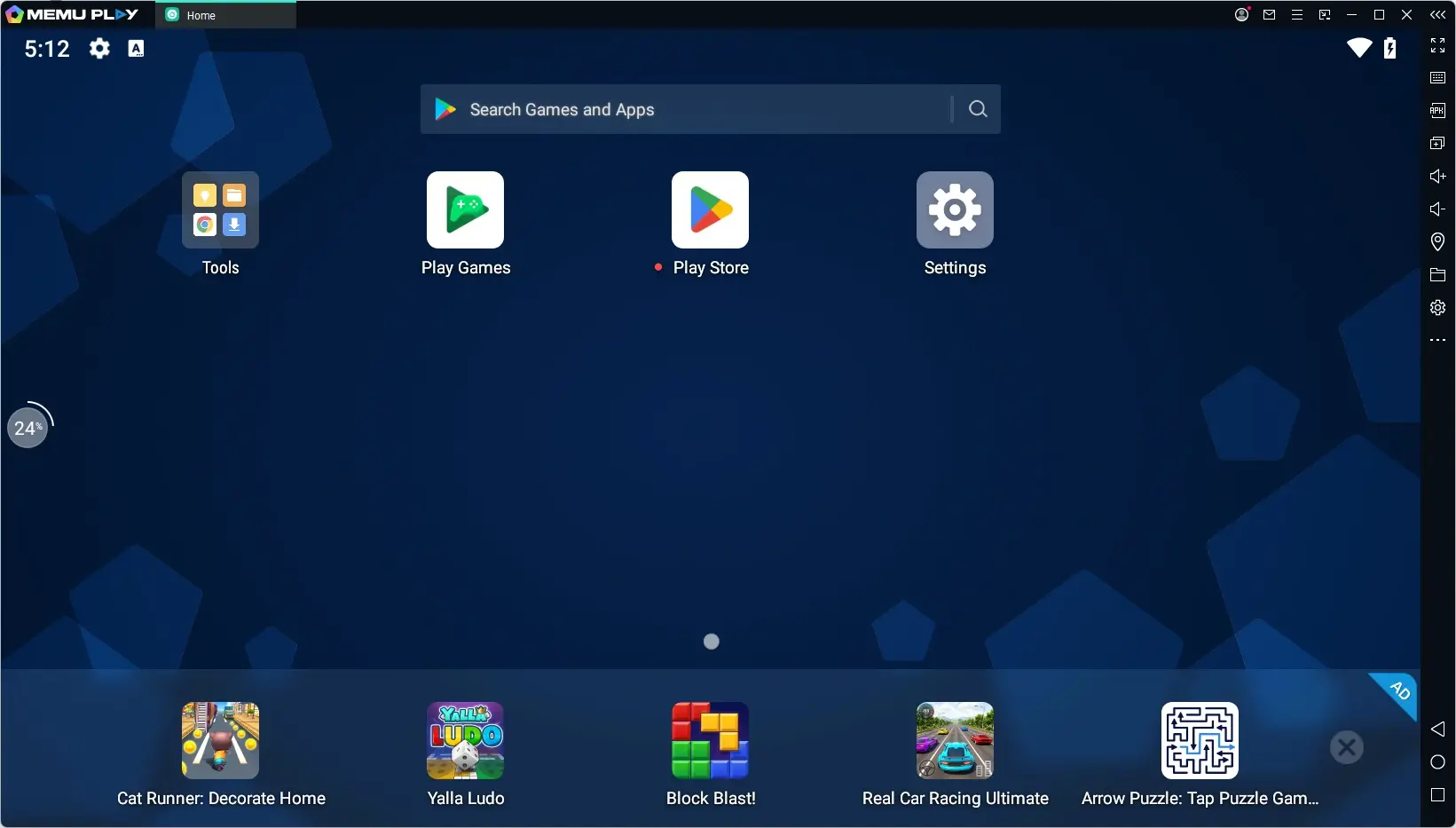
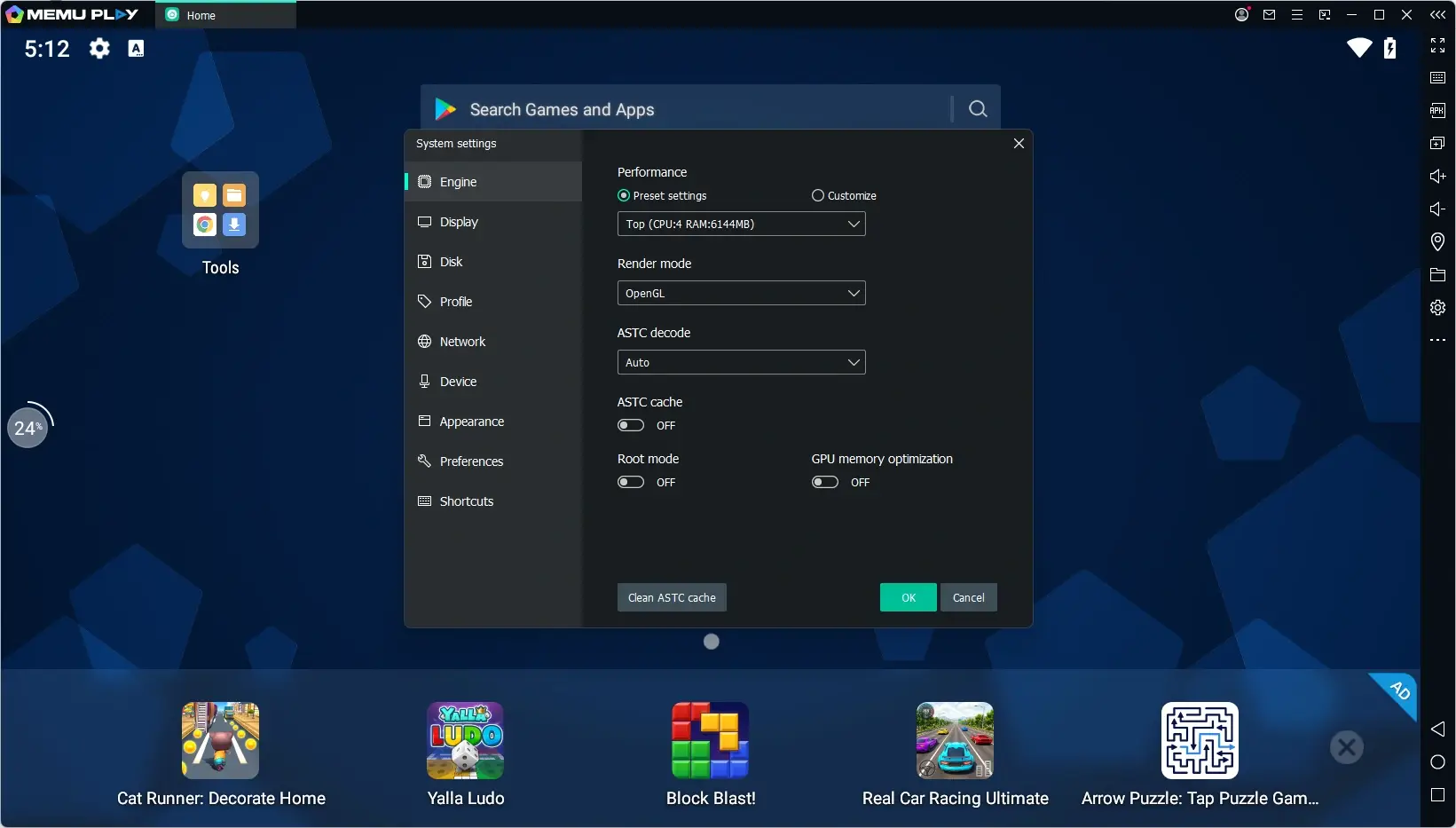
System Requirements (Windows)
| Component | Minimum | Recommended |
|---|---|---|
| Operating System | Windows 7 or above (Server and Enterprise editions not recommended) | Windows 10 with Virtualization Technology enabled |
| Processor | 2 cores, x86 or x86_64 (Intel or AMD) | Single Thread PassMark score above 1500 |
| Graphics | DirectX 11 with OpenGL 2.0 support | DirectX 11 with OpenGL 4.5 or higher, PassMark score above 750 |
| Virtualization | Hardware Virtualization Technology (Intel VT-x or AMD-V) enabled in BIOS | Same, with Virtualization Technology enabled |
| RAM | 2 GB (4 GB for 64-bit systems) | 8 GB or higher |
| Storage | 5 GB free disk space | SSD with 10 GB free disk space |
| Internet | Not specified as required for minimum use | Broadband connection with low latency, especially for FPS games |