
NetSarang Xmanager Power Suite: X Server, SSH Client, File Transfer, and Print Server in One Package
NetSarang Xmanager Power Suite brings four useful networking tools together in a single package for Windows users who work with Unix and Linux systems. It includes tools for running remote graphical applications and desktops, managing secure terminal connections, transferring files, and handling network printing. By bringing these tasks into one suite, it helps users manage remote systems without switching between separate applications.
NetSarang Xmanager Power Suite Information
- Developer: NetSarang Computer, Inc.
- Platform: Windows
- Official Website: NetSarang
NetSarang Xmanager Power Suite Overview

Xmanager Power Suite combines four applications in one installation. Xmanager works as a PC X server, Xshell provides SSH and terminal access, Xftp handles SFTP and FTP file transfers, and Xlpd offers LPD and LPR printing services. Each application can also be installed separately. The product information lists more than 10 million installs for each of the four tools.
Xmanager is designed for engineers and other users who need to work with Unix or Linux applications from a Windows computer. It can display an entire remote desktop environment, including GNOME, KDE, and XFCE, with support for multiple monitors. You can also launch a single remote application through an Xstart session using SSH X11 forwarding. The application then appears in its own window, much like a regular Windows program, and can even be pinned to the taskbar.
The suite brings several types of remote connections into one session manager. You can create, edit, and launch XDMCP, SecureXDMCP over SSH, VNC, RDP, and SSH sessions from the same interface. Xmanager also manages Xshell and Xftp sessions, making it easier to switch between remote desktops, terminal connections, and file transfers. Since Build 0012, Xshell and Xftp have also been able to recognize and use each other’s sessions.
Xshell provides the terminal tools needed to connect to and manage remote systems. It supports SSH, SFTP, Telnet, RDP, and other protocols, along with session management, quick commands, tab organization, and remote file management. Xftp focuses on file transfers, offering drag-and-drop operation, scheduled jobs, folder synchronization, and direct server-to-server transfers through FXP.
The fourth application, Xlpd, turns a Windows PC into a Line Printer Daemon (LPD) print server. It lets you manage print queues, jobs, and users from a central console. It also supports remote printing between Windows and UNIX systems, helping users print documents across a network without relying on manual file transfers.
Also Check Out: eM Client Pro
What’s New in NetSarang Xmanager Power Suite 8?
Xmanager
- VNC Support: Xmanager already supported XDMCP and Xstart sessions and could manage Xshell and Xftp sessions. Version 7 introduced Microsoft’s Remote Desktop Protocol, while Version 8 added VNC support for connecting to remote UNIX, Linux, Windows, and macOS machines.
- Authentication Profiles: Save a set of authentication variables in a profile and apply it to session files when needed.
- Windows Notifications: Xmanager now supports notifications through Windows.
Xshell
- Authentication Profiles: Store authentication variables in a profile and reuse them across one or multiple sessions. When you update the profile, the changes are automatically reflected in the sessions that depend on it.
- Triggers: Set up automatic actions that run when specific patterns appear in the terminal.
- Windows Notifications: Receive Windows notifications through Xshell.
- Quick Command Manager: Create buttons for frequently used commands and organize them in a dedicated manager.
- RDP Support: Open Remote Desktop Protocol sessions directly in Xshell and work with them alongside terminal sessions in the same tabbed window.
- More Additions: Version 8 also includes Hex Viewer, Quick Start, Integrated Log Viewer, Custom Session Icons, and Script Argument Support.
Xftp
- Authentication Profiles: Save authentication variables once and reuse them across multiple sessions. You can update credentials centrally rather than changing every session individually.
- Prioritize Downloads: Choose which downloads should be processed first.
- Windows Notifications: Receive Windows notifications through Xftp.
- File Filtering: Set filtering rules to hide unwanted files from directory listings.
- Command Line Transfers: Use xftpcl.exe to upload or download files from the command line by referencing a saved session file.
NetSarang Xmanager Power Suite Key Benefits
- Run Unix and Linux applications on Windows: Access remote applications and desktop environments from your Windows PC without having to work entirely within a separate remote environment.
- Choose how you connect: Open a complete remote desktop or run an individual application, depending on what the task requires.
- Find hosts automatically: Dynamic host search can discover available machines through XDMCP broadcast, helping you connect without creating a separate session for every server.
- Manage sessions from one place: Organize XDMCP, SecureXDMCP, VNC, RDP, and SSH connections alongside your Xshell and Xftp sessions in the unified manager.
- Reduce repetitive terminal work: Use quick commands, triggers, the Compose pane, and script recording to handle commonly repeated tasks.
- Manage authentication centrally: Authentication profiles let you update login variables in one place and apply the changes to the sessions that use them.
- Make file transfers easier: Concurrent transfers, server-to-server FXP transfers, and scheduled jobs help move files with less manual supervision.
- Keep printing organized: Xlpd provides print queue management, printing history, and remote printing across supported systems.
- Customize the workspace: Choose from different themes, configure session-specific color schemes, and create highlighting rules to make important terminal output easier to spot.
- Support larger deployments: Features such as silent installation, Windows Terminal Server and Citrix MetaFrame support, and session and server profile distribution help with broader software rollouts.
NetSarang Xmanager Power Suite Key Features
Xmanager Key Features
- Session Manager: Create, organize, launch, and manage multiple remote sessions from one interface.
- Session Profiles with Xconfig: Set up different profiles and apply them to sessions for various Unix and Linux environments.
- X Application Launching with Xstart: Launch remote X applications through SSH X11 forwarding, display them in separate windows, and pin them to the Windows taskbar.
- Dynamic Host Search: Discover available remote hosts automatically and connect with a single click.
- Tabbed Environment: Organize multiple sessions using tabs and tab groups in one window.
- Master Password: Add another layer of session security with a master password chosen by the user.
- RDP Protocol Support: Connect to Windows computers through Remote Desktop Protocol.
- Latest Linux Support: Work with current Linux environments.
- OpenSSH CA Authentication: Authenticate through OpenSSH certificate authorities.
- SSH PKCS#11 Support: Use PKCS#11 devices for SSH authentication.
- Address Bar for Instant Connections: Connect to remote hosts from the address bar, much like entering a website address, without creating a saved session for every server you use occasionally.
Xmanager Installation and Deployment
- Environments: Supports Windows Terminal Server and Citrix MetaFrame for Windows, along with session sharing through Windows Terminal Services.
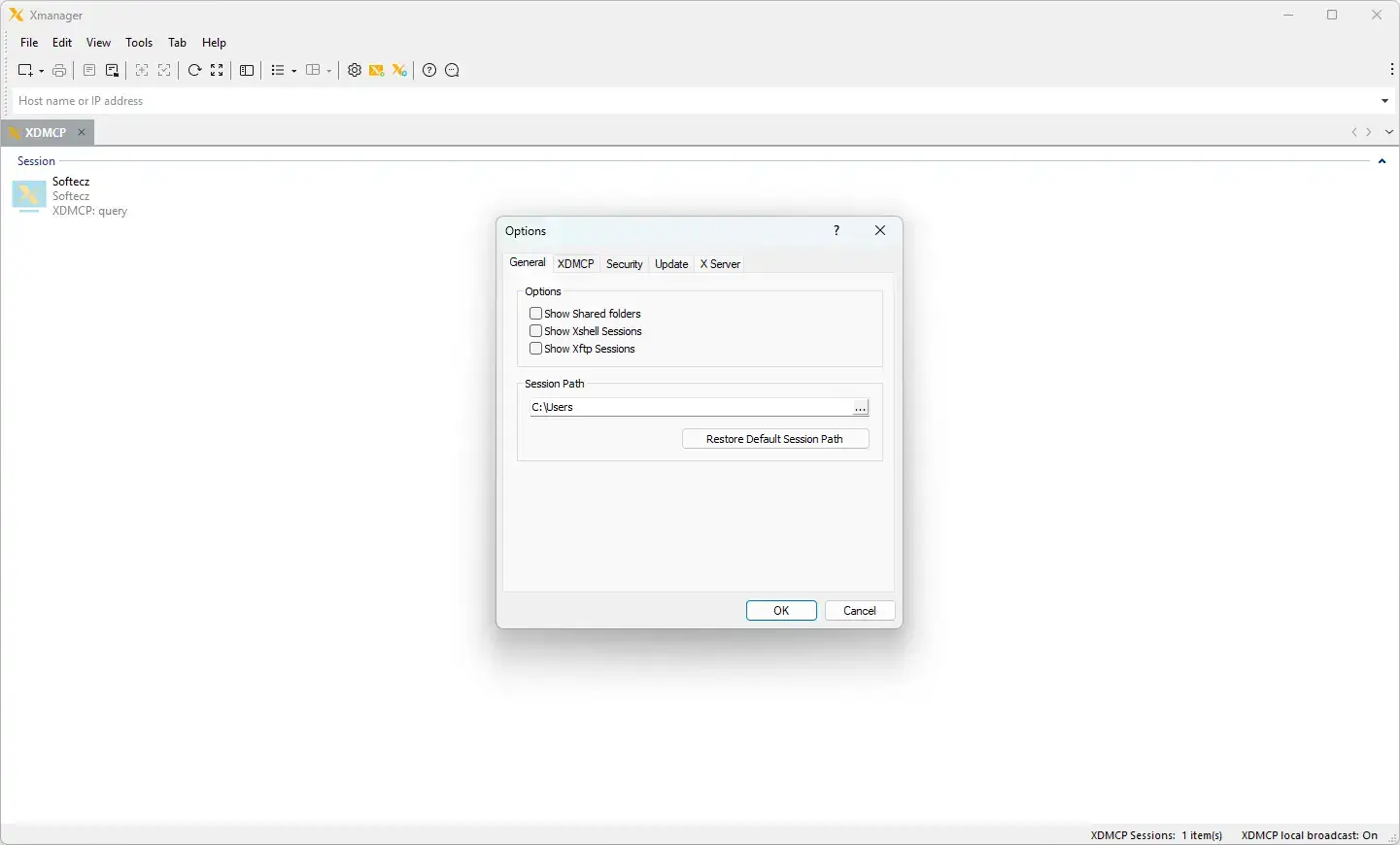
- Rollout Tools: Includes silent installation, multi-user settings, session and server profile distribution, and the option to specify a custom session path.
- Appearance: Customize the program’s appearance by selecting a theme.
Xmanager X Server
- Core X Server: Provides a high-performance X11R7 PC X server with GLX 1.3 and OpenGL 1.2 extension protocol support, along with X Rendering and RandR extension protocols.
- Multi-Setup Support: Supports multiple server and user configurations, multiple network adapters, and multiple XDMCP sessions. Display numbers can be assigned automatically.
- Window and Display Modes: Offers multi-monitor support, single-window and multiple-window modes, panning, automatic window raising in the local window manager, and a notification area icon.
- Color and Visuals: Includes multi-visual support, 256-color visuals on True Color video devices, automatic color substitution for PseudoColor visuals, Backing Store, and a complete Planemask function for 256-color applications.
- Input Devices: Supports wheel mice, three-button mouse emulation, a graphical keyboard editor, and real-time keyboard changes through a shortcut key.
- Sound, Resources, and Printing: Supports sound files for XBell requests, a local resources database, and window printing in Multiple Window mode.
- Clipboard: Provides automatic copy-and-paste support between X applications and Windows applications.
Xmanager Connection and Startup
- Unified Session Handling: Manage Xmanager Xstart and XDMCP sessions alongside Xshell and Xftp sessions, with shortcuts for launching Xstart and XDMCP connections.
- Protocols: Supports XDMCP, SecureXDMCP, SSH, RDP, VNC, RSH, REXEC, RLOGIN, and TELNET.
- Capacity: Supports up to 256 X client connections within a single Xmanager session.
- Xstart Tools: Includes advanced prompt-recognition settings and support for remote command scripts in Xstart.
- Secure XDMCP: Allows XDMCP connections to reach systems beyond firewalls and private networks through supported secure connection methods.
- Network and Authentication: Supports IPv6 and Kerberos authentication through MIT Kerberos and Microsoft SSPI.
- Workspace: Work with multiple tabs and tab groups within a single window.
Xmanager Security
- SSH Authentication: Supports SSH1 and SSH2, public-key authentication, SSH public-key creation, and an SSH user authentication agent.
- Access Control: Restrict access according to the host.
- Secure Tunnels: Route XDMCP connections through an SSH secure tunnel using SecureXDMCP.
- Master Password: Set a user-defined master password for additional session security.
Xmanager Font Support
- Font Tools: Provides font compiler and font server support.
- Formats and Substitution: Supports BDF and PCF font formats, along with automatic font substitution.
- Language Packages: Offers additional font packages for different languages and X applications.
Xmanager Interoperability
- Clipboard and Printing: Supports automatic copying and pasting between X applications and Windows programs, as well as printing windows in Multiple Window mode.
- Suite Integration: Integrates with Xshell and Xftp, allowing SSH, TELNET, SFTP, and FTP connections to be launched from Xmanager sessions.
- Remote Printing: Supports remote document printing through Xlpd, an LPD print server.
Xshell Key Features
- Managers: Includes Session Manager, Tab Manager, Quick Command Manager, and Remote File Manager. These panels can be docked or set to hide automatically.
- Quick Commands and Aliases: Create buttons for commonly used commands and access them through the Quick Commands Bar or Pane. Command Aliases provide another way to simplify frequently used instructions.
- Compose Pane and Synchronized Input: Prepare multi-line commands and send input to multiple sessions at the same time.
- Scripting: Provides Script, Enhanced Scripting, and Script Recording tools. Script Recording can generate scripts from terminal input and output.
- Local Shell: Includes a Local Shell with support for Windows CMD, PowerShell, WSL commands, and SCP.
- Remote Access Options: Supports X11 Forwarding, Jump Host Proxy, and Instant Tunneling.
- Authentication and Security: Includes SSH PKCS#11 support, OpenSSH CA authentication, and a master password.
- Terminal Comfort: Offers Highlight Sets, Dual Font Integrations, horizontal scroll bars, key mappings, web searches for selected text, bell and alarm options, terminal locking, a user-defined text editor, and multi-line paste settings.
- Session Setup: Includes a tabbed environment and inheritable session properties.
Xshell General
- Protocols: Supports SSH1, SSH2, SFTP, TELNET, RLOGIN, SERIAL, and RDP.
- Compatibility: Supports Windows 10 and Windows 11, Windows Server 2012, 2016, 2019, and 2022, as well as OpenSSH and ssh.com servers.
- Connection Options: Includes keep-alive settings, SOCKS4/5 and HTTP proxy connections, IPv6, Kerberos authentication through MIT Kerberos and Microsoft SSPI, and SSH and Telnet tracking.
- Workspace: Supports multiple tabs and tab groups in one window, multi-user settings, and custom key mappings.
- Scripting Languages: Supports VB, JScript, and Python.
Xshell Session Management
- Session Manager: Organize and launch multiple sessions through a session manager with folder and tree views. You can also connect to several sessions simultaneously.
- Session Files: Create and manage local and remote host session files, update multiple sessions in a batch, and import or export session configurations.
- Ways to Open a Session: Launch sessions from the Sessions dialog box, address bar, local prompt, session shortcuts, or links bar.
- Quick Connect: Use a default session for faster connections. The address bar supports URL commands and can connect to remote hosts whether or not a saved session exists.
- Automatic Login: Configure automatic login and login scripts for supported connections.
Xshell Terminal
- Terminal Types: Supports VT100, VT220, VT320, XTERM, LINUX, SCOANSI, and ANSI terminal types. Its Unicode-based terminal buffer supports multilingual output using UTF-8 encoding.
- Display Options: Includes fixed terminal sizes for standardized output, a horizontal scroll bar, bold fonts, ANSI color codes, Xterm 256-color mode, and adjustable line spacing and margins.
- Input Tools: Provides a Compose Bar for sending strings, a Compose Pane for sending multiple lines to several sessions, Xterm terminal mouse support, and Linux Meta key emulation.
- Search and Selection: Supports regular-expression searches, column-based text selection, copying and pasting multi-byte characters, custom delimiters for double-click word selection, and triple-click selection of a full line.
- Extras: Includes terminal screen printing, browser searches for selected text, and several bell options.
Xshell Security
- User Authentication: Supports RSA, DSA, ECDSA, and ED25519 public-key authentication, as well as password and keyboard-interactive authentication. A New Key Wizard provides key import and export options.
- Smart Card and Kerberos: Supports SSH PKCS#11 and CAPI, along with GSSAPI using MIT Kerberos and Microsoft SSPI.
- Agent: Supports user authentication through Xagent, the SSH user authentication agent.
- Encryption: Supports AES128, AES192, AES256, 3DES, BLOWFISH, CAST128, ARCFOUR, RIJNDAEL, and CHACHA20 encryption algorithms.
- Message Authentication: Supports SHA1, SHA1-96, SHA2-256, SHA2-512, MD5, MD5-96, and RIPEMD160, along with zlib compression.
- Key and Password Tools: Includes Host Keys and User Keys dialog boxes, plus a master password for encrypting saved passwords.
Xshell Appearance
- Layout: Provides a dockable main window, customizable layouts, and a flexible interface.
- Themes and Colors: Choose themes, edit color schemes, import or export color settings, and customize the cursor’s color and blinking behavior.
- Fonts: Use the Font button to manage text appearance, with separate font settings for ASCII and non-ASCII characters.
- Quick Access: Access frequently used commands through the Quick Commands Bar and Pane, and customize the standard toolbar buttons.
- Status and Display: Displays a security lock, session selection, and network upload and download activity in the status bar. It also offers full-screen mode with Alt+Enter and transparency options.
Xshell Interoperability and Tunneling
- Suite Integration: Works with Xmanager for X11 forwarding, Xagent for authentication and agent forwarding, and Xftp for file transfers.
- Window Tools: Edit the scroll buffer in Notepad and move between Xshell windows sequentially through a menu command.
- Tunneling: Supports TCP/IP and X11 forwarding, dynamic port forwarding with SOCKS4/5, and a Tunneling pane for viewing and managing active channels. Instant tunneling lets you add, remove, or modify tunnels within the connected session.
Xshell Local Commands, Transfers, and Logging
- Local Shell: Provides a local command prompt for advanced users, with commands such as open, ssh, telnet, rlogin, sftp, and ftp.
- Windows Commands: Run local Windows commands such as ping, ipconfig, netstat, and nslookup. You can also return to the local prompt while a connection is active.
- File Transfer: Send and receive files through FTP, SFTP, and X, Y, or Z MODEM. A Send Delay option helps prevent data loss when sending ASCII files.
- Logging and Printing: Supports automatic session logging in several formats, along with page setup and print preview.
Xftp Key Features
- Transfers: Move files between local and remote hosts using drag and drop. Xftp provides real-time progress tracking, queue management, concurrent transfers, and FXP transfers directly between servers.
- Transfer Scheduling: Schedule daily, weekly, or one-time transfer jobs to run in the background without supervision. Notifications can be sent when jobs finish.
- Enhanced Synchronization and Synchronized Navigation: Compare and synchronize folders with one click, and keep two server views aligned while navigating.
- Quick File Search: Search or filter directory listings to find files within deeply nested folder structures.
- File Handling: Includes Direct Edit, image thumbnail previews, Unicode encoding, and Windows context menu support.
- Sessions and Security: Supports tabbed sessions, inheritable session properties, master passwords, SSH PKCS#11 authentication, OpenSSH CA authentication, and Jump Host Proxy.
Xftp General
- Protocols: Supports SFTP through SSH2 and FTP, including FXP transfers directly between servers.
- Compatibility: Supports Windows 8 and later, Windows Server 2012 and later, virtual environments, OpenSSH, ssh.com, and SSH servers that follow SFTP protocol standards.
- Connection Options: Includes multi-user settings, keep-alive options, UTF-8 character strings, several proxy server types, and Kerberos authentication using MIT Kerberos and Microsoft SSPI.
Xftp Session Management and Appearance
- Sessions: Create and organize session files for different hosts, with a default session available for quick connections.
- Opening Sessions: Open connections through the Sessions dialog box, Quick Connect bar, session shortcuts, or links bar. The Quick Connect bar also supports URL commands.
- Session View and Restore: Use folder and tree views to organize sessions. Xftp can also reconnect automatically to the session that was open when the application last closed.
- Interface: Offers a dockable main window, theme selection, a straightforward interface, multiple tabs and tab groups, and customizable standard toolbar buttons.
Xftp File Transfers and Management
- File Transfers: Transfer multiple files simultaneously, pause transfers, resume downloads, and continue transfers that have failed.
- Remote File Editing: Edit remote files directly using a user-defined editor, with automatic file transfers to keep changes synchronized.
- File Operations: Manage multiple local folders, delete and rename files, create folders, execute files, and change file permissions.
Xftp Security and Interoperability
- Authentication: Supports RSA, DSA, ECDSA, and ED25519 public-key authentication, along with password and keyboard-interactive methods. It also includes a user key wizard with import and export options, SSH PKCS#11 and CAPI support, and GSSAPI through MIT Kerberos and Microsoft SSPI.
- Encryption: Supports AES128, AES192, AES256, 3DES, BLOWFISH, CAST128, ARCFOUR, RIJNDAEL, and CHACHA20 encryption. Supported message authentication algorithms include SHA1, SHA1-96, SHA2-256, SHA2-512, MD5, MD5-96, and RIPEMD160, along with zlib compression.
- Key and Password Tools: Provides Host Keys and User Keys dialog boxes, as well as a user-defined master password for additional session security.
- Interoperability: Integrates with Windows Explorer, Xshell, Xagent, and Xmanager.
Xlpd Key Features
- Queue Control: Create, modify, and remove print queues, move jobs between queues, and manage settings for multiple printers from one console. Each queue can also have its own configuration.
- Print Job Management: Manage print jobs through an intuitive interface with print previews and error alerts when problems occur.
- Print History: Review a detailed printing history showing who printed each document and when. This can help track confidential documents and identify unusual activity.
- Easy Find: Search print jobs across queues and users, filtering results by user, status, or date.
Windows Service: Run Xlpd as a Windows Service.
- Remote Documents on a Local Printer: Print a document stored on a remote host using a local printer without downloading the file first. Xlpd streams the document from the host to the local print spooler.
- Local Documents on a Remote Printer: When Xlpd is installed on a remote PC, you can send local documents over the network and print them there without manually transferring the files.
Xlpd Installation, General, and Hosts
- Installation and Deployment: Supports Windows 8 and later, Windows Terminal Server, and Citrix MetaFrame Presentation Server. It also provides an InstallShield installation package and silent installation support.
- General: Includes LPD support, compatibility with UNIX/Linux and Windows LPD printers, local and remote printing, server-name display, error messages, and email alerts.
- Supported Hosts: Supports Solaris, HP-UX, AIX, IRIX/SCO, most Linux distributions, and Windows 2000 SP4 and later.
Xlpd Queue Management, Printing, and Logging
- Queue Management: Add, modify, and remove print queues, and move print jobs from one queue to another.
- Printing Options: Includes print preview, custom margins, adjustable line spacing, manual Form Feed insertion, automatic UNIX-to-DOS format conversion, custom font types and sizes, and direct or line printing.
- Logging: Provides detailed print logs, a list of recent users, and print-job status information.
What’s New in the NetSarang Xmanager Power Suite 8.0.0023?
NetSarang Xmanager Power Suite 8.0.0023, released on October 15, 2026. According to the official changelog, this update includes:
- Some improvements and bug fixes.
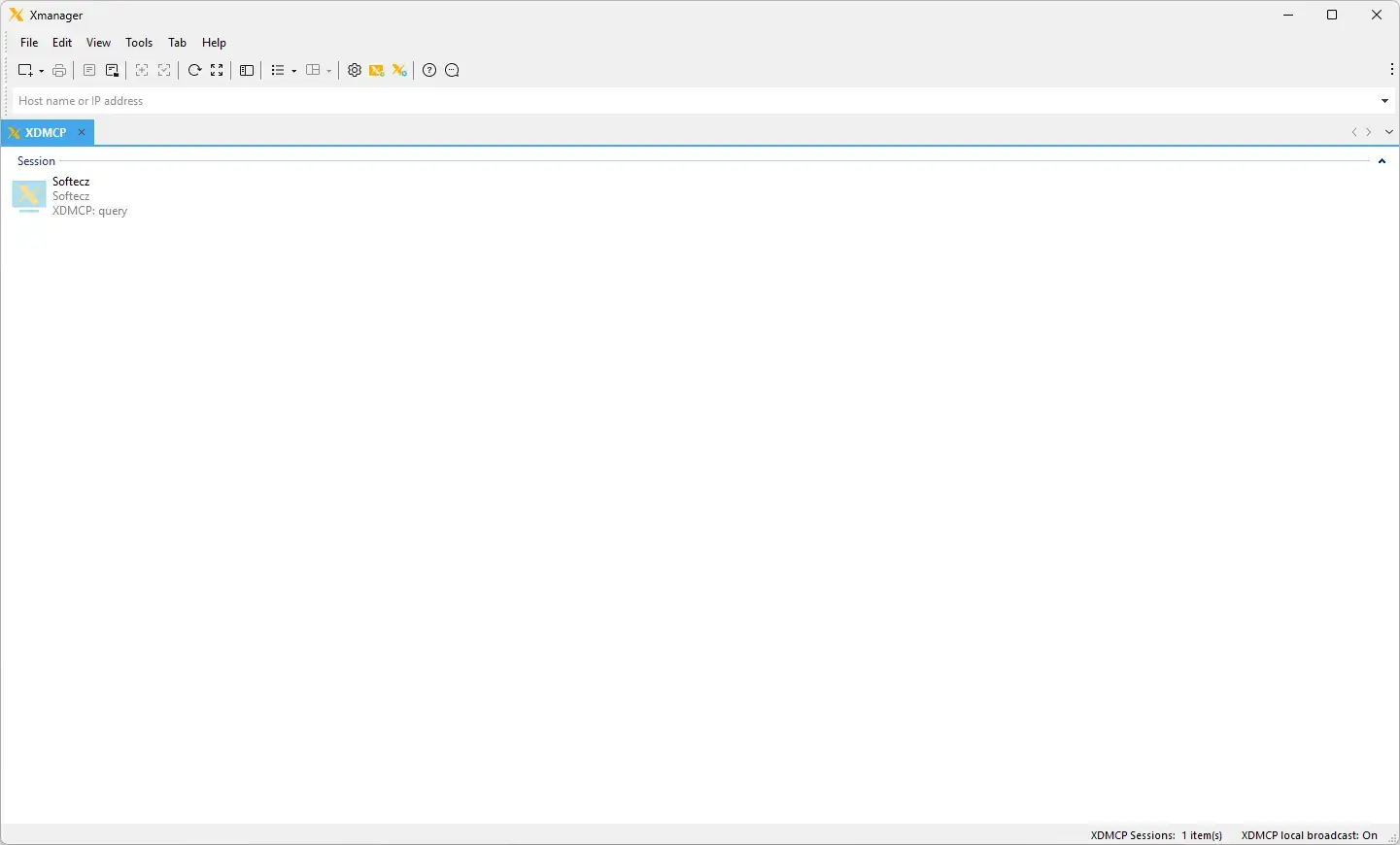
NetSarang Xmanager Power Suite Tested Screenshots
System Requirements (Windows)
| Component | Requirement |
|---|---|
| Operating System | Windows 8+, Windows Server 2012+, Microsoft Windows Terminal Server, Citrix MetaFrame for Windows |
| Processor | Intel Pentium or faster |
| Memory | 512 MB minimum |
| Hard Disk | Xmanager: 200 MB, Xshell: 50 MB, Xftp: 50 MB, Xlpd: 100 MB of available space |
| Network | TCP/IP Microsoft Winsock 1.1 or later (listed for Xshell and Xftp) |