MOBILedit Forensic Ultra: Mobile Device Data Extraction and Digital Evidence Analysis
Mobile phones can contain valuable information for digital investigations, from messages and call records to photos, application databases, and location history. Finding and organizing this information becomes more difficult when evidence is spread across different applications, devices, and storage locations. MOBILedit Forensic Ultra is designed to make this process easier by bringing mobile data extraction, evidence analysis, and forensic reporting together in one application.
Developed by Compelson, MOBILedit Forensic Ultra supports logical and physical data acquisition, application analysis, deleted data recovery, smartwatch examination, and integration with other forensic tools. It also includes features for analyzing media files, organizing communication records, and creating reports that investigators can use for further examination.
MOBILedit Forensic Ultra Information
- Title: MOBILedit Forensic Ultra
- Developer: Compelson
- Platform: Windows
- Official Website: MOBILedit
MOBILedit Forensic Ultra Overview
MOBILedit Forensic Ultra provides investigators with a central place to extract and examine information from supported mobile devices. Depending on the device and available access, the software can retrieve contacts, call history, SMS and multimedia messages, photos, videos, recordings, calendar events, reminders, notes, documents, passwords, and application data. It supports a wide range of applications, including WhatsApp, Signal, Viber, Skype, Facebook, Dropbox, Evernote, and WeChat, with the available data depending on the application’s analysis support.
One of its main advantages is the way it organizes information collected from different sources. Instead of leaving investigators to work through separate files and disconnected records, MOBILedit Forensic Ultra combines extracted data, removes duplicate entries where applicable, and presents the results in structured reports. Communication records can be reviewed as conversations or timelines, while filters help narrow the results by contact, keyword, time, application, or filename.
The software supports both logical and physical data acquisition. Logical extraction retrieves information available through supported device interfaces, while physical acquisition provides access to compatible device images for deeper analysis. MOBILedit Forensic Ultra can also examine supported images created through other methods and import data from compatible forensic tools and backups.
Additional capabilities include smartwatch forensics, cloud data analysis, Smart Screenshots, malware detection, AI-powered media recognition, and integration with Camera Ballistics. Its reporting tools support several output formats, allowing investigators to prepare evidence for review or continue working with compatible forensic applications.
The Ultra edition provides additional advanced security-bypassing capabilities. However, available extraction methods depend on the device model, operating system, security configuration, product edition, and current support. The software cannot guarantee access to every locked device or recovery of all deleted information.
Also Check Out: CADMATE Professional
MOBILedit Forensic Ultra Key Benefits
- Broad mobile data extraction: Collects available information from supported phones, including contacts, messages, call logs, media files, documents, application records, and other digital evidence.
- Logical and physical acquisition: Supports logical extraction and physical image analysis for compatible devices and supported acquisition methods.
- Deleted data recovery: Searches supported databases, invalidated database pages, and caches for information that may remain after deletion.
- Application-focused analysis: Examines supported applications and presents their available records in readable reports, helping investigators understand information that may otherwise be difficult to interpret.
- Wide device support: Supports a broad range of Android and iOS devices, along with selected older mobile platforms and feature phones. The level of access varies by device.
- Smartwatch examination: Analyzes supported wearable-device information, with new version adding Samsung Watch sensor data analysis.
- Cloud evidence collection: Works with supported cloud services through MOBILedit Cloud Forensic, which is available as a separate product or through compatible integrations.
- AI-powered media analysis: Photo Recognizer and Face Matcher help investigators categorize selected visual content and locate potential matches in large photo and video collections.
- Flexible reporting: Creates customizable reports with timelines, conversation views, and organized evidence categories.
- Integration with other tools: Imports supported forensic data from tools such as Cellebrite UFED, Magnet Graykey, and Oxygen.
- Concurrent processing: Its 64-bit engine supports large evidence collections and simultaneous phone extractions when suitable hardware is available.
- Live Updates: Provides supported updates for application analysis, device compatibility, security-bypassing components, and other forensic modules without requiring a full software reinstall.
MOBILedit Forensic Ultra Key Features
Core Extraction Functions
- Phone Extractor: Collects available data from supported mobile devices using compatible logical and physical acquisition methods.
- Physical Data Acquisition: Creates physical images of supported devices and enables investigators to examine compatible images for files and other available evidence.
- Physical Image Analysis: Opens supported images created by MOBILedit Forensic Ultra or obtained through other methods, including JTAG and chip-off procedures.
- iTunes Backup Analyzer: Examines supported iTunes backups to retrieve available device information.
- Android ADB Backup Analyzer: Imports and analyzes supported Android ADB backup files.
- Application Data Analyzer: Examines supported application databases, files, messages, and other records associated with installed applications.
- Deleted Data Recovery: Searches supported storage areas for deleted records that may still be recoverable.
- Report Generator: Organizes the extracted information into structured reports for review, filtering, and export.
- Smartwatch Analyzer: Provides examination capabilities for supported smartwatch data.
- Dive Computer Analyzer: Supports analysis of compatible dive-computer data.
- Cloud Data Analyzer: Works with supported cloud evidence sources through compatible MOBILedit Cloud Forensic configurations.
Security Bypassing
MOBILedit Forensic Ultra Ultra adds advanced security-bypassing capabilities for compatible devices. These methods are intended to help investigators obtain available evidence when normal access is restricted by a device lock or other security measures.
- MTK Decrypt: Supports physical acquisition methods for compatible MediaTek devices without conventional root access.
- Exynos Decrypt: Provides chipset-specific acquisition capabilities for supported Exynos devices.
- Kirin Decrypt: Supports acquisition methods for compatible Huawei devices using HiSilicon Kirin chipsets.
- Unisoc Method: Provides physical memory acquisition capabilities for supported Unisoc and Spreadtrum devices.
- EDL Method: Supports physical image acquisition from compatible Qualcomm devices through Emergency Download Mode.
- Rooting Methods: Includes supported techniques for temporarily obtaining elevated access on compatible Android devices.
- LAF Method: Supports compatible LG devices using the LAF protocol, with additional filesystem access available on certain models.
- TWRP Method: Provides supported acquisition options for compatible devices with an unlocked bootloader.
- iOS Lockdown Files Method: Uses supported lockdown files created when an iOS device was previously connected to and authorized on a computer. Depending on the available files and device conditions, this can provide access to additional information.
- Live Security Updates: Delivers supported security-bypassing components and device-specific improvements without requiring a complete software reinstall.
Application and Communication Analysis
- Advanced Application Analysis: Examines supported application data and organizes records into readable formats, including conversations, media, timestamps, and other application-specific information.
- Extensive Application Profiles: The developer lists support for more than 1,000 unique applications, with many individual analysis profiles. Current coverage depends on the application and its version.
- Application Downgrade: Provides a method for selected supported applications to use compatible earlier versions when this allows additional information to be accessed. Listed applications include WhatsApp, Facebook, Instagram, Telegram, Skype, Snapchat, Viber, WeChat, Dropbox, Evernote, Google Chrome, and others.
- Smart Screenshots: Automatically captures visible conversations and other information from supported applications that may not be available through logical extraction. Listed applications include Instagram, Signal, Skype, Telegram, Viber, and WhatsApp.
- Message Analysis: Combines supported messages from different sources into organized reports, showing available sender information, timestamps, and attachments.
- Conversation Views: Displays supported messages as chronological exchanges, making it easier to follow communication between contacts.
- Application Selection: Allows investigators to analyze selected applications or examine all supported applications found on a device.
- Raw Data Access: Preserves available application data in the export folder for additional examination.
Evidence and Report Categories
- Contacts: Collects contact details from supported phonebooks, device memory, SIM cards, vCard files, cloud accounts, and applications. Recoverable deleted contacts may also be included.
- Contact Analysis: Summarizes communication patterns, including message counts, call counts, and total call duration where the necessary records are available.
- Contact Accounts: Organizes supported phone, email, cloud, and application accounts associated with the examined device.
- Messages and Conversations: Collects SMS, MMS, iMessages, SIM messages, emails, and supported application messages into searchable reports and chronological conversation views.
- Call Logs: Presents supported phone and application calls with available dates, times, durations, contact information, and source details. Deleted records may be included when recoverable.
- Emails: Organizes supported email records for examination by contact, timeline, or conversation.
- Applications: Lists analyzed applications and provides access to their available data, including recoverable deleted application records.
- Deleted Data: Brings together recoverable deleted information found across supported categories, including messages, calls, calendar entries, notes, and application data.
- Passwords: Retrieves supported saved credentials. On compatible iOS devices, the software can analyze the encrypted Keychain; supported Android extractions may include saved Wi-Fi passwords.
- Wi-Fi Networks: Displays available network information and connection history, including SSIDs, BSSIDs, security modes, and timestamps where recorded.
- Images and Photos: Collects images from device storage and supported application data, including images found in caches or temporary files. Duplicate filtering helps organize results, and Apple HEIF images are supported.
- Cell Towers: Presents available information about cell towers associated with a device, with supported tower locations viewable on a map.
- Audio and Video Files: Extracts supported media files and allows playback from reports. Available details can include file paths, timestamps, duration, size, resolution, and frame rate.
- Organizer Data: Examines supported calendar accounts, events, tasks, and notes, including descriptions, timestamps, and deletion information where available.
- Documents: Extracts and previews common supported document formats.
- GPS Locations: Collects available location information from devices and applications, including coordinates, timestamps, and route information when recorded.
- Cookies: Organizes supported system and application cookies, including domain information and available creation, access, and expiration times.
- Web Browsing History: Consolidates supported browser records and visited URLs with available timestamps.
- Web Search History: Collects supported search queries and their associated timestamps.
- Bluetooth Pairings: Lists supported paired-device names, addresses, statuses, and connection information where available.
- Notifications: Presents supported notification text, source applications, and timestamps. The available history depends on the operating system and the data still present on the device.
- Bookmarks: Collects supported browser and application bookmarks, depending on the platform and browser version.
- Keyboard Cache: Retrieves keyboard-cache information from older supported iOS versions or user dictionary entries from compatible Android devices.
- System Logs: Examines supported Android system logs and dumpsys files that may contain information about Wi-Fi connections, running applications, recent locations, cell information, and Bluetooth activity.
- File System: Organizes available filesystem and application files, along with additional files made accessible through supported backups and acquisition sources.
- Timeline: Brings together extracted records with timestamps into one chronological view. Investigators can narrow the timeline to selected categories, such as calls and messages.
AI-Powered Analysis Tools
- Photo Recognizer: Uses artificial intelligence and deep-learning techniques to locate and categorize selected content in photos and videos. The developer lists categories such as weapons, drugs, nudity, currency, and documents.
- Face Matcher: Searches supported photo and video collections for potential matches to a supplied reference face image, helping investigators narrow down large media libraries.
- Malware Detection: Uses the YARA project to scan extracted files against rules describing patterns that may indicate malware. Supported third-party rules can also be used.
- Organized Media Review: Helps investigators group selected visual results for further examination and inclusion in configured reports.
Smartwatch and Cloud Forensics
- Smartwatch Forensics: Supports compatible wearables from manufacturers including Apple, Garmin, Samsung, and TCL through supported readers and smartwatch tools.
- Samsung Watch Sensor Analysis: New version adds analysis of supported Samsung Watch sensor records across Movement & Position, Health & Biometrics, Environmental, and Device & Activity categories.
- Movement and Position: Available records can include GPS and accelerometer data that help investigators examine movement and location-related activity.
- Health and Biometrics: Supported records include heart-rate and blood-oxygen measurements.
- Environmental Data: Supported barometer measurements can provide information about environmental conditions recorded by the watch.
- Device and Activity: On-body detection and other supported device-activity records can help establish how a watch was being used.
- Cloud Forensics: MOBILedit Cloud Forensic supports selected services, including Microsoft Teams, Dropbox, Box, Microsoft OneDrive, Google Drive, Facebook, Instagram, LinkedIn, Facebook Messenger, and Slack, among others.
- Additional Wearable Evidence: Supported smartwatch and dive-computer data can provide context alongside information collected from a phone.
Reporting and Output
- Customizable Reports: The report configurator allows investigators to select evidence categories and adjust how the findings are presented.
- Timeline Reports: Organizes records with timestamps into chronological sequences for examining the order of events.
- Conversation Reports: Presents supported messages as readable exchanges grouped by contact.
- HTML Reports: Creates a browsable report that can be opened in a web browser.
- PDF Reports: Exports evidence into PDF documents for convenient review and sharing.
- XLS and XML Exports: Provides spreadsheet and structured-data options for supported workflows.
- CLBX and UFDR Formats: Supports additional export formats, including UFDR files for compatible Cellebrite workflows.
- MOBILedit Export: Stores parsed information and associated files in the software’s supported export structure.
- MOBILedit Backup: Preserves raw files from a phone in a supported backup structure.
- Encryption and Hashing: MOBILedit export and backup files can be compressed and encrypted using AES and protected with MD5 or SHA-256 hashes.
- Multilingual Reporting: Reports can be customized or translated to meet different language requirements. Available languages depend on the software version and installed translations.
Live Updates
Live Updates allow supported forensic components to be refreshed without reinstalling the main application. This helps keep the software aligned with changes in mobile devices, operating systems, and applications. Update packages may include:
- Application-analysis scripts and profiles
- Report translations
- Application-downgrade files
- Photo Recognizer and Face Matcher modules
- Cell-tower location databases
- Security-bypassing components
- Recovery images
- Samsung Engineering Root components
- Malware-detection rules
- iOS developer images used for screenshot support
- File-exclusion lists and other supported resources
Performance and Integration
- 64-Bit Engine: Supports processing large collections of messages, photographs, application data, and other evidence.
- Concurrent Extractions: Allows multiple phones to be processed simultaneously when suitable hardware, cables, and device connections are available.
- Forensic Tool Integration: Imports supported files and reports from Cellebrite UFED, Magnet Graykey, and Oxygen for additional examination.
- Backup Import: Supports selected iTunes, Android ADB, Garmin, Huawei, Xiaomi MIUI, and Samsung SmartSwitch backup sources, alongside other documented formats.
- Physical Image Import: Opens supported physical images for further filesystem analysis.
- Supported Filesystems: Physical analysis supports formats including ext2, ext3, ext4, F2FS, APFS, HFS, HFS+, NTFS, FAT12, FAT16, FAT32, exFAT, YAFFS2, UFS1, UFS2, and ISO 9660.
- Open Data Output: Makes extracted files available in supported formats for additional examination with compatible forensic tools.
- Data Filtering: Filters results by keyword, contact, time, application, or filename to help investigators locate relevant records.
- Live View: Allows investigators to browse and extract selected files from a connected supported phone before the full extraction process begins.
What’s New in MOBILedit Forensic Ultra 9.8.1?
MOBILedit Forensic Ultra 9.8.1 was released on August 5, 2026. This update includes:
New Features
- Samsung Watch Sensor Data Analysis: Adds analysis of Samsung Watch sensor evidence in four categories: Movement & Position, Health & Biometrics, Environmental, and Device & Activity. Supported records can include GPS, accelerometer readings, heart rate, blood oxygen, barometer measurements, and on-body detection. These details can help investigators compare wearable-device activity with other evidence and build more complete timelines.
- LevelDB Analysis: Adds support for analyzing LevelDB databases, a database format used by some modern applications as an alternative to SQLite. Depending on the application and available records, this can reveal timestamps, URLs, account identifiers, bookmarks, connected devices, notification information, and other application data. The official release notes mention Google Play, Yandex, Kick, Snapchat, and Claude as examples of applications that may use LevelDB.
Improvements
- Improved APK Analysis: APK processing is faster and can extract more data, helping investigators examine supported Android application packages more efficiently.
Fixes
- Fixed analysis of files larger than 4 GB.
- Fixed translation issues.
- Fixed overflowing text in the user interface.
- Fixed emails and contacts displaying under the correct user.
- Fixed activation failures.
- Fixed a crash that occurred when disconnecting an iOS device.
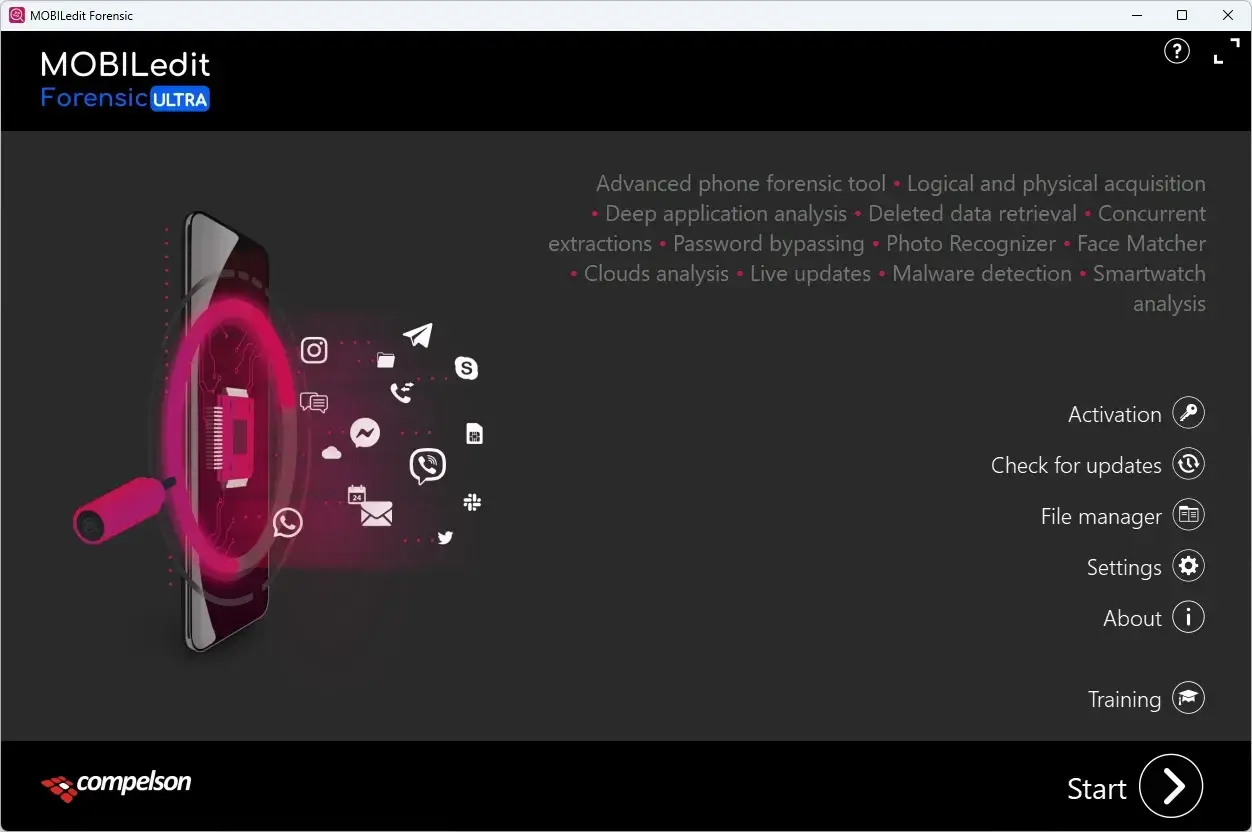
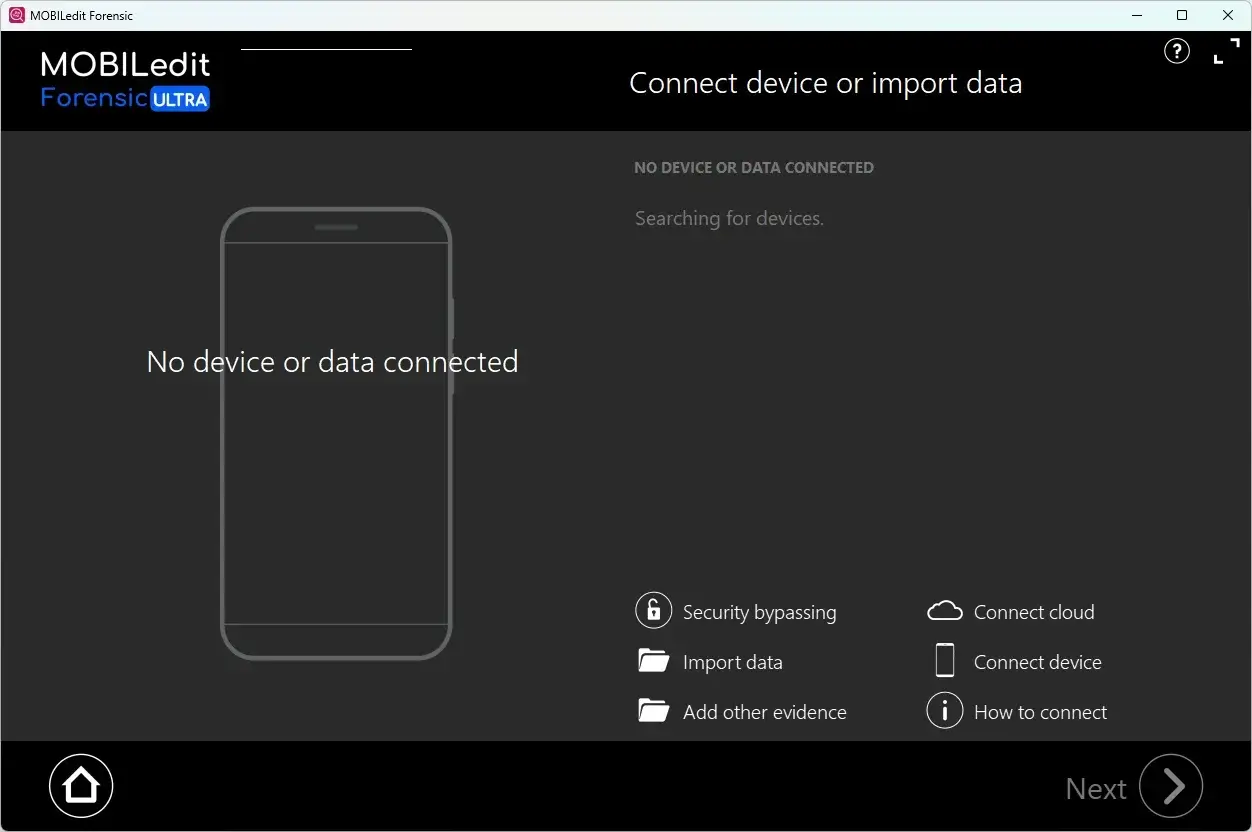
MOBILedit Forensic Ultra Tested Screenshots
System Requirements (Windows)
| Component | Minimum Requirement | Recommended Requirement |
|---|---|---|
| Operating System | Windows 10 (64-bit) | Windows 10 or later (64-bit) |
| Processor | Intel Core i5 or AMD Ryzen 5 | Intel Core i7 or AMD Ryzen 7 for concurrent extractions |
| Processor Instruction Set | AVX required for Face Matcher and Photo Recognizer | AVX-capable processor |
| RAM | 16 GB | 32 GB; 64 GB or more for demanding workloads |
| Storage | 1 GB of free space on the system drive, plus space for reports and extracted data | SSD recommended for faster read/write speeds; additional storage based on case requirements |
| Display Resolution | 1250 × 800 | 1920 × 1080 |
| Graphics | Integrated, dedicated, or external GPU | No specific GPU type required for MOBILedit Forensic PRO |
| Connectivity | High-quality cables for connecting supported phones | Suitable USB connections and cables for concurrent extractions |
| Architecture | 64-bit Windows; 32-bit Windows is not supported | 64-bit Windows |