CADMATE Professional: 2D Drafting and 3D Modeling for Design and Engineering
CADMATE Professional is a 2D drafting and 3D modeling software designed for architects, engineers, designers, and other professionals who work with technical drawings and models. It can be used to create precise drawings, diagrams, building plans, machinery designs, and 3D models.
The software provides a familiar CAD working environment with ribbons, panels, commands, and shortcuts designed around established CAD workflows. It also supports DWG and DXF file formats, making it suitable for projects that need to work with mainstream CAD platforms.
CADMATE Professional also introduces several improvements to drafting, editing, plotting, hatch creation, drawing management, and overall performance. The latest version adds tools such as Centerlines and Center Marks, Parametric Constraints, Multi-Top-Level Windows, and an updated command line.
Software Information
- Title: CADMATE Professional
- Developer: CADMATE SOFTWARE
- Platform: Windows
- Official Website: CADMATE
What Is CADMATE Professional?

CADMATE Professional is a computer-aided design application for creating and editing 2D technical drawings and 3D models. The software is intended for professionals working in areas such as architecture, engineering, construction, mechanical design, electrical design, HVAC, MEP, surveying, interior design, and town planning.
The 2D drafting tools can be used to produce detailed technical drawings, diagrams, layouts, and plans. CADMATE also includes 3D capabilities for creating and editing models of buildings, machinery, and other objects. Its 3D functionality includes non-parametric modeling and volume operations such as combining, intersecting, and subtracting objects.
CADMATE Professional is built around a familiar CAD interface. Ribbons and panels provide access to commonly used tools, while commands and shortcuts can be customized to match existing drafting workflows. The software also focuses on compatibility with DWG and DXF files, which makes it practical for users who exchange drawings with other CAD applications.
Also Check Out: Trados Studio
CADMATE Professional Key Benefits
- 2D drafting and 3D modeling: CADMATE combines detailed 2D drafting tools with 3D modeling capabilities, allowing different types of technical design work to be handled in the same application.
- Familiar CAD environment: The interface uses familiar ribbons, panels, commands, and shortcuts, which can make it easier for users already accustomed to conventional CAD software.
- DWG and DXF compatibility: CADMATE is designed to work with DWG and DXF file formats, supporting drawing exchange with mainstream CAD platforms.
- Tools for different industries: The software can be used across architecture, civil and mechanical engineering, construction, electrical and MEP work, HVAC, surveying, town planning, and interior design.
- Customizable workflow: CADMATE allows commands and functions to be customized, giving users the option to adapt the interface and working methods to their existing CAD workflows.
- Improved performance: CADMATE 2027 introduces a new memory pool and performance optimizations. The developer reports improvements of more than 10% for several operations on complex drawings and more than eight times faster drawing closing.
CADMATE Professional Key Features and Toolsets
- Centerlines and Center Marks: CADMATE 2027 adds dedicated Centerline and Center Mark functions. Centerlines can be generated by selecting two segments, while center marks can be placed at the center of circles and arcs.
- Parametric Constraints: The new parametric constraint functionality for dynamic blocks links graphic dimensions and positions, helping users create more controlled and consistent drawings.
- 3D Modeling: CADMATE provides 3D CAD features for creating and modifying non-parametric models. Users can also perform volume operations such as combining, intersecting, and subtracting objects.
- Dynamic Blocks: Dynamic blocks provide additional control over reusable drawing elements and can now work with the new parametric constraint functionality introduced in CADMATE 2027.
- Multi-Top-Level Windows: Drawing tabs can be dragged outside the main application window to create floating windows. This makes it possible to display multiple drawings at the same time for comparison or copying information between files.
- Command Line Refactoring: The command line has been redesigned so users can resize the command window and select command options using either the mouse or keyboard shortcuts. Temporary prompts are also displayed above the command line during individual commands.
- Hatch Optimization: The Hatch function includes a new “Use Current Drawing” option. It can search beyond the current viewport and use the entire drawing when looking for hatch boundaries.
- DIMCORD: The DIMCORD command now uses leader lines instead of polylines. Moving a text block also moves its leader, while the updated Parameters dialog provides controls for scale, text height, Group, and Auto Switch options.
- Engineering Projection: The ENGINEERINGVIEWMODE variable provides an engineering projection option for the bottom view, giving technical drawings a true engineering projection rather than the default ACAD view.
- Batch Plot: CADMATE 2027 improves batch plotting by allowing users to set plotting order and choose between “Plot by Page” and “Plot by Set.” Frame records can also be previewed sequentially.
- Batch Purge: The Batch Purge tool can clean registered applications, zero-length geometries, empty text objects, and orphaned drawing data.
- Hatch Ribbon Interface: The Hatch Creation and Image Editor tabs have been reconstructed to provide a more organized interface for hatch-related operations.
- Drawing Merge: Drawing Merge can analyze, split, and merge drawings through Xrefs. It also provides customizable layout settings, entity property viewing, and the option to export a drawing list as an LST file.
- Data Extraction: CADMATE supports saving data extraction settings as CXE files. These files can be reused as templates and edited to add or remove drawings, objects, or properties.
- PDF Import: The PDF import engine has been upgraded to the PDFium library. The update improves import speed, raster image rendering, text recognition and decoding, and hatch display quality.
- BIM Data Editing: CADMATE 2027 includes BIM data editing among its added capabilities, providing tools for working with BIM-related drawing information.
- Plot Preview: Plot preview has been enhanced to make it easier to check drawing output before plotting.
- DWG Copy & Paste: CADMATE 2027 includes improvements for copying and pasting DWG drawing content between files.
- Display Optimization: Display-related improvements help CADMATE handle drawing views and visual operations more efficiently.
- Familiar Commands and Shortcuts: CADMATE uses familiar CAD commands and shortcuts, and these commands can be customized to suit different workflows.
Compatible Add-Ons
CADMATE Professional can be extended with additional tools for specialized design and engineering workflows. The official add-ons page lists several compatible solutions.
- SPCAD: SPCAD provides more than 100 tools for geospatial, surveying, topography, cartography, coordinate, geometry, and parcel-related work. It supports formats including KML, Shapefile, CSV, GPX, LAS/LAZ, GeoJSON, XYZ, and raster images with world files. Its tools include coordinate conversion, TIN surfaces, contours, profiles, cross-sections, surface volumes, parcel management, and lot subdivision.
- CAD Tools: CAD Tools is designed for civil engineering workflows and provides more than 50 commands. It can create surface models, import triangles from DWG files, generate profiles and cross-sections, calculate volumes, and plot contours.
- Mech-Q: Mech-Q provides engineering drawing tools for mechanical, piping, HVAC, and structural engineering work. Its tools are organized through pulldown menus and floating toolbars and are designed to integrate with CAD systems.
What’s new in CADMATE Professional 2027 v27.0?
The current version, 27.0, was released on July 07, 2026. According to the official changelog, this update includes:
- CADMATE 2027 introduces a collection of drafting, editing, drawing management, plotting, and performance improvements. The major additions include Centerlines and Center Marks, Parametric Constraints for Dynamic Blocks, Multi-Top-Level Windows, Command Line Refactoring, Hatch Optimization, and performance improvements.
- The new Centerline and Center Mark tools make it easier to identify important geometric centers and construction lines in technical drawings. Parametric Constraints add more control to dynamic blocks by linking dimensions with positions.
- Multi-Top-Level Windows improve the way multiple drawing files can be viewed together. Users can move drawing tabs into separate floating windows, which is useful when comparing drawings or transferring content between files.
- The redesigned command line provides more flexible sizing and command selection, while Hatch Optimization adds the “Use Current Drawing” option for handling boundaries outside the current viewport.
- CADMATE 2027 also improves DIMCORD, Engineering Projection, Batch Plot, Batch Purge, Drawing Merge, PDF Import, Plot Preview, DWG Copy & Paste, and display performance.
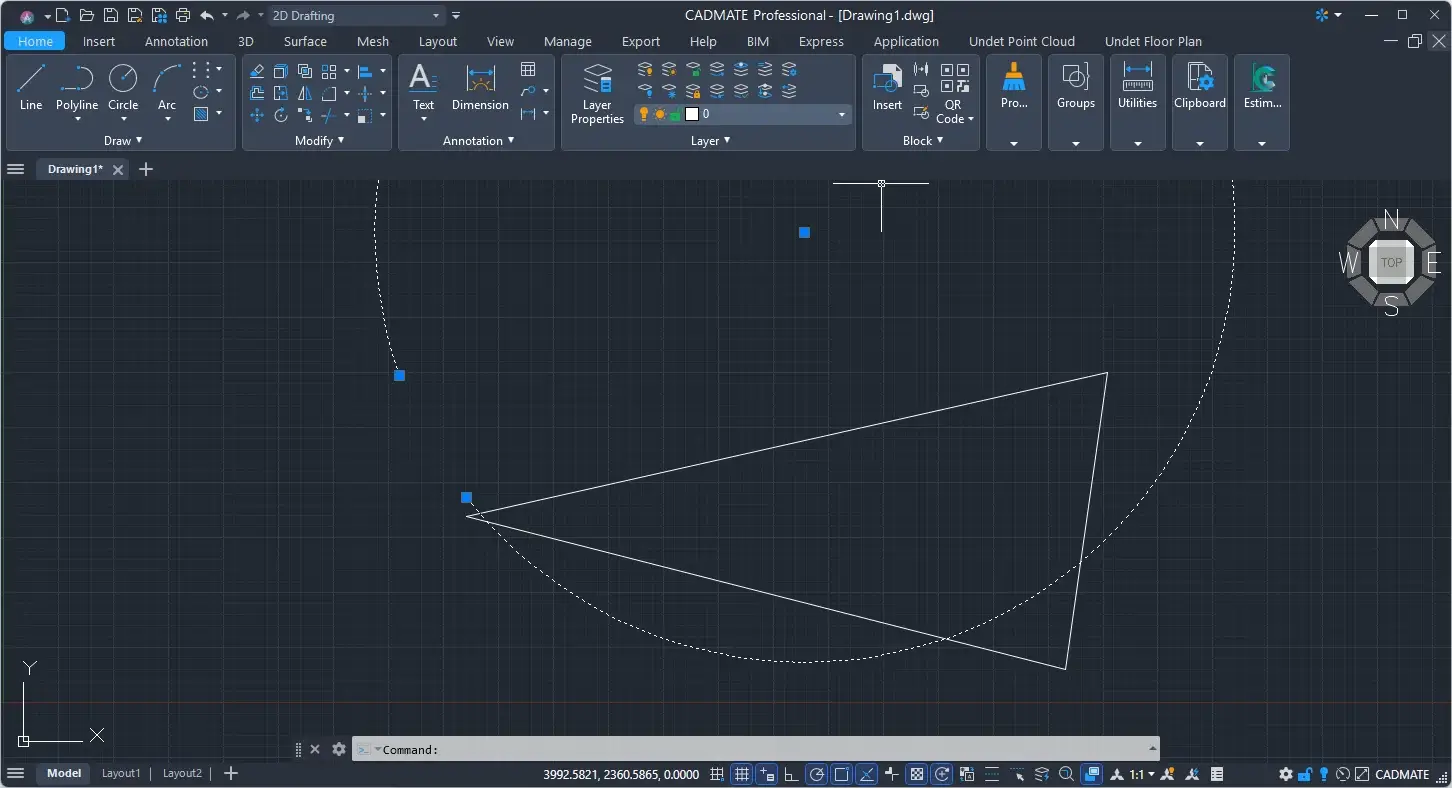
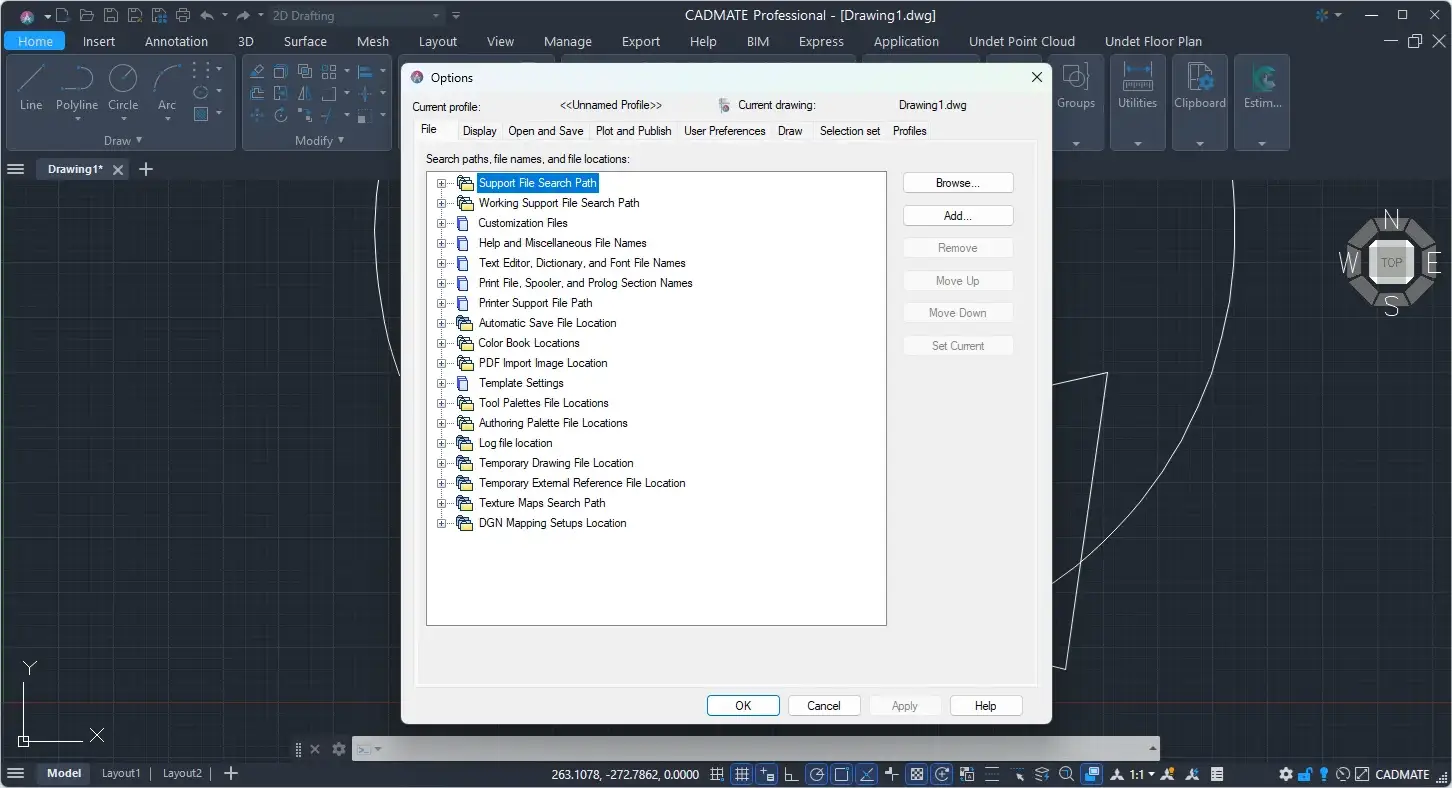
CADMATE Professional Tested Screenshots
System Requirements (Windows)
| Component | Minimum Requirement | Recommended Requirement |
|---|---|---|
| Processor | 1.6 GHz processor | 3+ GHz processor |
| RAM | 4 GB for 64-bit CADMATE | 8 GB or higher |
| GPU | 1 GB GPU | 2 GB GPU or more |
| Operating System | Windows 7 SP1, Windows 8.1 with Update 2919355, Windows 10 version 1507 or higher, or Windows 11 | Windows 10 or Windows 11 |
| Windows 10 Editions | Home, Professional, Education, Enterprise | Home, Professional, Education, Enterprise |
| Windows 8.1 Editions | Core, Professional, Enterprise | — |
| Windows 7 Editions | Home Premium, Professional, Enterprise, Ultimate | — |
| Display Resolution | 1028 × 800 or higher | Up to 3840 × 2160 on Windows 10 with a capable display card |
| Display | True Color | True Color High Resolution |