Trados Studio Professional: AI-Powered Translation and Multilingual Project Management
Trados Studio Professional is a computer-assisted translation (CAT) solution developed by RWS for language service providers (LSPs), companies, and professional translation teams. It provides a working environment for translating, editing, reviewing, and managing multilingual content. Its tools help organizations reuse previously translated material, maintain consistent terminology, apply machine translation, and coordinate translation projects.
The software combines translation memory, terminology management, machine translation, and generative AI to support different stages of the translation process. Translators can work with existing linguistic resources, review suggested translations, and refine content, while project managers can organize multilingual projects and coordinate work with other team members.
Trados Studio supports desktop-based translation and cloud-connected workflows. Its integration with the wider Trados ecosystem allows organizations to connect translation work with collaboration, project management, and other language technology solutions. The 2026 release also introduces a native 64-bit architecture, an updated terminology workflow, contextual AI, and a refreshed workspace.
Trados Studio Professional Information
- Title: Trados Studio Professional
- Developer: RWS
- Platform: Windows
- Official Website: Trados
What Is Trados Studio Professional?
Trados Studio Professional is a translation environment intended for organizations that need to manage multilingual content and coordinate professional translation work. It brings translation editing, terminology resources, translation memory, machine translation, and AI-assisted functions into a connected workflow.
Unlike a basic text editor, a CAT tool works with linguistic resources that can be reused across different documents and projects. Translation memory stores previously translated segments, while terminology databases maintain approved words and expressions. When translators work on new content, these resources can help identify existing translations and recommend appropriate terminology.
The software is suitable for language service providers and corporate translation teams handling documents in multiple languages. It can be used for technical documentation, product information, business documents, marketing content, and other material that needs to be translated consistently. The exact workflow depends on the file formats, language combinations, translation resources, and connected services used by the organization.
Trados Studio Professional is also designed for team-based environments. Organizations can combine Studio with Trados collaboration solutions to manage larger projects, share translation resources, and coordinate work between translators, reviewers, and project managers. Compatibility with particular cloud and server products depends on the product versions and deployment configuration.
The desktop application can work with local project resources and also supports cloud-connected work. Its Manager view, introduced in Studio 2024, provides a way to access and work with files and projects stored locally, on a server, or in the cloud.
Also Check Out: PTC Mathcad Prime
Trados Studio Professional Key Benefits
- Consistent translation quality: Translation memory and terminology management help translators reuse approved translations and apply the correct terms across documents. This is especially useful when companies translate similar content repeatedly or need to maintain a consistent brand voice.
- Reuse of previously translated content: Translation memory can identify complete matches, partial matches, and fragment matches from existing translation resources. This reduces the need to translate repeated material from scratch.
- AI-assisted translation: Generative Translation and AI Assistant can combine large language models with linguistic resources to produce or refine translations. Supported tasks include applying terminology, changing tone, shortening sentences, and following custom instructions.
- Organized multilingual projects: Project management functions help teams prepare and manage translation projects involving multiple documents and target languages. Organizations can combine Studio with appropriate collaboration solutions for larger workflows.
- Terminology control: Termbases provide a structured place to store approved words, phrases, definitions, and usage information. Active term recognition helps translators identify relevant terminology while working on source text.
- Flexible translation workflows: The software supports desktop translation and cloud-connected workflows, allowing organizations to choose an approach that fits their project and collaboration requirements.
- Broad language and file support: Trados supports a wide range of languages and more than 50 desktop file types. The exact formats available depend on the relevant version and installed components.
- Support for professional teams: Studio Professional is intended for companies and language service providers that require professional project coordination and translation workflows.
Trados Studio Professional Key Features and Toolsets
Translation Memory
Translation memory (TM) is one of the main technologies in Trados Studio. It stores previously translated and approved segments so that they can be reused when similar text appears in a new document.
- Exact Matches: When a source segment matches an existing translation memory entry, Studio can present the stored translation for reuse. This is useful for repeated sentences, standard instructions, and recurring product information.
- Fuzzy Matches: When the source text is similar but not identical to an existing segment, the software can display a fuzzy match. The translator can review the differences and adapt the suggested translation.
- Fragment Matches: Translation memory can also surface matching fragments from previously translated content. These suggestions can help when a new sentence contains wording that has appeared in other translations.
- Content Reuse: By retaining approved translations, a team can build a reusable collection of linguistic assets. This is particularly useful for organizations that regularly translate updated manuals, software documentation, product descriptions, and other recurring material.
RWS states that translation memory can increase productivity by as much as 80% in suitable workflows. Actual results depend on the amount of reusable content, the quality of the translation memory, and the type of material being translated.
Terminology Management
Terminology management helps organizations store and apply approved terminology across translations. Terms may include product names, technical vocabulary, legal expressions, industry-specific language, and marketing phrases.
- Termbases: A termbase is a searchable database containing terminology entries. Depending on the resource, entries can include terms in multiple languages, definitions, notes, and usage rules.
- Active Term Recognition: Studio can scan source text for terminology contained in connected termbases. When a relevant term is found, the translator can view the available terminology and use the appropriate target-language equivalent.
- Approved Terminology: A managed terminology resource helps translators follow the organization’s preferred vocabulary. This is important when a word has a specific meaning in a technical field or when a company requires consistent product and brand terminology.
- Term Management During Translation: Studio supports terminology work within the translation environment, helping users manage and update terms without treating terminology as a completely separate task.
- Terminology Consistency Across Projects: Shared terminology resources can help teams use the same approved expressions across multiple documents and languages. This can reduce corrections caused by inconsistent terms.
Translation memory and termbases serve different purposes. Translation memory stores translated segments, which may range from short phrases to complete sentences. A termbase focuses on individual terms and expressions with associated terminology information.
Machine Translation
Machine translation (MT) automatically generates translations from source text. Trados Studio supports machine translation as part of the translation workflow, allowing users to review and edit machine-generated output rather than relying exclusively on manual translation.
- Language Weaver: Language Weaver is RWS’s machine translation technology. Trados Studio offers access to machine translation services, with availability and usage conditions depending on the applicable Studio offering.
- Third-Party Providers: The Trados ecosystem supports connections to additional machine translation providers through supported integrations. The available providers and connection methods depend on the integration being used.
- Post-Editing: Translators can review machine-generated text and correct errors, terminology, style, and meaning. This makes machine translation useful as a starting point when the content and quality requirements suit the workflow.
- Translation Memory and Machine Translation Together: Existing translation memory matches and machine translation can support different segments in the same project. Translators can reuse approved content where suitable and review machine-generated suggestions where a suitable match is unavailable.
Machine translation output still requires appropriate quality checks. Its suitability depends on the language pair, subject matter, source text, and requirements of the project.
Generative Translation
Generative Translation uses large language models (LLMs) alongside linguistic resources to create or refine translation output. It combines AI with translation memory, terminology, and machine translation to support translation and editing tasks.
- Use of Linguistic Resources: The workflow can use available translation memories and terminology to help guide the generated output. This helps connect AI-generated text with the organization’s existing translation resources.
- Custom Instructions: Users can provide natural-language instructions to guide the output. These can be used to request changes in tone, wording, sentence length, or other supported aspects of the translation.
- Terminology Application: Approved terminology can be incorporated into the AI-assisted translation process to help maintain consistent vocabulary.
- Tone and Style Adjustments: Generative Translation can be instructed to adapt the tone or style of a translation. For example, a user may request more formal wording or a shorter sentence, depending on the project’s requirements.
- Context-Aware Suggestions: Trados Studio 2026 introduces contextual AI capabilities designed to consider surrounding document content rather than processing each segment without broader context. This can help suggestions retain the meaning and intent of the source document.
Generative Translation availability can depend on the Trados offering, connected services, and relevant integrations.
Trados Copilot – AI Assistant
AI Assistant brings generative AI functionality into the Trados Studio desktop application. It can work as a translation companion inside the editor or as a translation provider in supported workflows.
- Interactive Translation Assistance: Translators can work with AI Assistant while editing segments and request suggestions for individual pieces of text.
- Batch Pre-Translation: AI Assistant can also be configured as a translation provider for supported batch workflows, allowing files to be pre-translated with a large language model.
- Custom Prompts: Users can write their own instructions to guide translation and review suggestions. This provides control over aspects such as tone, style, and wording.
- Terminology Awareness: AI Assistant can combine LLM capabilities with terminology and other linguistic resources to help maintain approved terminology.
- Formatting and Tag Handling: Supported workflows provide options for handling tags and formatting or working in plain-text mode. The appropriate mode depends on the content and task.
- AI Provider Connections: Trados documentation describes connecting supported LLM services. The providers available depend on the current configuration and applicable service requirements.
AI Assistant can help with translation and text refinement, but users should still review the output for meaning, terminology, formatting, and compliance with project instructions.
AI Bridge
AI Bridge allows users to connect supported AI providers rather than being restricted to a single model provider.
The Trados ecosystem has described connections with providers such as OpenAI, Anthropic Claude, Google Gemini, and DeepSeek. Available providers and configuration options can change, so they should be checked against the current documentation.
AI Bridge is relevant to organizations that want flexibility in their AI workflow. The choice of provider can depend on the organization’s requirements, the capabilities needed, and the services approved for use.
Project Management
Trados Studio includes project management capabilities for preparing and handling multilingual translation work. These tools are intended to help professional teams organize projects involving multiple files and target languages.
- Multilingual Projects: Teams can create and deliver translation projects covering multiple target languages, with project structure and workflow depending on the job requirements.
- File Preparation: Translation projects commonly involve source files that must be processed into a format suitable for translation. The supported file types and project configuration determine the available processing options.
- Workflow Coordination: Project managers can coordinate translation and review work and combine Studio with suitable Trados collaboration products for larger projects.
- Translation Resources: Translation memory, terminology, and supported machine translation services can be used as part of the broader project workflow.
- Team Collaboration: Trados Studio can work with RWS collaboration solutions, including Trados Team, Trados Accelerate, and Trados Enterprise. The supported integration depends on the versions and configuration being used.
Studio Professional is positioned for companies and language service providers that need to manage multilingual content processes and translation productivity across teams.
Cloud Capabilities and Manager View
Trados Studio supports a hybrid desktop and cloud approach. Users can work in the desktop application while connecting to supported online project and collaboration services.
- Manager View: Manager view provides a way to work with files and projects created or stored in cloud, server, or local environments.
- Cloud-Based Project Access: Depending on the connected service, users can work with projects and resources in an online environment rather than relying only on files stored on an individual computer.
- Online Editing and Review: The wider Trados platform includes browser-based editing and review capabilities. The precise features depend on the connected Trados product and project configuration.
- Context Previews and Document Structure: Introduced improvements to the online editor, including additional context previews, support for document structure information, and terminology enhancements.
- Desktop Workflow Improvements: Studio 2024 also introduced improvements to file handling, progress tracking, file support, and accessibility.
These features support organizations that need to combine desktop translation with cloud-based collaboration. Not every cloud feature is necessarily included in every Studio Professional configuration.
Languages and File Types
Trados supports a wide range of languages and file types used in professional translation. The desktop application supports more than 50 different file types.
- Language Support: The languages available for a particular project depend on the supported language list and the configuration of the software.
- File Filters: File filters help the software process supported document formats for translation. The available filters vary by format and version.
- Desktop Formats: Trados maintains separate documentation for languages and file types supported by the desktop application. The available formats should be checked against the relevant version.
- Cloud Formats: Trados Team, Trados Accelerate, and Trados Enterprise have their own documentation for supported cloud languages and file types. Cloud support should therefore be checked separately from desktop support.
Translation Quality and Review
Translation quality depends on more than generating text. Translators and reviewers also need to check meaning, terminology, language quality, and compliance with project requirements.
- Human Review: Translated content can be reviewed and edited before delivery. This is important for identifying errors that automated translation or AI suggestions may not detect correctly.
- Terminology Checks: Connected terminology resources help reviewers check whether approved terms have been used consistently.
- AI-Assisted Review: Smart Review is among the AI capabilities available in the wider Trados platform. It evaluates translation segments and provides a score with a rationale for potential quality issues.
- Quality Assurance Tools: Smart Review can be used alongside other available quality-assurance functions. The features available depend on the product, environment, and relevant integrations.
- Review of AI Output: Generative translations and machine translation output should be checked against the source text and the project’s terminology and style requirements.
Smart Review availability should not be assumed to be identical across all Studio Professional configurations.
Smart Help and Smart Insights
Smart Help and Smart Insights are Trados Copilot capabilities designed to support users and project managers.
- Smart Help: Smart Help allows users to ask questions in natural language to find guidance about Trados products. It can provide information based on product documentation and knowledge-base material, helping users locate relevant instructions.
- Smart Insights: Smart Insights helps users explore translation project information using natural-language questions. It is intended to help project managers find relevant project metrics and identify potential issues without manually navigating complex reports.
These capabilities support different roles in a translation organization. Smart Help focuses on finding product guidance, while Smart Insights focuses on information and insights about projects. Their availability depends on the applicable Trados Copilot offering.
What’s New?
The current version, 2026, was released on June 30, 2026. According to the official changelog, this update includes:
Trados Studio 2026 introduces changes to application architecture, terminology management, contextual AI, and the user interface.
- Native 64-Bit Architecture: Studio 2026 uses a native 64-bit architecture. This change is intended to improve performance and stability when working with large files, multiple-file projects, and complex formats.
- Modernized Terminology Workflow: The release updates terminology handling, with a focus on more accurate term recognition and a more convenient process for adding and managing terms while translating.
- Trados Termbase (.TTB): The Trados Termbase format modernizes local terminology storage and is designed to improve term recognition. Terminology improvements also support teams working across cloud and server environments.
- Terminology REST API: The release includes a terminology REST API intended to support integrations with business systems. Terminology workflow improvements also focus on adding terms and handling forbidden terms in collaborative environments.
- Contextual AI: AI translation can take broader document context into account instead of relying solely on isolated segments. Users can set the scope of context for a batch, helping AI suggestions reflect the surrounding material and intended meaning.
- Modernized Workspace: The release introduces workspace changes intended to improve everyday translation tasks and make the application more convenient to use.
- Dark Theme: RWS highlights dark-theme support as part of the refreshed experience. The exact appearance and availability depend on the current implementation and supported Windows settings.
- Improved Handling of Large Projects: The combination of native 64-bit architecture and performance changes is intended to improve the experience of working with large documents, multiple files, and complex formats.
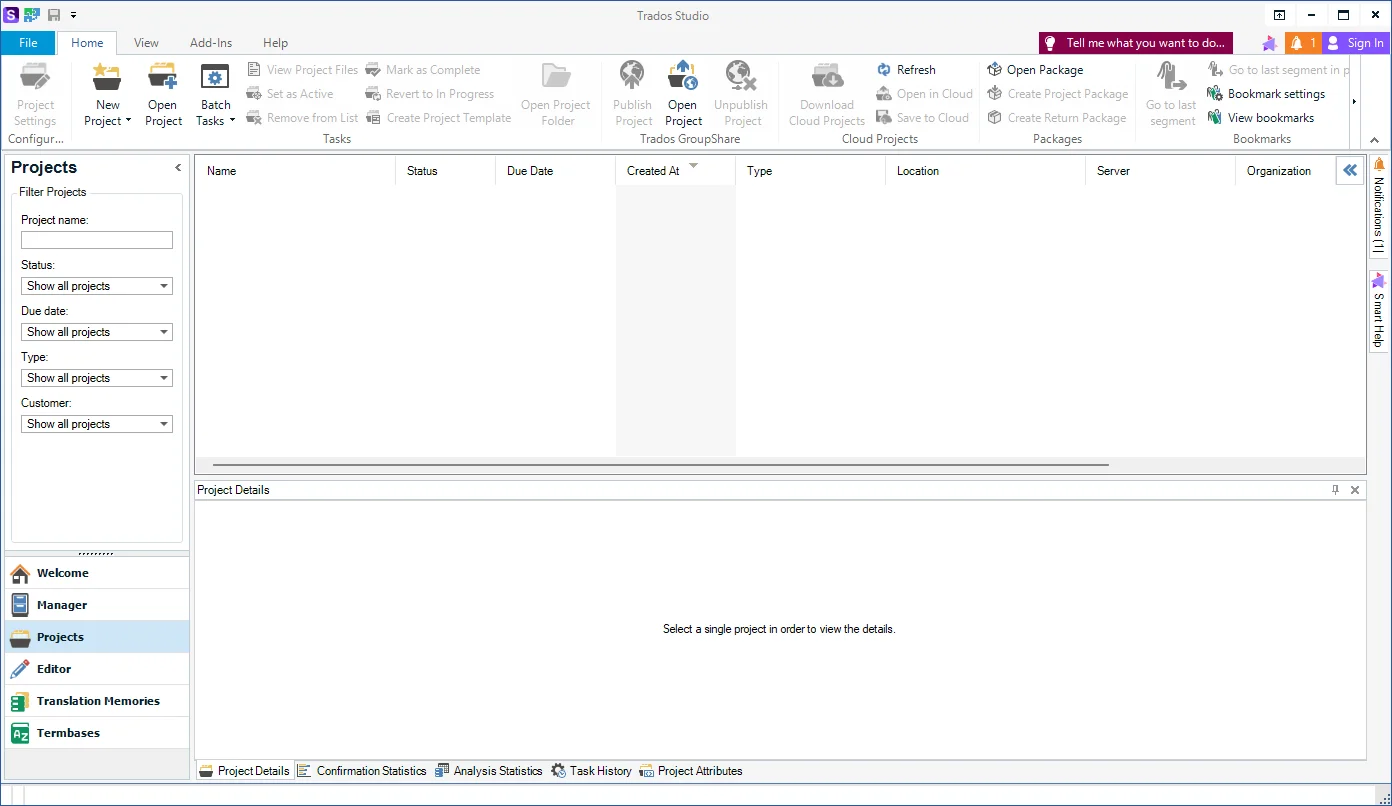
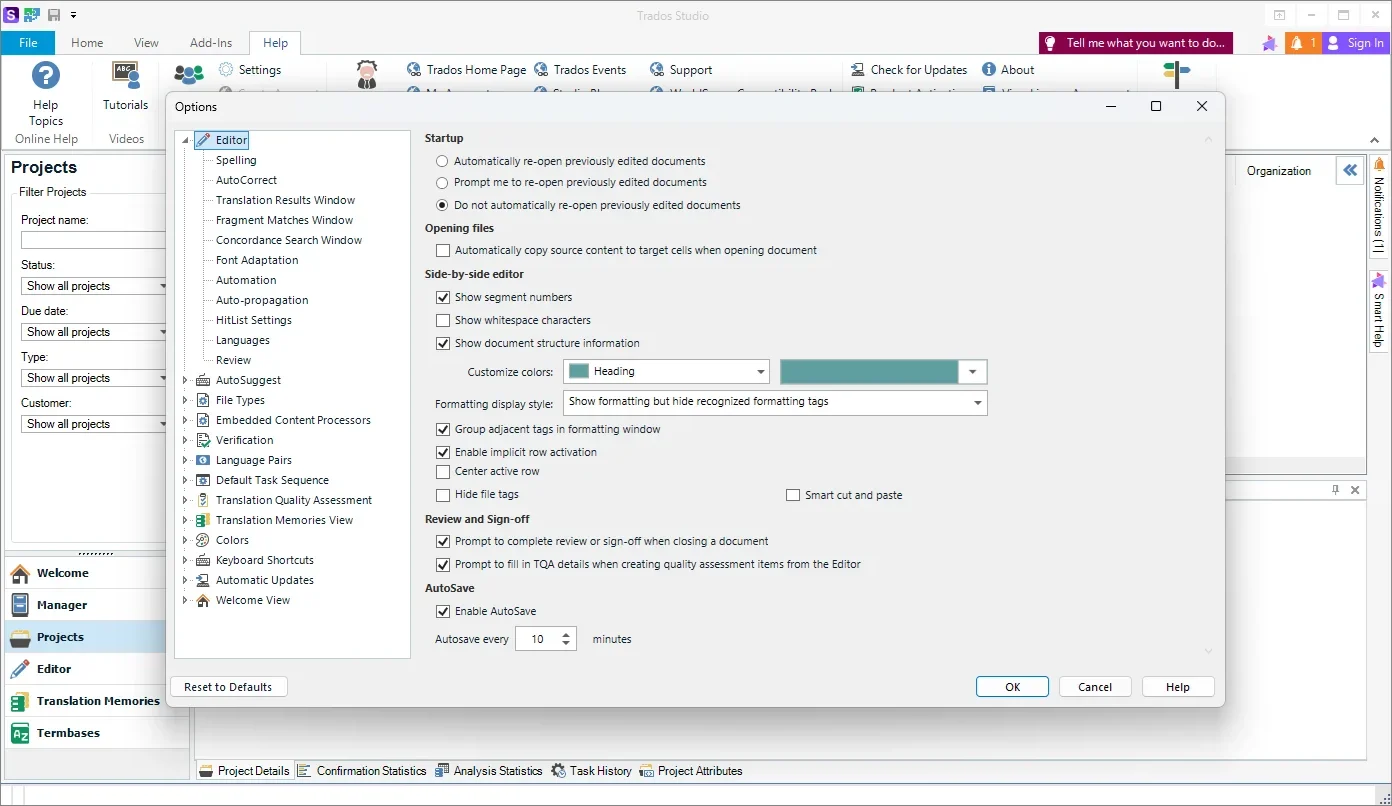
Trados Studio Professional Tested Screenshots
System Requirements (Windows)
| Component | Minimum Requirement | Recommended Requirement |
|---|---|---|
| Operating System | Supported, updated version of Windows 10 or Windows 11 | Windows 11 |
| Processor | Intel or compatible processor | Recent Intel or compatible processor |
| RAM | 8 GB | 16 GB |
| System Architecture | Compatible Windows computer | 64-bit operating system |
| Storage | Sufficient space for the application and project files | SSD recommended |
| Display Resolution | 1024 × 768 | Higher-resolution display |
| Framework | .NET Framework 4.8, where required by the installed version | .NET Framework 4.8, where required by the installed version |