Internet Download Manager (IDM): Download Faster, Wait Less
Internet Download Manager, known as IDM, is a Windows download accelerator built by Tonec FZE. It plugs directly into your browser, takes over your downloads, and speeds them up using a segmented downloading technique, while also repairing and resuming any download that gets interrupted along the way.
Information
- Title: Internet Download Manager (IDM)
- Developer: Tonec FZE (formerly Tonec Inc.)
- Platforms: Windows 7, 8/8.1, 10, 11
- Official Website: www.internetdownloadmanager.com
Internet Download Manager Overview

Internet Download Manager (IDM) exists to solve one problem: browsers are slow and unreliable at downloading files. Once installed, it takes over the download process entirely and uses a smart dynamic file segmentation technique to pull data from the internet as quickly as possible. Unlike older download accelerators that split a file into segments once at the very start, IDM keeps adjusting those segments throughout the download itself, constantly finding the largest remaining piece and splitting it further whenever a new connection becomes available. This keeps every available connection busy at all times instead of leaving bandwidth unused.
The engine behind this has been refined continuously by Tonec’s engineers since 1999, and it shows in how the software handles failure. Lost connections, network hiccups, sudden shutdowns, and power outages don’t mean starting over. IDM detects exactly where a download stopped and resumes it from that point.
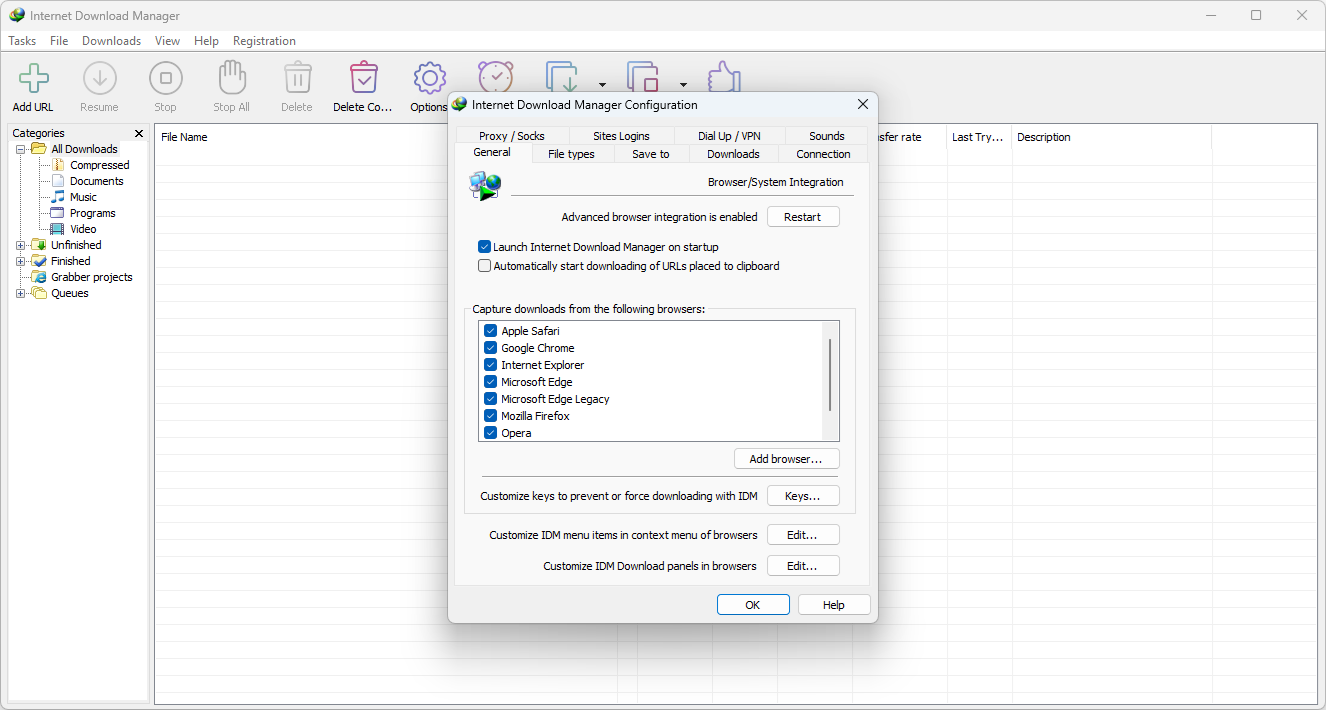
Browser integration is central to how IDM works day to day. After installing the IDM extension, the software quietly monitors your browsing and steps in the moment you click a download link or start playing a video, without requiring any extra effort from you. It supports Google Chrome, Mozilla Firefox, Microsoft Edge, Opera, Internet Explorer, Safari, and a long list of other browsers going back to early names like MSN Explorer and AOL.
Also Check Out: PowerISO
Internet Download Manager Key Benefits
- Faster downloads: Dynamic file segmentation keeps every open connection working throughout the download instead of dividing the file only once at the start.
- Nothing gets lost: Broken or interrupted downloads caused by dropped connections, network issues, shutdowns, or power outages pick back up automatically instead of restarting.
- Effortless browsing: Once the extension is installed, downloads are intercepted automatically as you browse, with no extra steps required.
- Works with the browser you already use: Native support extends across virtually every major and legacy browser.
- Safer downloads: Files can be scanned automatically for viruses the moment a download finishes.
- Organized by design: Automatic categories, a scheduler, and a searchable list keep large numbers of downloads manageable.
Internet Download Manager Key Features
- Download Speed Acceleration: IDM increases download speeds using its dynamic file segmentation technology, reusing open connections without extra connect or login stages to squeeze out maximum performance.
- Download From Your Favorite Websites: Once the browser extension is active, IDM automatically detects downloadable content across the sites you visit.
- Broad Browser Support: IDM integrates with Microsoft Edge, Google Chrome, Mozilla Firefox, Opera, Internet Explorer, Safari, MSN Explorer, AOL, Mozilla Firebird, Avant Browser, Maxthon, and other popular browsers.
- One-Click Downloading: Clicking any download link lets IDM catch and accelerate it automatically, with support for HTTP, FTP, HTTPS, and MMS protocols.
- Dark Theme: A dark interface mode reduces screen luminance and eye strain while still meeting proper color contrast standards, useful for low-light environments.
- Dynamic Segmentation: Files are divided into segments continuously throughout the download rather than only once at the beginning, which IDM uses to minimize negotiation time with servers and keep every connection active.
- Download Resume: Comprehensive error recovery restarts broken or interrupted downloads caused by lost connections, network problems, shutdowns, or power outages.
- Built-In Scheduler: IDM can connect to the internet at a set time, download specified files, disconnect, or shut down the computer once finished, with support for multiple scheduled download or synchronization queues.
- Site Grabber: IDM can download files matching defined filters from an entire website, such as every picture on a page, a subset of a site, or a complete website for offline browsing, with the option to schedule grabber projects to run once, stop, or repeat periodically.
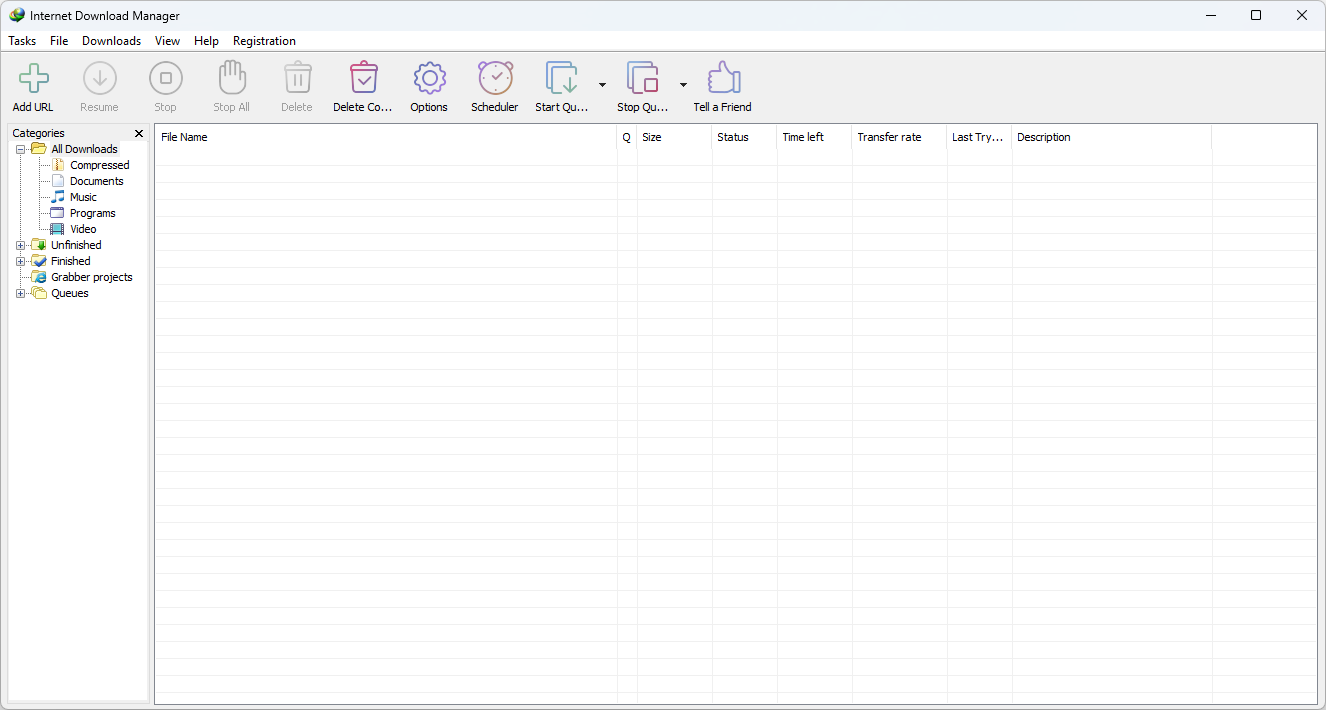
- Customizable Interface: Users can rearrange the order of buttons and columns on the main window, apply different toolbar skins downloaded from the IDM site, or design their own custom skins.
- Download Categories: Downloads can be sorted automatically into defined categories, useful for organizing large libraries of files.
- Download All Feature: IDM can grab every download linked on the current page in one action, making it easy to pull multiple files at once.
- Multilingual Support: IDM has been translated into a long list of languages, including Albanian, Arabic, Chinese, Croatian, Czech, Dutch, French, German, Hebrew, Italian, Japanese, Korean, Polish, Portuguese, Romanian, Russian, Spanish, and many others.
- Quick Update: IDM checks for new versions automatically about once a week, listing new features and asking the user whether to update.
- Download Limits: A progressive downloading feature lets you cap downloads to a set number of megabytes per hour, useful for connections governed by a fair access policy.
- Automatic Antivirus Checking: Completed downloads can be scanned automatically using tools like AdAware, Avast, Spybot, AVG Anti-Virus, McAfee, Norton Internet Security, Norton 360, SpywareBlaster, and CCleaner.
- Simple Installation Wizard: A quick setup process configures the necessary settings automatically and checks your connection at the end to ensure a smooth installation.
- Proxy Server Support: IDM works with multiple types of proxy servers, including Microsoft ISA and FTP proxy servers.
- Authentication Protocol Support: Basic, Negotiate, NTLM, and Kerberos authentication protocols are supported, allowing IDM to access many internet and proxy servers using login credentials.
- Drag and Drop: Links can be dragged directly into IDM, and completed downloads can be dragged out of the program.
- Advanced Browser Integration: When enabled, IDM can catch downloads originating from any application, a capability the developer notes isn’t found in other download managers.
What’s new in Internet Download Manager 6.43 Build 15?
The current version, 6.43 Build 15, was released on October 08, 2026. According to the official changelog, this update includes:
- Fixed a problem causing IDM download panel not to appear on some videos.
- Fixed bugs.
Internet Download Manager Tested Screenshots
How to Install?
- Download Internet Download Manager directly from the official download page.
- Run the downloaded .exe installer file.
- Follow the on-screen installation instructions to complete setup.
- Install the IDM browser extension for whichever browser you use, with dedicated extensions available for Google Chrome, Mozilla Firefox, and Microsoft Edge.
- Keep the IDM extension installed and enabled in your browser at all times, since this is what allows IDM to take over downloads and display its right-click menu options. If anything stops working correctly, the first thing to check is whether the “IDM integration module” extension is still installed and active in your browser.
System Requirements (Windows)
| Component | Minimum | Recommended |
|---|---|---|
| Operating System | Windows 7 (32-bit or 64-bit) | Windows 10 or Windows 11 (64-bit) |
| Processor | Intel Pentium 4 or equivalent AMD processor | Intel/AMD Dual-Core processor or better |
| RAM | 1 GB | 4 GB or more |
| Storage | 50 MB free disk space | 200 MB free disk space |
| Internet Connection | Required | Stable broadband for best acceleration results |