Simcenter FlightStream (Formerly Altair FlightStream): Rapid Aerodynamics and Hydrodynamics Simulation
Simcenter FlightStream, previously known as Altair FlightStream, is a compressible aerodynamics and hydrodynamics panel-method flow solver built to deliver results in seconds rather than the hours or days typical of traditional CFD. The name changed in 2026 after Siemens and Altair merged their simulation software portfolios, folding the tool into Siemens’ Simcenter product line. It’s used across aerospace and marine engineering to evaluate vehicle performance, propulsion integration, flight mechanics, stability, and fluid-structure interaction during the earliest and most iterative stages of design.
Simcenter FlightStream Information
- Title: Simcenter FlightStream (formerly Altair FlightStream)
- Developer: Siemens Digital Industries Software
- Platform: Windows
- Official Website: Siemens
Why Simcenter FlightStream?
Simcenter FlightStream accelerates early design decisions using a vorticity-based panel method to evaluate aerodynamic and hydrodynamic behavior. It applies across vehicle performance and load computation, propulsion integration, flight mechanics, vehicle stability, and fluid-structure interaction, and it also extends into wave resistance prediction and marine propeller performance, making it a versatile tool across both aerospace and marine domains.
Rapid Aerodynamics and Hydrodynamics Assessment
Steady-state results for full vehicles generate in under a minute, and transient simulations complete within minutes, all without needing expensive HPC or GPU hardware, while maintaining high accuracy for external flow simulations.
Streamline Workflows
Complex volumetric meshing is eliminated by using surface grids only, significantly reducing preprocessing effort. Studies can be automated with scripting to explore design spaces faster while cutting down manual effort and turnaround time.
Integrate Easily with CAD/CAE Tools
The software integrates smoothly with a wide range of CAD and CAE tools, supports multiple geometry formats, and enables direct mesh import from external tools to keep project setup flexible and compatible.
Also Check Out: TechSmith Camtasia
Simcenter FlightStream Featured Capabilities
Accelerate Analysis with Integrated Toolbox Solutions
Built-in toolboxes such as Solver Sweeper, Stability and Control, and API scripting automate batch processes and parametric studies, allowing rapid estimation of aerodynamic behavior and efficient exploration of design variations during early and iterative design phases.
Panel Method for Viscous-Coupled and Nonlinear Flows
The solver combines the speed of panel methods with the ability to handle complex geometry configurations, accurately capturing boundary layer flow and its impact on vehicle aerodynamics through a fully viscous-coupled, non-linear flow solver.
Capture Complex Motion with Time-Accurate Aerodynamics
Complex, stacked motions such as VTOL transitions, rotor movements including cyclic and collective inputs, advanced flap behavior, and vehicle maneuvers with control effector actions can be simulated in a time-accurate framework. Control surfaces can be represented at various geometric fidelity levels, including faired, gapped, and multi-flap configurations, with their motion simulated for trimming, stability, and control analyses.
Aeroelastic and Fluid-Structure Interactions
Fluid-structure interaction is enabled by coupling Simcenter FlightStream with external user-defined executables. The solver outputs aerodynamic loads at structural nodes, which are processed externally to compute displacements, and those displacements are reapplied to deform the surface grid for iterative aeroelastic analysis.
Hydrodynamic Wave Modeling and Resistance
The marine free-surface solver extends the core incompressible panel solver. Based on inviscid wave dynamics, it quickly and accurately generates surface wave patterns from submerged body motion and analyzes free-surface effects, automatically creating a free-surface mesh and coupling it with the body solution with minimal user input.
Discover How Others Use Simcenter FlightStream
Siemens presents this software across four industries: aerospace (civilian), aerospace (defense), marine, and energy.
Aerospace (Civilian)
Simcenter FlightStream is used in the civilian aerospace industry for rapid aerodynamic analysis across conceptual and preliminary design phases. Engineers use it to evaluate lift, drag, stability, and performance of aircraft configurations, including wings, fuselages, and propulsion integration. Its fast turnaround enables efficient design space exploration, optimization, and early validation, complementing rather than replacing high-fidelity CFD methods.
Aerospace (defense)
Simcenter Flightstream is used in the aerospace (defense) industry for rapid aerodynamic analysis of high-performance and mission-critical platforms. It supports evaluation of lift, drag, stability and control characteristics for complex configurations, including UAVs, missiles and advanced fighter concepts. Its fast turnaround enables efficient design iteration, performance assessment and early-stage validation augmenting high-fidelity CFD methods.
Marine
Simcenter Flightstream is used in the marine industry for rapid hydrodynamic analysis of vessels and propulsion systems. It enables prediction of wave resistance, pressure distribution and propeller performance for ships and submarines. Its fast turnaround supports design optimization, efficiency improvements and early-stage performance evaluation without relying on computationally intensive CFD methods.
Energy
Simcenter Flightstream is used in the energy industry for rapid aerodynamic analysis of wind turbines and other flow-driven systems. It enables early-stage evaluation of rotor performance, wake interactions and load distribution, supporting efficient turbine design and layout optimization. Its fast turnaround allows to explore design variations, improve energy capture and assess performance trends complementing high fidelity CFD methods.
Frequently Asked Questions
- What is Simcenter FlightStream?
It is a fast aerodynamics and hydrodynamics simulation tool that uses a viscous, vorticity-based panel method to efficiently analyze flow behavior across multiple industries, supporting performance assessment and design screening early in the development cycle.
- How does Simcenter FlightStream compare to finite volume CFD?
Rather than replacing finite-volume CFD, Simcenter FlightStream complements it. Panel methods use surface-based, vorticity-driven formulations to capture key flow features around complex geometries without needing volumetric meshing, making them well suited to fast, early-stage design screening before committing to higher-fidelity finite-volume analysis.
- Can Simcenter FlightStream integrate with other CAD and CAE tools?
Yes. It integrates with a range of CAD and CAE tools, enabling seamless workflows and data exchange between different stages of the design and analysis process.
- Which operating systems are supported by Simcenter FlightStream?
The full graphical interface is supported on Windows 10 and later. Headless execution, meaning no graphical interface, is available on Linux systems.
- What programming languages are supported for scripting in Simcenter FlightStream?
It uses a text-based scripting interface compatible with virtually any programming language, including Python, MATLAB/Simulink, and C++. A dedicated Python API is also available for streamlined automation.
- What are the upgrade policies for Simcenter FlightStream?
The software is regularly updated twice a year to incorporate the latest technological advancements and user feedback, with version 26.1 being the current release.
What’s New in Simcenter FlightStream 2026.1?
The current version, 2026.1, was released in June 2026. According to the official changelog, this update includes:
Siemens organizes the 26.1 update around four themes: modeling complexity with more confidence, exploring more design possibilities, moving faster through preprocessing and meshing, and staying integrated with existing structural and aeroelastic workflows.
Model the Complexity
- Vortex Shedding Boundary Condition: A new boundary condition models leading-edge vortex formation and evolution with enhanced fidelity, allowing more accurate prediction of vortex lift contribution on delta wings and highly swept surfaces, along with clearer insight into separated flow behavior and wake structure evolution.
- Component-Level Separation Modeling: Multiple flow separation models can now be assigned at the component level within an assembly, allowing bodies, stores, pods, and landing gear to each use the separation physics appropriate to their own flow regime. This improves accuracy in transient store-separation and lateral-fuselage flow analyses and reduces rework caused by forcing one separation model across an entire configuration.
Explore the Possibilities
- Automated Parametric Sweeps with Post-Processing: Non-uniform solver sweeps can now be paired with automated per-run post-processing scripts that execute after each case completes, applying identical analysis logic across every run. This reduces manual setup and processing time while ensuring repeatable, comparable results across an entire design space.
- Direct Boundary-Layer and Probe-Point Export: Boundary-layer and probe-point quantities can now be exported directly from surface sections and probe points inside the simulation environment, removing the need for external post-processing tools and speeding up validation against experimental data.
Go Faster
- CAD Edge to Virtual Curve Transfer: CAD edges can now transfer directly to virtual curves, significantly reducing geometry preparation time for fuselages, nacelles, pods, and external stores, and making parametric workflows more reliable across repeated iterations.
- Modernized Transfinite Interpolation Mesher: A rebuilt Transfinite Interpolation Mesher generates meshes directly from virtual curves, allowing local mesh resolution to be adjusted precisely around critical aerodynamic features such as nacelles, wing-body intersections, and control surfaces without manual rework.
Stay Integrated
- Scriptable Aeroelastic Toolbox with Mesh Morphing: A new scriptable toolbox automates aero-structure coupling, allowing a coupling setup to be defined once and applied consistently across multiple configurations and deformation states. This enables batch aeroelastic cases to run without manually updating meshes between iterations and simplifies integration with external structural workflows.
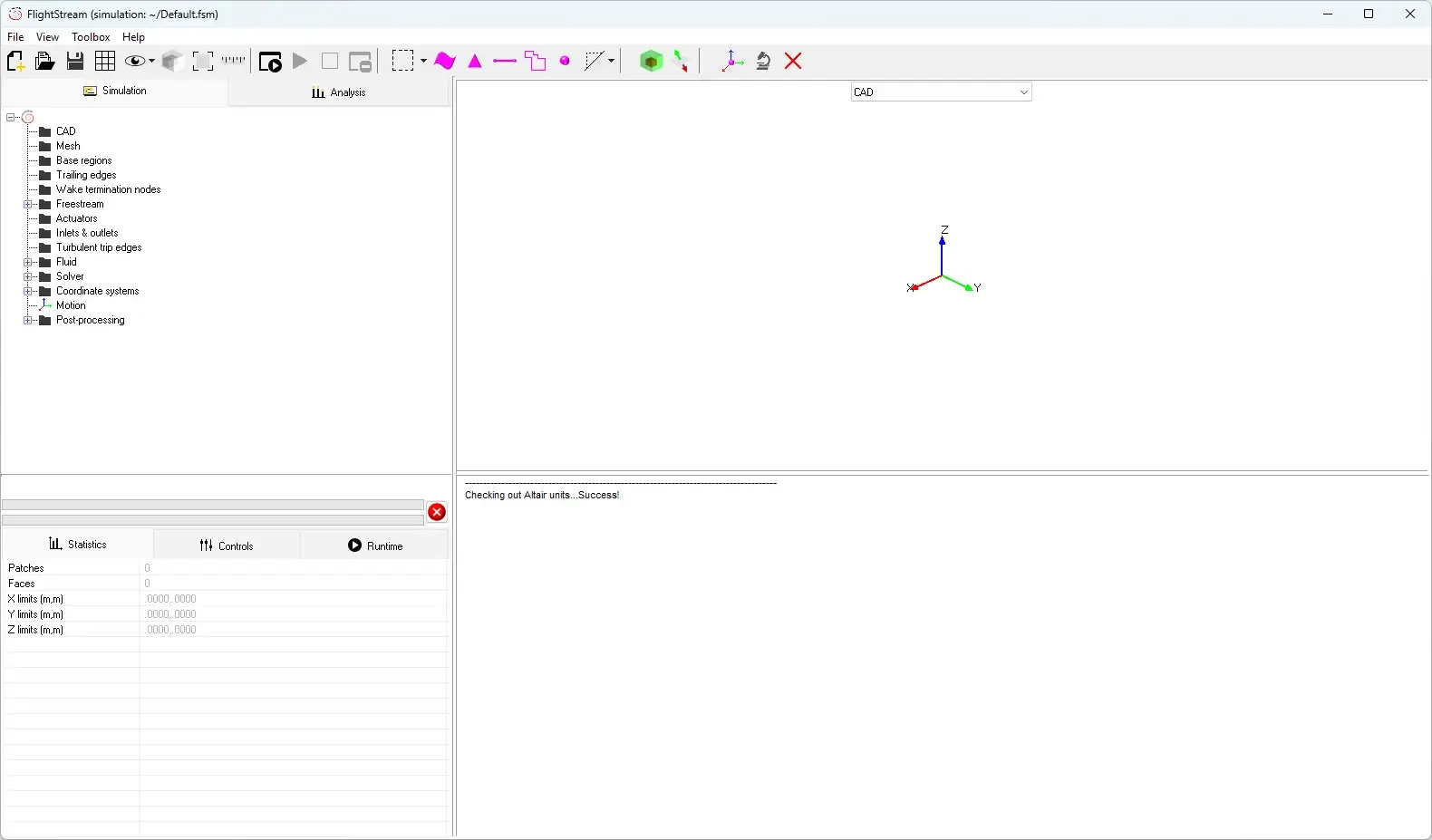
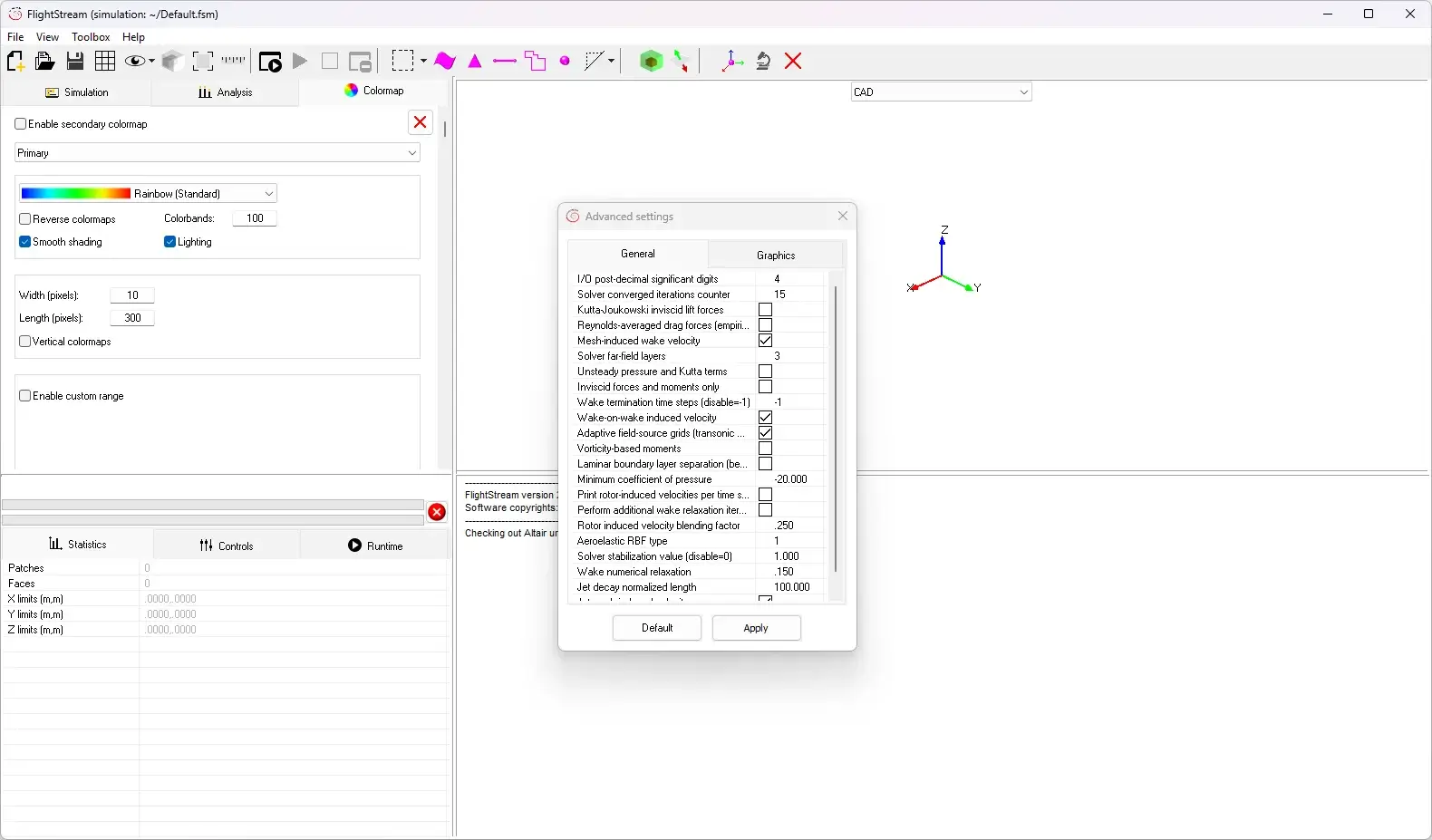
Simcenter FlightStream Tested Screenshots
System Requirements (Windows)
| Component | Requirement |
|---|---|
| Operating System | Windows 10 or later (full graphical interface) |
| Alternative Platform | Linux is supported for headless, non-GUI execution |
| Additional Notes | Siemens does not publish a detailed CPU, RAM, or storage specification table for Simcenter FlightStream; official documentation confirms only the operating system support listed above |