Windows Malicious Software Removal Tool (MSRT) 64-bit: Microsoft’s Monthly Malware Cleanup Utility
The Windows Malicious Software Removal Tool, known as MSRT, is a utility from Microsoft built to keep Windows computers clear of some of the most prevalent malware in circulation. It scans a system, removes threats it finds, and reverses changes those threats made, working either automatically through Windows Update or on demand as a standalone download.
Microsoft Malicious Software Removal Tool Information
Title: Windows Malicious Software Removal Tool (MSRT)
Developer: Microsoft
Platform: Windows
Official Website: Microsoft
Microsoft Malicious Software Removal Tool Overview

Malicious Software Removal Tool (MSRT) is built around a fairly narrow, specific job. Rather than acting as a full antivirus suite, it focuses on detecting and removing a defined list of prevalent, widespread malware families and reversing whatever changes those threats made to the system. Microsoft is explicit that this tool does not replace comprehensive antimalware software such as Windows Defender Antivirus. It is meant to complement whatever protection is already running, not stand in for it.
The tool exists in two forms. If automatic updates are enabled, MSRT is delivered through Windows Update and runs quietly in the background without any user interaction. If a computer has automatic updates turned off, or if there is a specific reason to suspect an infection from one of the malware families MSRT covers, the standalone version on this page can be downloaded and run directly.
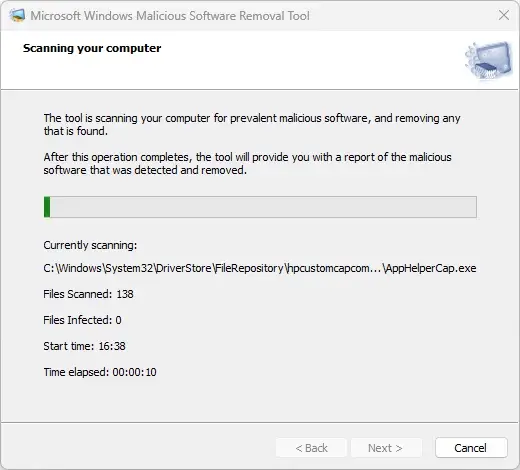
Microsoft generally releases a new version on the second Tuesday of each month, and the standalone download on this page is updated at the same time. After a scan finishes, the standalone version displays a report listing any threats it found, and it also writes a log file at %windir%\debug\mrt.log that records the details of what was scanned and removed.
For anyone who needs deeper detection coverage than MSRT’s targeted approach provides, Microsoft points to its Safety Scanner as a more comprehensive alternative.
Also Check Out: Password Depot
Microsoft Malicious Software Removal Tool Key Features
- Targeted Malware Detection: MSRT scans for and removes a specific list of prevalent malware families rather than attempting broad, general-purpose antivirus coverage.
- Automatic Background Operation: When automatic updates are enabled, MSRT is delivered through Windows Update and runs in the background without needing to be launched manually.
- On-Demand Standalone Scanning: The standalone version on this page can be downloaded and run manually at any time, independent of the Windows Update schedule.
- Scan Reporting: After a standalone scan completes, MSRT displays a report of any threats it detected and removed.
- Detailed Log File: Every standalone scan generates a log file at %windir%\debug\mrt.log for later review.
- Monthly Release Cycle: New versions are generally published on the second Tuesday of each month, keeping detection aligned with the most prevalent current threats.
- Multi-Language Support: MSRT supports multiple system languages, and automatically defaults to United States English if the operating system’s language is not supported.
- Administrator Privilege Requirement: The tool must be run with local administrator privileges to function.
- Command-Line Switches for Advanced Use: Supported command-line switches for running MSRT with specific parameters are documented in KB890830 for IT administrators and advanced users.
- Enterprise Deployment Guidance: IT administrators deploying MSRT across an organization can reference KB891716 for detailed deployment information.
- Documented Data Collection: Details about the data MSRT collects during errors and detections are outlined in KB890830.
- Removal Documentation: KB890830 also explains how to remove the tool from a system after it has been run.
What’s new in Microsoft Malicious Software Removal Tool 5.146?
The current version, 5.146, was released on September 13, 2026. According to the official changelog, this update includes:
- Some added features, improvements and bug fixes.
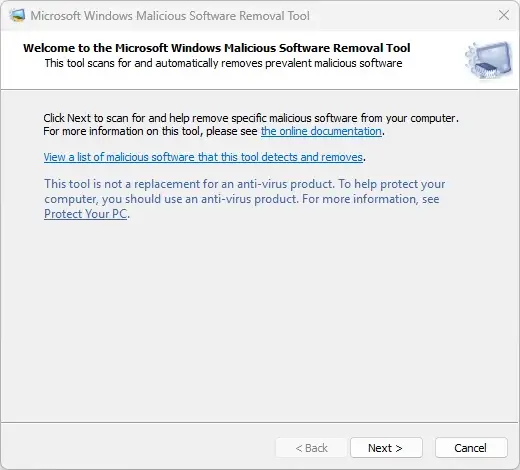
Microsoft Malicious Software Removal Tool Tested Screenshots
System Requirements
| Component | Requirement |
|---|---|
| Supported Operating Systems | Windows 10, Windows 10 Tech Preview, Windows 11, Windows 7, Windows 8.1, Windows Server 2012, Windows Server 2012 R2, Windows Server 2016, Windows Server Tech Preview |
| Privileges | Must be run with local administrator privileges |